50 Mega-800 SCINCO
When Reagent Blank Correction in Cell No. 1 is set to ―YES‖, you needn’t to perform autozero. You
need to put the blank sample into the Cell No.1, and then put the measured samples into other cells.
The system will first measure the set N samples. Then the measured values of samples No.2~No.N
will be deducted (corrected) by that of the blank in sample cell No. 1 following the formula below. The
corrected results will be recorded, calculated and displayed on LCD one by one.
Absorbance:
Absorbance of Cell No. n= the measurement value of Cell No. n-Abs of Cell No.1
(5-1)
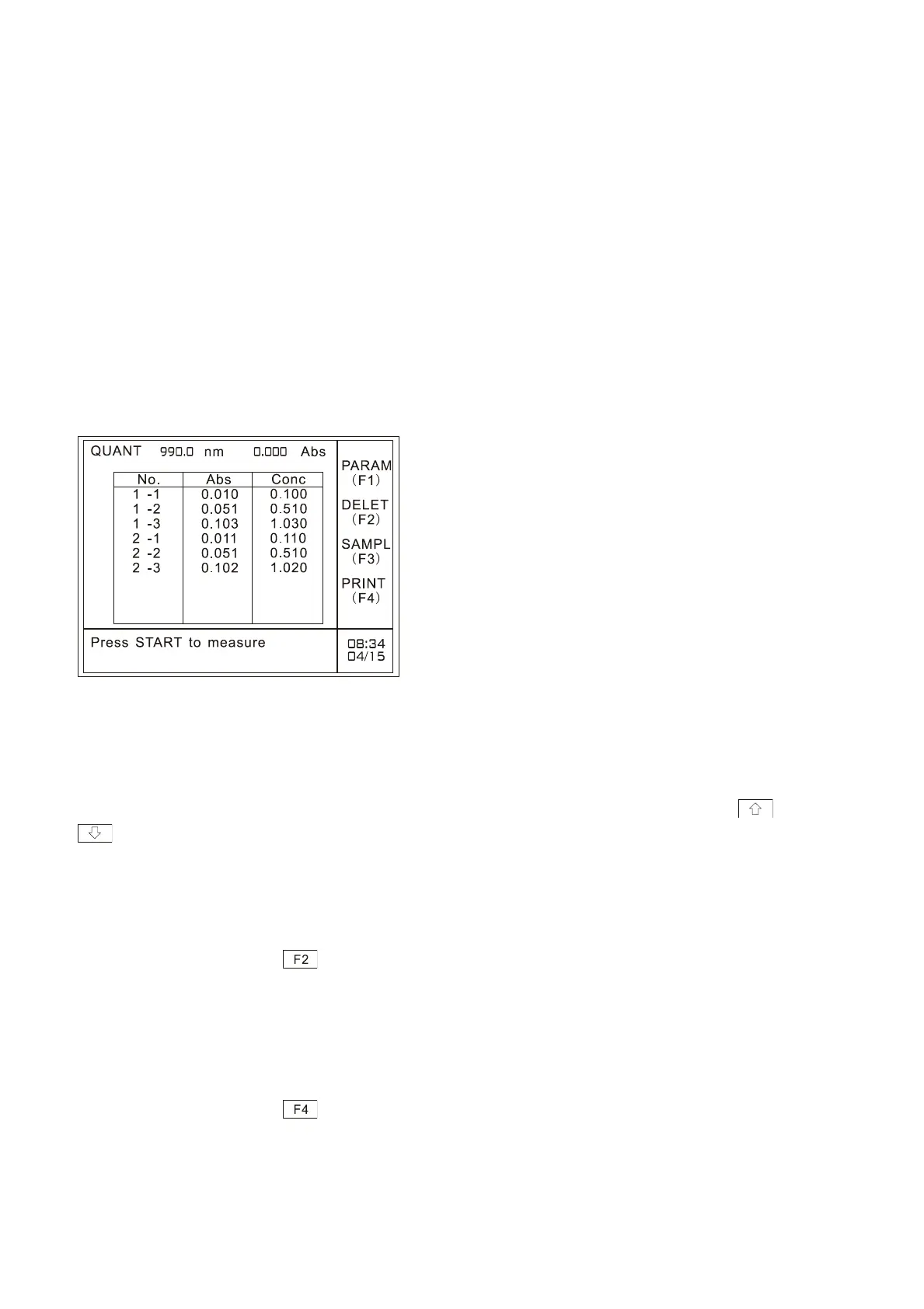
The measurement results using the multi-cell holder is shown as Fig.5.18. “No.”in the table refers to
the serial number of the samples set by the user. “2 -3”in the table refers to the second
measurement result of No.3 cell (if use multi-cell changer, it refers to current sample cell in use);
―Abs‖ refers to absorbance value; ―Conc‖ refers to the concentration value calculated by the
calibration curve. The following picture shows the results of using three cells measuring twice.
Fig. 5.18 Multi-cell measurement results
5.7 Looking up the measurement results
After measurement, you can look up the measurement results by pressing cursor keys and
.
5.8 Delete the measurement data
After measurement, press key to delete measurement results. Please refer to ―3.7 Delete the
measurement data‖.
5.9 Printout
After measurement, press key to print out the measurement results. Please refer to ―3.8
Printout‖.
5.10 Quit measurement



 To Next Page