26 Mega-800 SCINCO
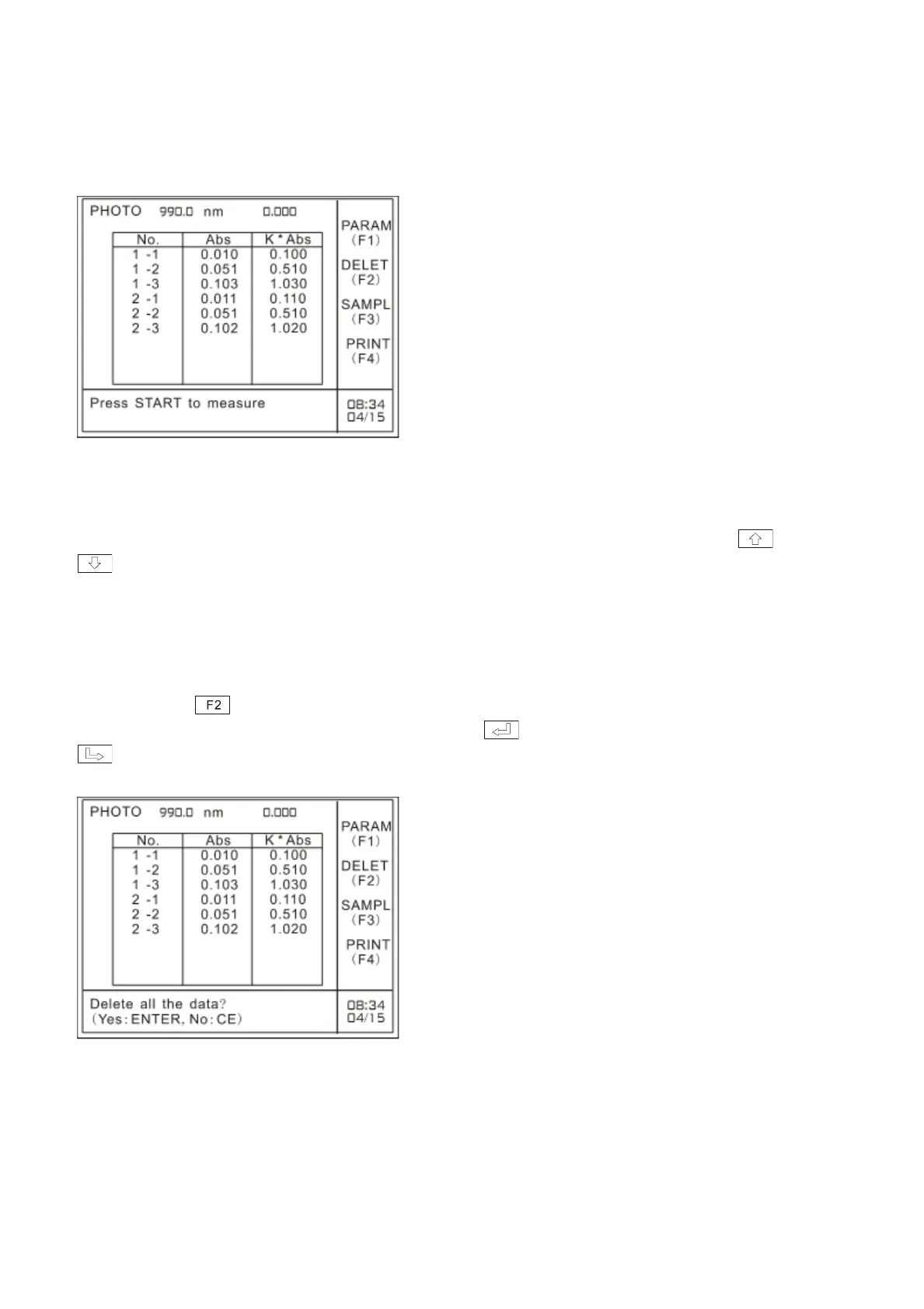
The measurement results of multi-cells is shown as Fig.3.14. ―No.‖ in the table refers to sample serial
number set by the user. ―2-3‖in the table refers to the second measurement result of No.3 cell (if use
multi-cell changer, it refers to current sample cell in use); ―Abs‖ refers to absorbance value; ―K*Abs‖
refers to the value of measurement multiplied by K-Factor. The K factor in the above table is 10.
Fig. 3.14 Multi-cell measurement results
3.6 Looking up the measurement results
After measurement, you can look up the measurement results by pressing cursor keys and
.
3.7 Delete the measurement data
You can press key to delete measurement data. It will prompt the user with the information
―Delete all the data? (YES: ENTER, NO: CE).‖ Press to confirm and delete all the data. Press
key to cancel the operation, and it will prompt the user with the information ―Press START to
measure‖, and then you can perform other operation.
Fig. 3.15 Delete measurement data
Please print the measurement data before deleting them.



 To Next Page