19 Mega-800 SCINCO
to begin measurement.
④ Time display area: time in the above picture is eight thirty four on April 15.
⑤ Indication area for function keys: show the function keys —— . The detailed
functions are shown as follows:
—— gain access to the parameters setting menu;
—— delete the measurement data;
—— set the sample cell holder;
—— print the measurement data.
In addition, press on this menu can set wavelength and press can
perform auto zero at current wavelength.
3.2 Parameters setting
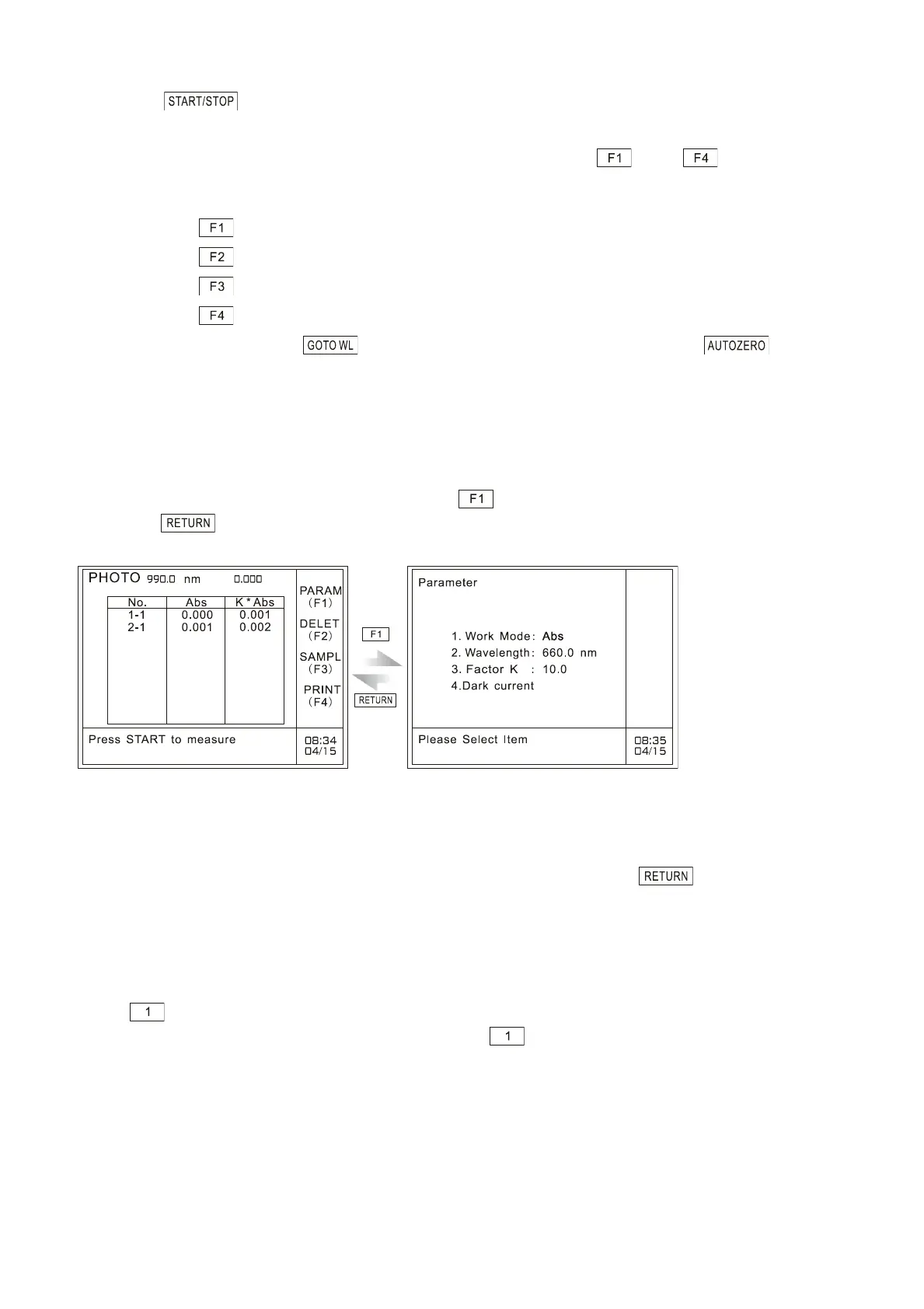
On the menu of photometric measurement, press to gain access to the parameters setting page,
and press to return to the photometric mode menu, as shown in Fig.3.3:
A: Photometric mode menu B: Parameters setting page
Fig. 3.3 Gain access to the parameters setting page
On this page, users can set the photometric mode, wavelength and the value of factor K by pressing
the corresponding numeric keys. After finishing parameters setting, press key to return to the
preceding page.
3.2.1 Set photometric mode
Press key to set photometric mode. Two modes are available: Abs and %T, as shown in Fig.
3.4. They can be selected alternately each time when key is pressed.



 To Next Page