22 Mega-800 SCINCO
3.2.4 Dark current correction
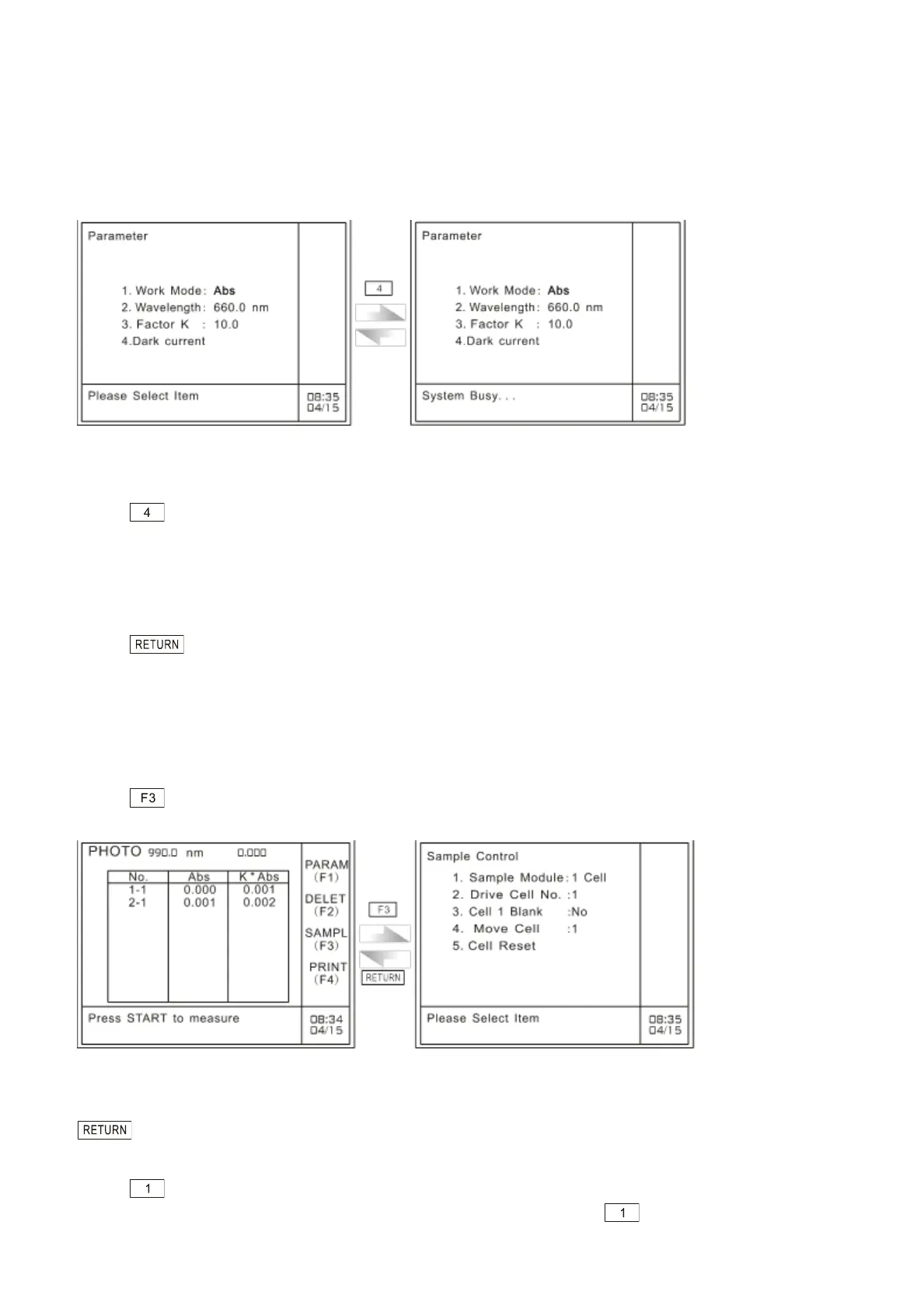
Dark current correction is performed to ensure the accuracy of the measurement results. You should
perform dark current correction when the enviroment changes, which refer to temperature varies
much and installation location changes etc. as well as when you measure high absorbant samples (It
is recommended that perform dark current corretion before you start measurement to ensure the data
accuracy). The operation procedures is shown as follows:
A: Parameters setting page in photometric mode B: Dark current correction
Fig. 3.8 Dark current correction
Press to perform dark current correction on the parameters setting page. It will display ―system
busy…‖. Then, about 10 seconds later, it will prompt the user with the message ―Please select Item‖,
meaning dark current correction has finished, as shown in Fig.3.8.
3.2.5 Quit parameters setting
Press key to quit parameters setting and return to the main menu of photometric
measurement.
3.3 Sample control
In the case of sample control, you can select the preferred sample module (fixed cell holder, 5-cell
changer and 8-cell changer are available). If you select 8-cell changer or 5-cell changer, you can set
cell number, move cell and cell reset etc.
Press to gain access to the sample control menu in the case of photometric measurement, as
shown in Fig. 3.9:
A: Photometric measurement menu B: Sample control menu
Fig. 3.9 Set sample control
In the case of sample control, press the corresponding numeric keys to set cell holders. Then, press
to return to photometric mode menu.
3.3.1 Select sample module
Press key to select sample module. There are three types available, fixed cell-holder, 5-cell
holder and 8-cell holder, which can be selected alternately each time key is pressed.



 To Next Page