Installing the Network Module
The Network Module provides enhanced high-speed communication for networking up to 127 fire control panels,
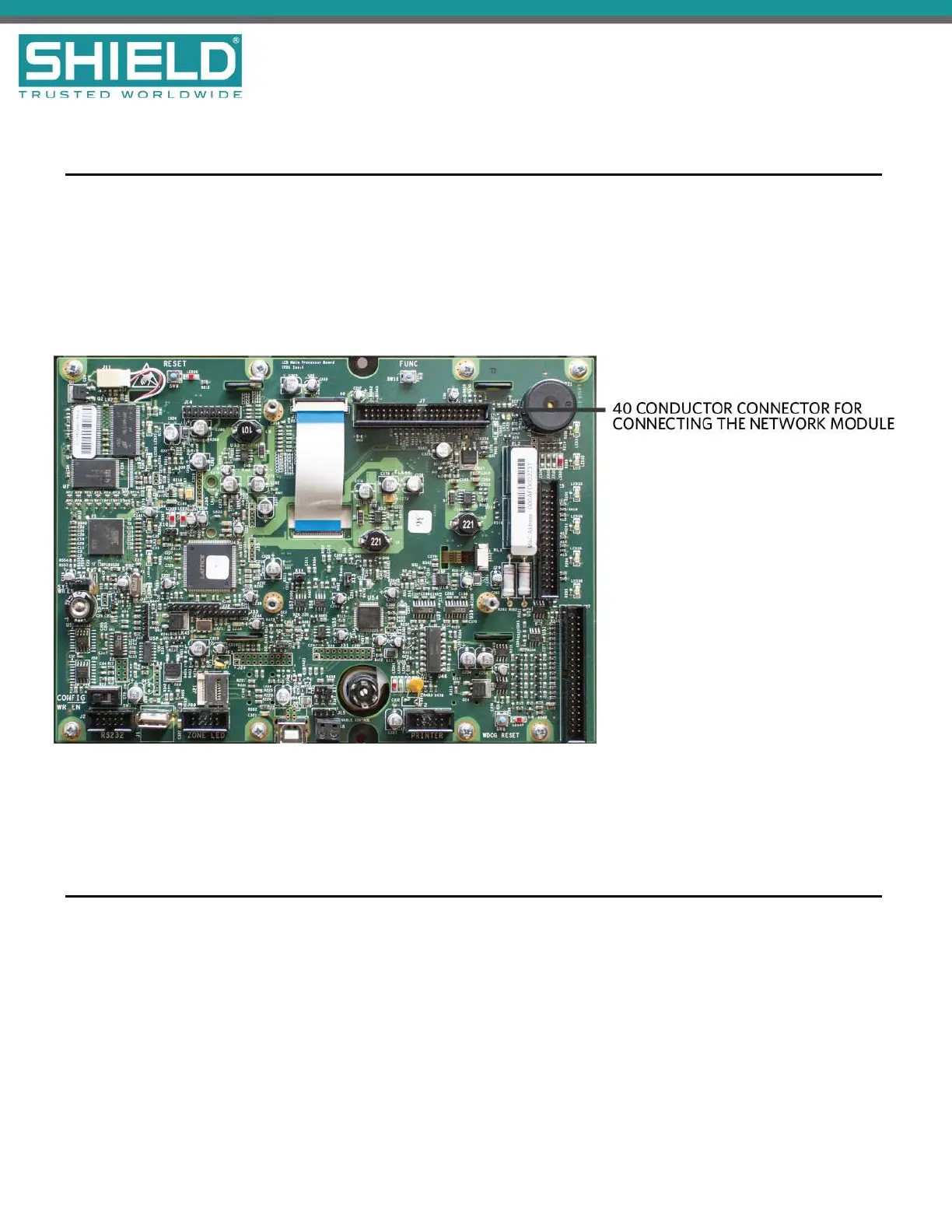
(addressed from 1-127). To install the network module of the Aura Fire Alarm ControlPanel:
1. Switch off AC power and disconnect the battery .
2. Connect the 40 conductor connector of the Network Module to the 40 conductor connector of the LCD
Main Processor Board as shown.
3. Secure the Network Module to the LCD Main Processor Board with supplied hardware .
4. Reconnect the battery and restore AC power.
Network Connections
Provide network connections to NETWORK IN and NETWORK OUT terminals of the Aura Fire Alarm
ControlPanel's MainBack Board after installing the Network Module. The following figure illustrates the typical
network connections of a 3 panel, Class X network:
SHIELD Fire, Safety & Security Ltd
Aura Fire Alarm Control Panel Installation Manual
Version 1.00 |June 2019 |MAN-1431VS
Page 28
Installation



 To Next Page