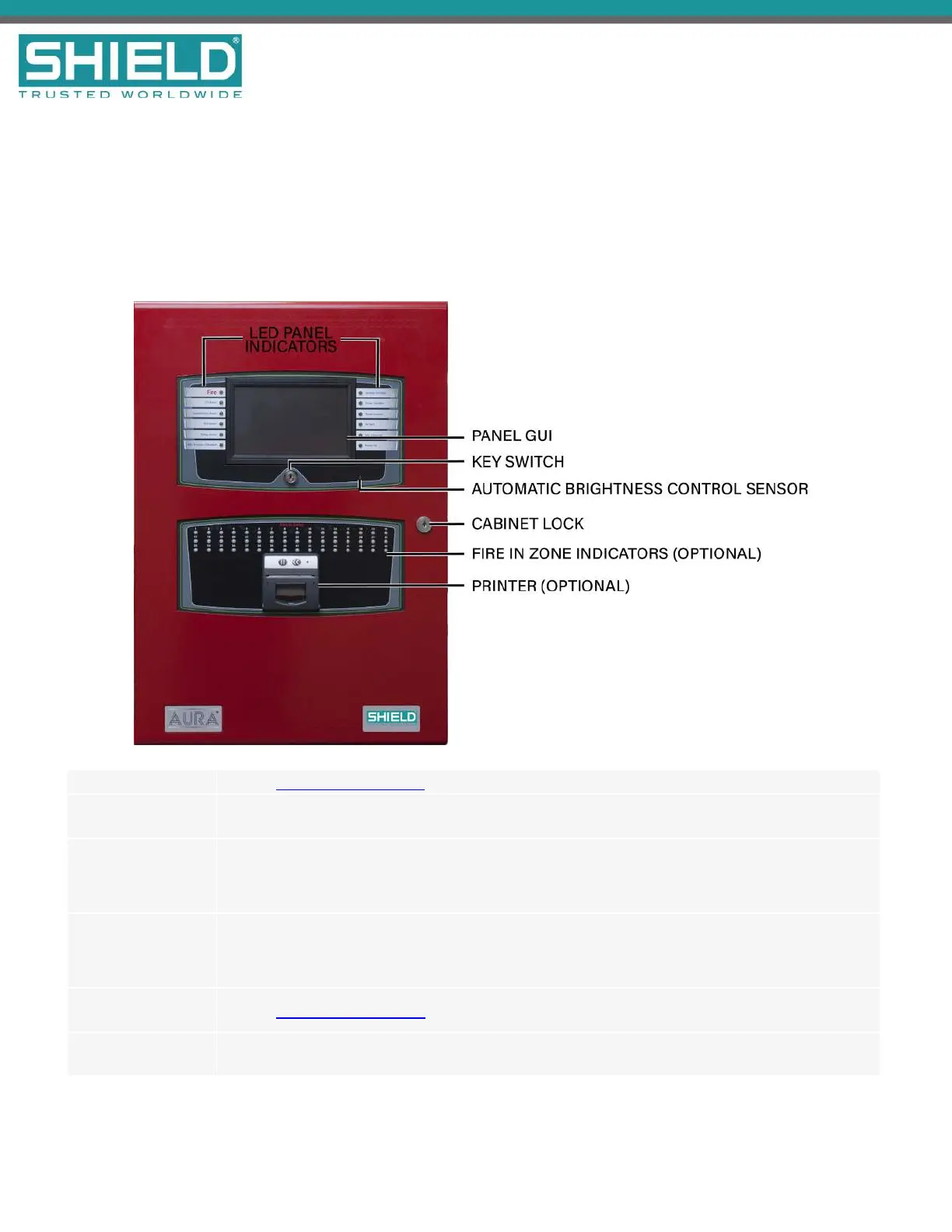
LED Panel Indicators Refer to LED Status Indicators below for details.
Panel GUI
The 7 inch, full-color, high-resolution panel GUI provides a resistive touchscreen that allows
operation when users are wearing gloves.
KeySwitch
The key switch on the Aura Fire Alarm ControlPanel provides level 2 access to the panel, which
allows the user to silence alarms and reset the system. These functions can also be accessed by
using a 6-digit access level 2 code.
Cabinet Lock
This provides access to panel electronics. Some models of the Aura Fire Alarm ControlPanel place
all user controls behind glass. In these models, the cabinet lock provides access to all controls,
including access level 2 controls.
Fire InZone
Indicators (Optional)
Refer to Fire In Zone Indicators below for details.
Printer(Optional)
The Aura Printer is an optional feature located on the lower portion of the fascia. It is a thermal
printer that never requires replacement ink and uses thermal paper rolls accessible from the fascia.



 To Next Page