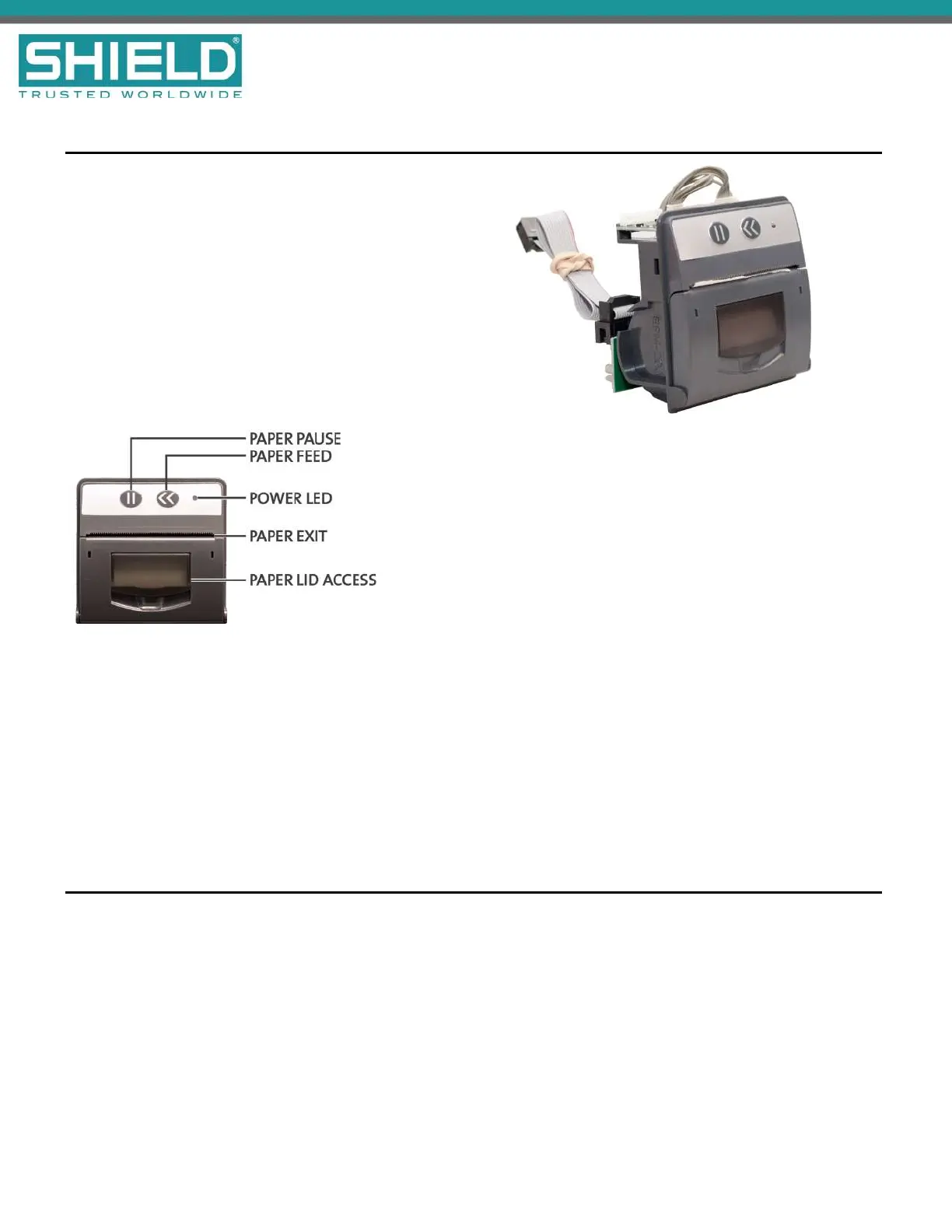
Printer (AUL-9068)
The Aura Printer is an optional feature for printing fire
system events as they occur. The printer is located on the
fascia, below the Zone LEDs (if present). It is a thermal
printer and never requires replacement ink. Printing is
performed on heat-sensitive paper rolls. A trouble message
is reported when the paper runs out. The printer includes a
front loading feature for replacing paper rolls. Refer to
Equipment List for the part number and description of the
paper roll replacement.
To load paper rolls in the printer:
1. Lift the latch on the face of the printer to
access the paper chamber.
2. Load the paper in the paper chamber with
the paper edge exiting from the top and
with the shiny-side facing the top of the fire
control panel.
3. When the LEDindicator is on and the
printer is not in standby, you can press the
<< button on the face of the printer to test
feed the paper.
When using a printer with a Aura Fire Alarm ControlPanel fitted with a Plex-Door, the paper may adhere to the
door because of the static generated when removing the protective film. To combat this, wipe the surface of the
door with a slightly damp, soapy cloth before the first use.
Zone LED Module (AUL-9071)
The Zone LED module contains 48 LEDs and is connected to the LCD Main Processor Board of the Aura Fire
Alarm ControlPanel. A maximum of three Zone LED modules can be connected to provide the fascia with 144
Zone LED indicators. The following figure illustrates the component-side of the Zone LED Module:
SHIELD Fire, Safety & Security Ltd
Aura Fire Alarm Control Panel Installation Manual
Version 1.00 |June 2019 |MAN-1431VS
Page 60
Overview



 To Next Page