available for operation following the booting cycle.
Lamp & Buzzer Test
This test confirms operation of the indicator lamps and the buzzer. To perform the Lamp & Buzzer Test:
1. Press the panel GUI during the Fire System Normal condition.
2. Press Panel Tests and then Lamp & Buzzer Test. The internal buzzer of the fire control panel sounds
and all indicator lamps light for 5 seconds. Contact Technical Support if fascia lamps do not light.
Display Test
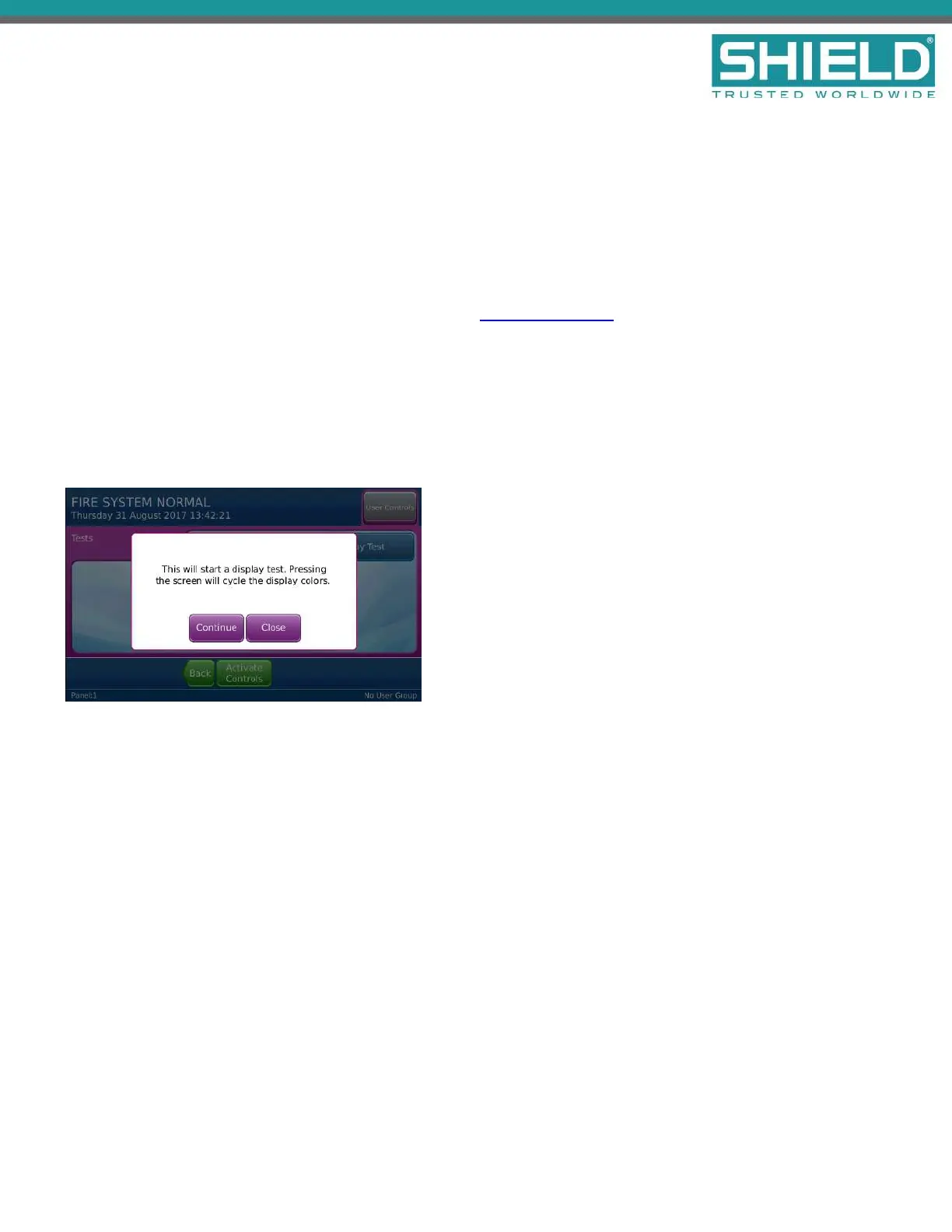
Perform the Display Test to confirm operation of the panel GUI.
1. Press the panel GUI during the Fire System Normal condition.
2. Press Panel Tests and then Display Test. A confirmation window will appear.
3. Press Continue to test the display. The panel GUI cycles through a series of blank raster colors.
System Information
The System Information window includes details such as Software Version, File manager, LED Controller, I/O
Board Controller, Configuration Manager, and the Event Log. View the System Information to determine the
operating status of the Aura Fire Alarm ControlPanel. To view system information on the Aura Fire Alarm
ControlPanel:
1. Press the panel GUI during the Fire System Normal condition.
2. Press System Information. Press More to display subsequent System Information windows.
Installation
SHIELD Fire, Safety & Security Ltd
Aura Fire Alarm Control Panel Installation Manual
Version 1.00 |June 2019 |MAN-1431VS
Page 49



 To Next Page