GCMS-QP2010 Series Operation Guide 107
I.1 Reducing the Carrier Gas Flow Rate After Sequential Analysis
I
I
I
I
I
I
I
I
I
I
I
I
I
I
I
I
3
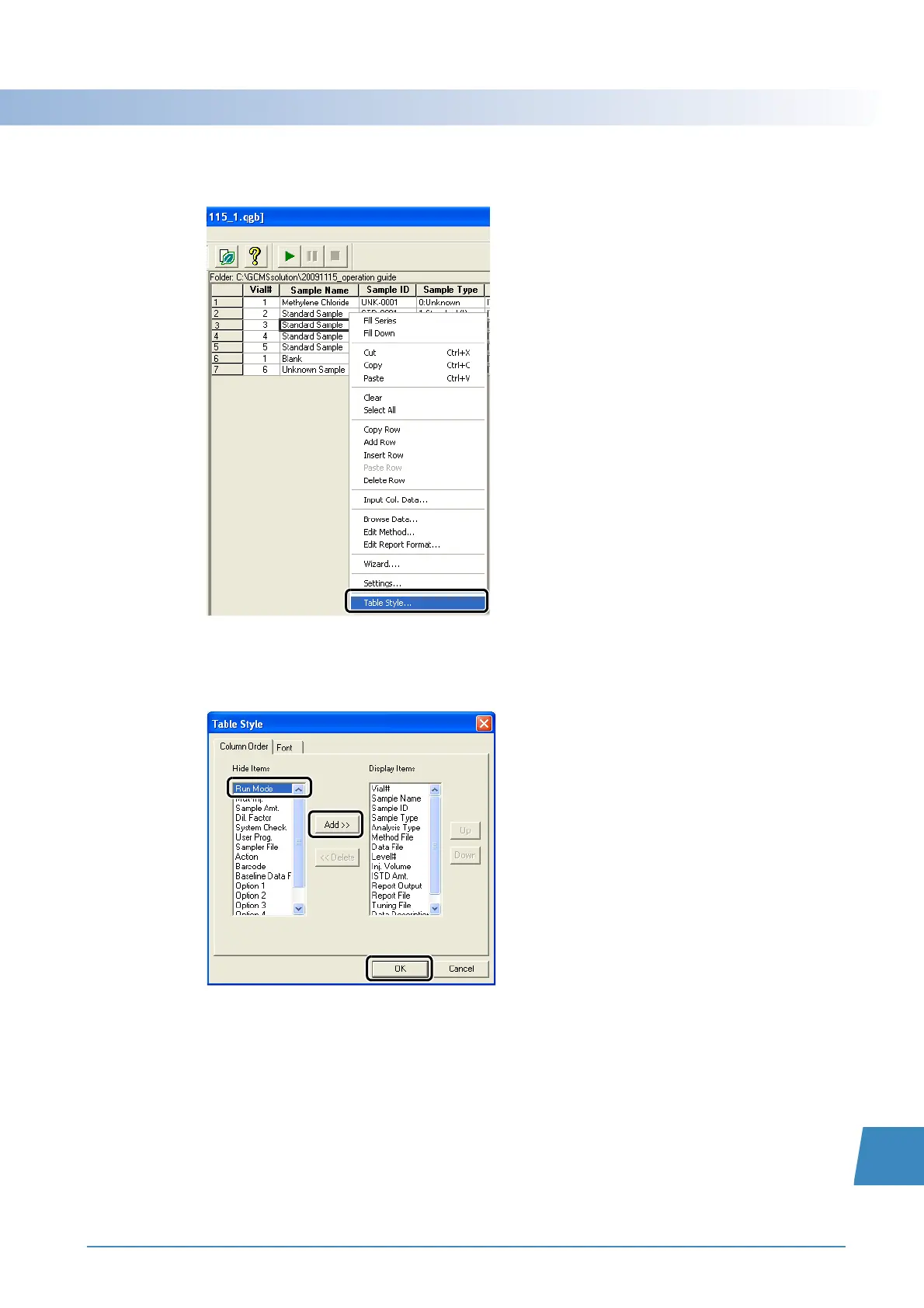
Right-click on the batch table and select [Table Style] on the menu that appears.
The [Table Style] window opens.
4
Click [Run Mode] in the [Hide Items] list, then click [Add>>] and [OK].
A [Run Mode] column is added to the end of the batch schedule.



 To Next Page
 Loading...







