MOUNTING 4
8027311 / V1-0/2022-04|SICK
Subject to change without notice
OPERATING INSTRUCTIONS|TDC-E (Telematic Data Collector)
▸
Remove the factory-installed SIM card for EU operation.
▸
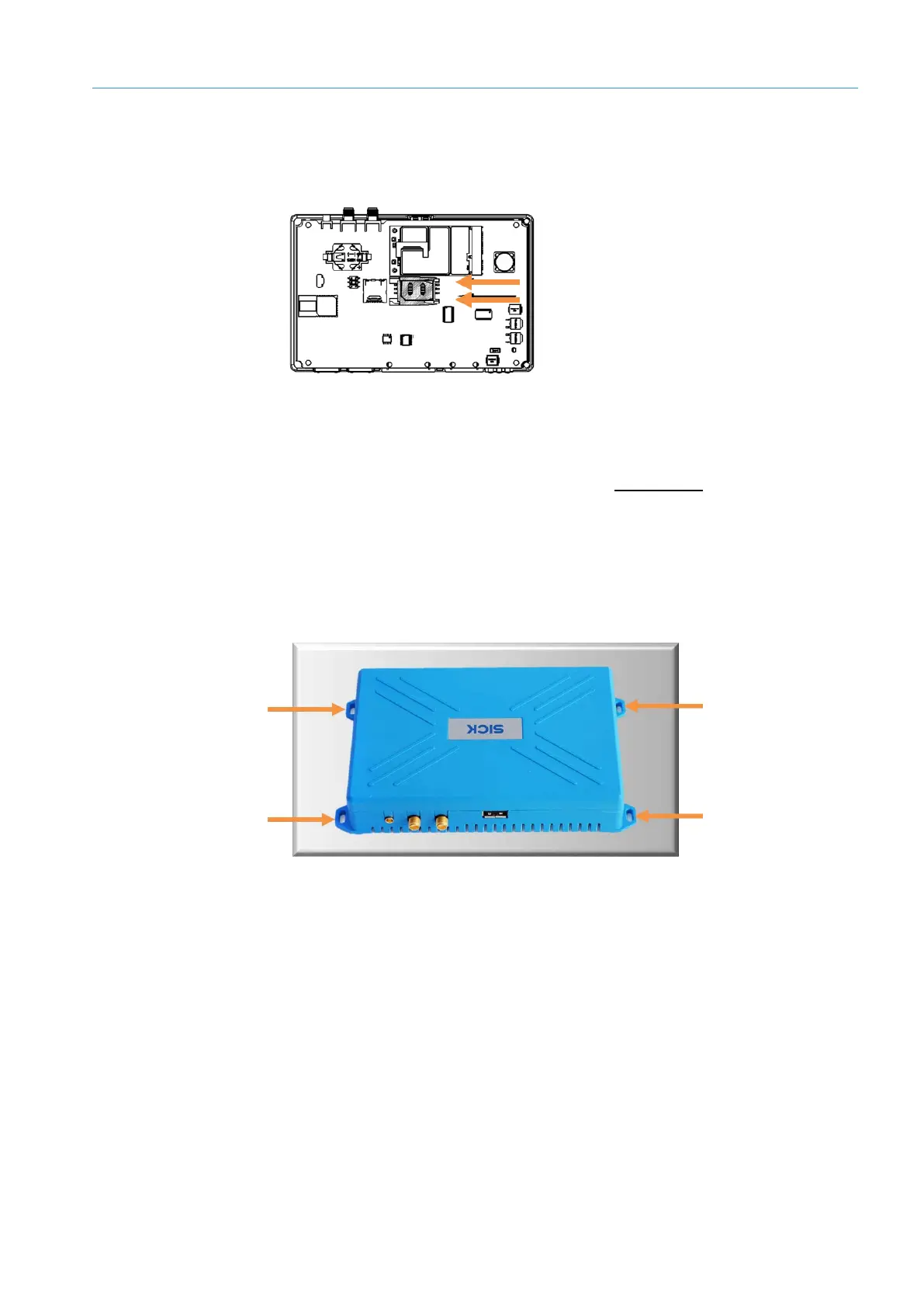
Insert the SIM card from your telecommunications provider into the card holder with
the contacts facing down.
Fig. 12: Inserting SIM card into card holder
▸
Slide the plastic SIM cover back into place and lock it.
▸
Reattach the housing cover to the bottom of the device and screw it tight.
▸
Set up APN in configuration interface (see section 7.3.5 modem).
4.2 Mounting device
4.2.1 Mounting on a plate
Use the mounting holes on the bottom of the device to mount it on a plate.
Fig. 13: Mounting on a plate
▸
Securely attach the device using four M3 fillister head screws.



 To Next Page