8 CONFIGURING THE CONNECTION SETTINGS
8027311 / V1-0/2022-04|SICK
OPERATING INSTRUCTIONS|TDC-E (Telematic Data Collector)
Subject to change without notice
8.2.3 CAN interface
• The two CAN interfaces on the TDC-E can also be used to connect fleet management
systems.
• Fleet management systems deliver interfaces that can be used to retrieve vehicle data
from the vehicle CAN bus.
• The kinds of tasks handled by a fleet management system include: detecting the
positions of vehicles, measuring vehicle downtime, tracking routes and monitoring fuel
data, as well as collecting and processing the diagnostic data that is continuously
recorded throughout a journey.
• The system also handles customer-specific road-toll statements and analyzes journeys
from a business perspective.
▸
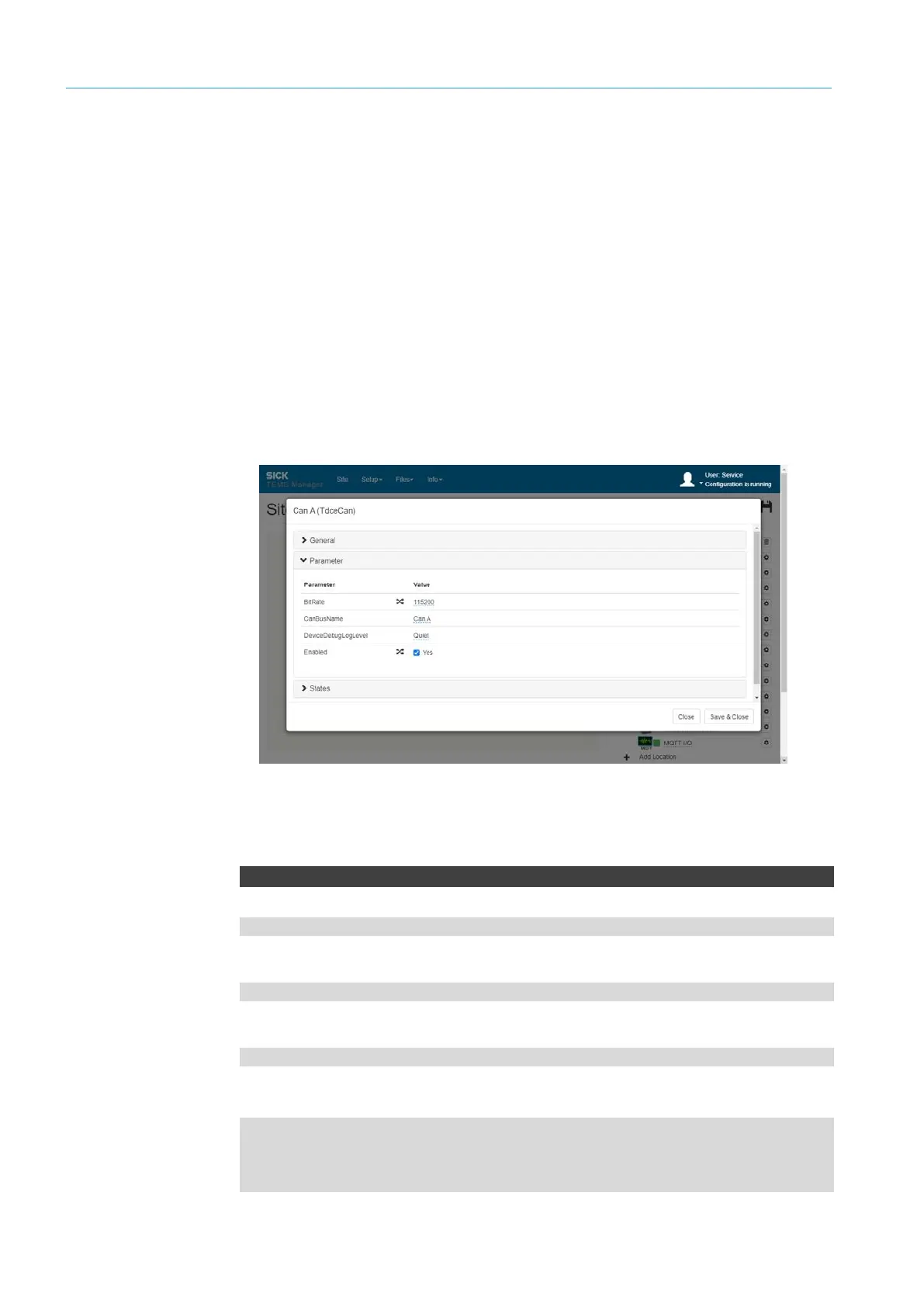
Open the CAN A or CAN B connection parameters via the gear icon.
▸
Activate inputs via the Enabled checkbox and set the baud rate.
NOTE For integration of a fleet management system, please contact your SICK sales
partner.
CanBusAData
WebSocket server URL
ws://192.168.0.100:31768/ws/tdce/can-a/data
MQTT subscription directory
tdce/can-a/out
MQTT publish directory
tdce/can-b/in
Results
{
"Id": 128,
"Data": [1,2,3]
}
Configuration
API
CANBus



 To Next Page