CONFIGURING THE CONNECTION SETTINGS 8
8027311 / V1-0/2022-04|SICK
Subject to change without notice
OPERATING INSTRUCTIONS|TDC-E (Telematic Data Collector)
8.2.10 SSI
The synchronous-serial interface is a digital interface for absolute displacement and
angle measuring systems. Transmission is synchronous to the request of the controller;
with each clock pulse, one bit of the position value to be output is transmitted.
The clock/data signals are transmitted differentially via an RS422 interface.
▸
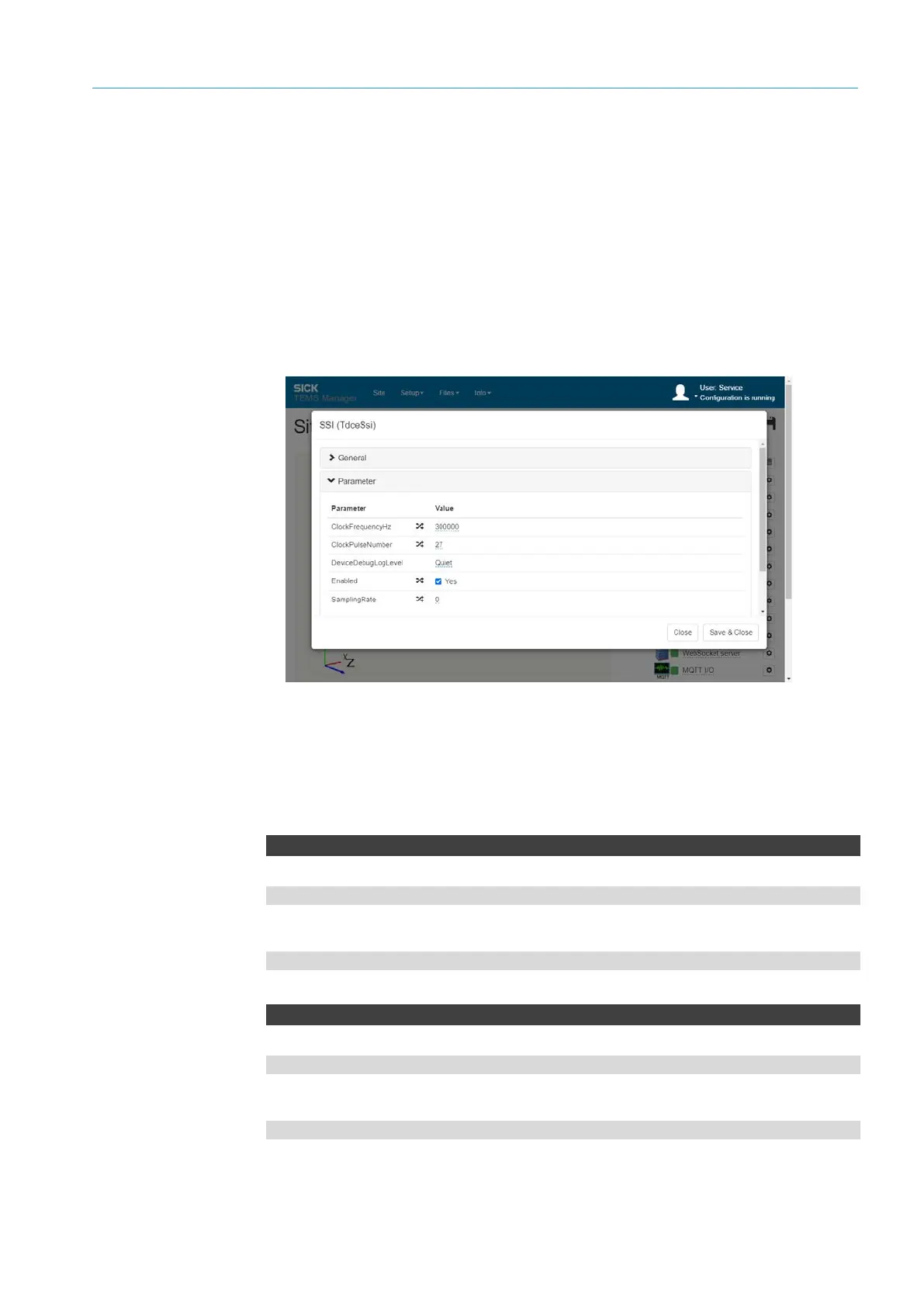
Open the SSI connection parameter via the gear icon.
▸
Activate interface via the Enabled checkbox.
NOTE Make sure that the RS422 interface is deactivated. Otherwise, an error is
reported.
▸
In the ClockFrequencyHz parameter, store the specified clock rate.
The maximum achievable clock frequency depends on the length of cable and the
driver components used.
▸
The ClockPulseNumber parameter defines the number of pulses to be read.
SsiData
Websocket server URL
ws://192.168.0.100:31768/ws/tdce/ssi/data
MQTT subscription directory
tdce/ssi/data
SsiState
Websocket server URL
ws://192.168.0.100:31768/ws/tdce/ssi/state
MQTT subscription directory
tdce/ssi/state
Configuration
API
SSI



 To Next Page