CONFIGURING THE CONNECTION SETTINGS 8
8027311 / V1-0/2022-04|SICK
Subject to change without notice
OPERATING INSTRUCTIONS|TDC-E (Telematic Data Collector)
8.2 Data collection interfaces
8.2.1 Motion sensor
• The acceleration sensor (accelerometer) continuously detects coordinates and
quantities for the X-, Y-, and Z-axes (values in g=9.81 m/s^2).
• The sensor has to be activated.
• The sensor data can be retrieved and analyzed using Node-RED or a customer
application.
▸
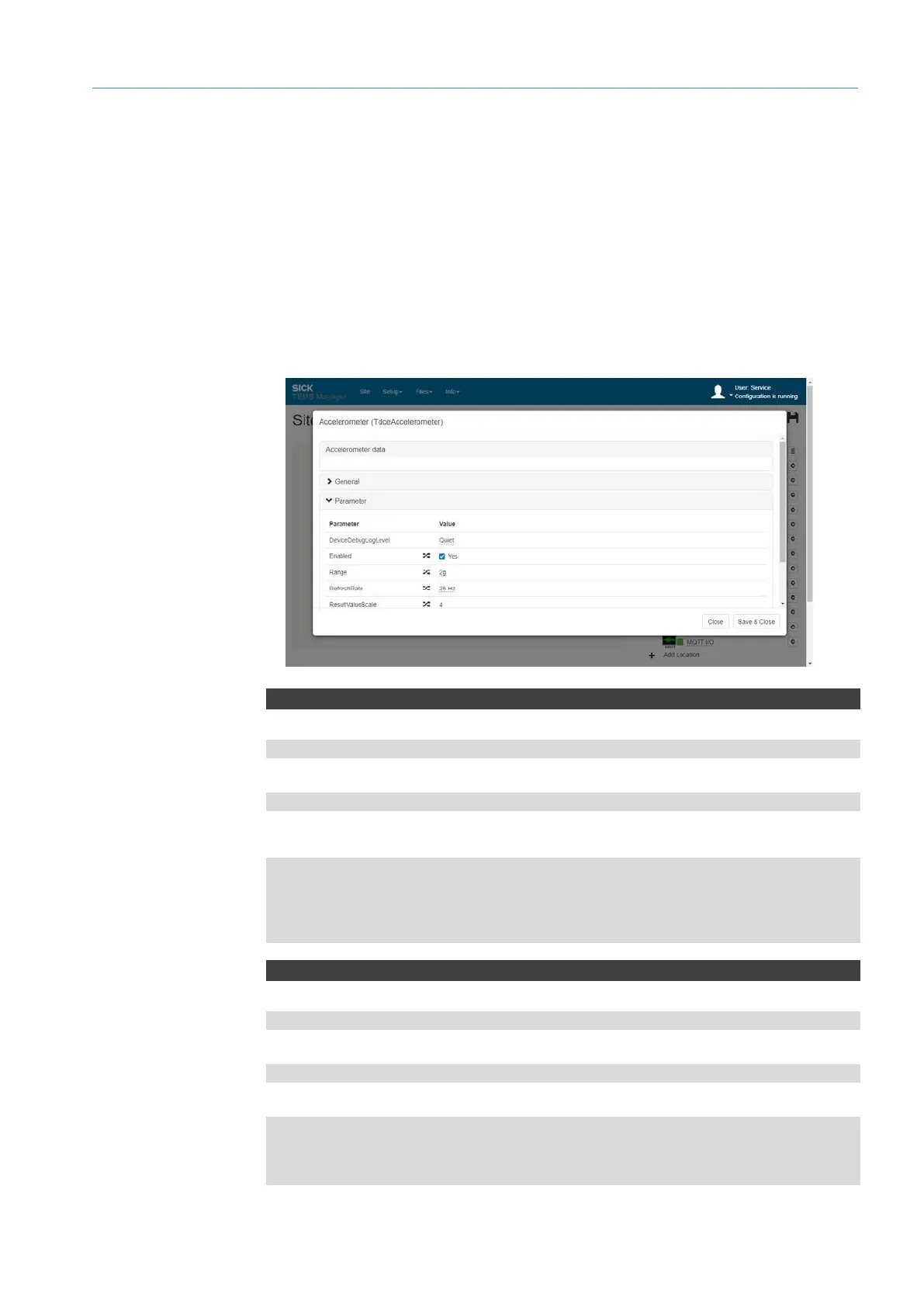
Open the Accelerometer connection parameter via the gear icon.
▸
Activate motion sensor via the Enabled checkbox.
AccelerometerData
WebSocket server URL
ws://192.168.0.100:31768/ws/tdce/accelerometer/data
MQTT subscription directory
tdce/accelerometer/data
Results
{
"X":"0.1393",
"Y":"-0.0478",
"Z":"-0.9782"
}
AccelerometerChange
WebSocket server URL
ws://192.168.0.100:31768/ws/tdce/accelerometer/state
MQTT subscription directory
tdce/accelerometer/state
Results
{
"PreviousState":"Opened",
"NewState":"Closed"
}
Configuration
API
accelerometer



 To Next Page