DOCKER CONTAINER MANAGEMENT 9
8027311 / V1-0/2022-04|SICK
Subject to change without notice
OPERATING INSTRUCTIONS|TDC-E (Telematic Data Collector)
9.3 User management in the Portainer
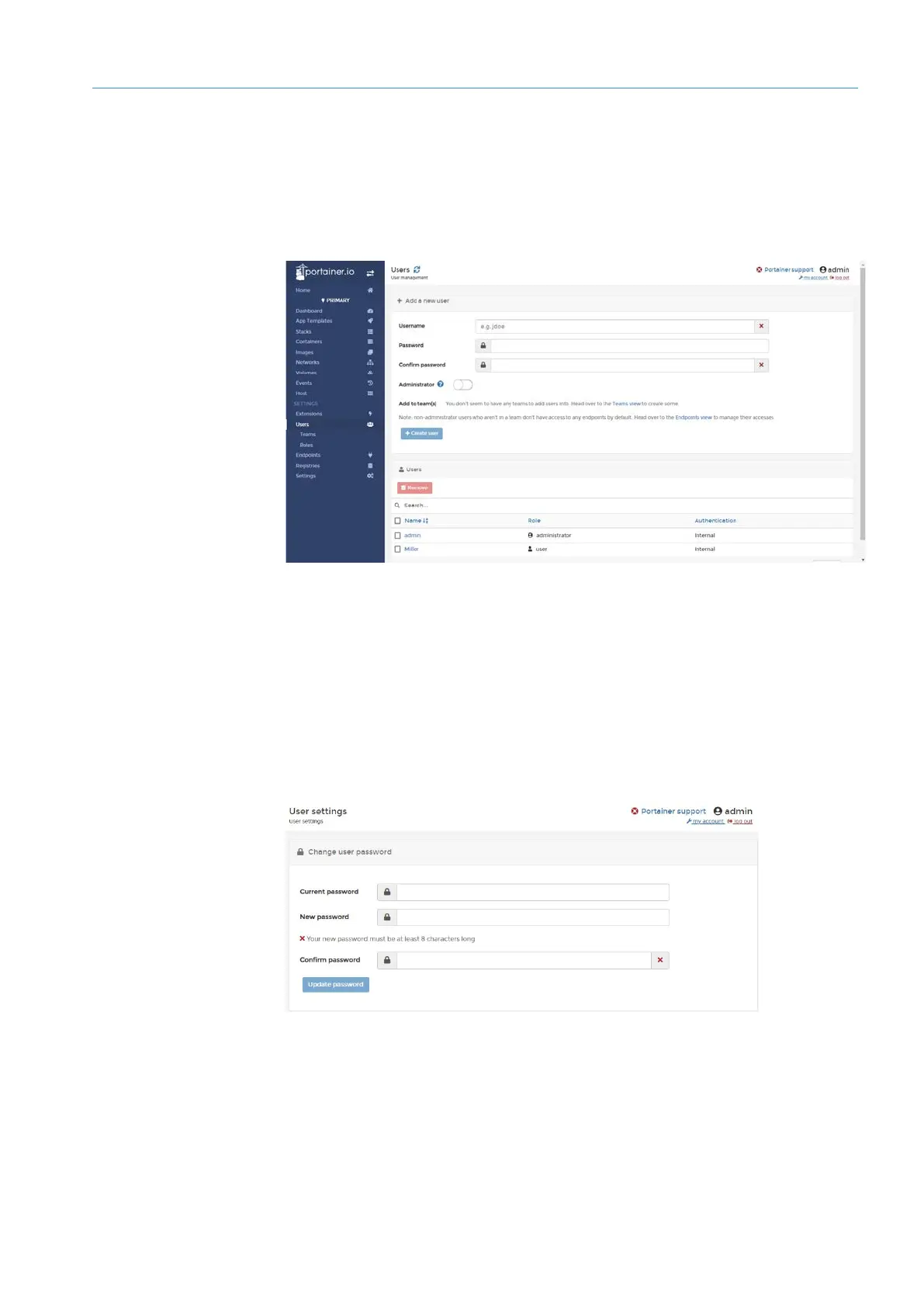
Portainer has its own user administration.
▸
Click Users in the navigation area. The users already created are displayed under
Users.
▸
Create additional users. To do this, enter the user name and password under Add a
new user.
▸
If the user is to have administrator rights, activate the Administrator switch.
▸
Confirm input with Create user.
▸
In the list of users, click on the user name executed as a link.
Users can only change their password via the menu bar.
▸
To do this, click on my account.
Creating
users
Editing user
Changing user
password



 To Next Page