6 CONFIGURATION
8027311 / V1-0/2022-04|SICK
OPERATING INSTRUCTIONS|TDC-E (Telematic Data Collector)
Subject to change without notice
On delivery, the two Ethernet interfaces on the TDC-E have the following IP addresses:
Component Default IP address
Eth0 192.168.0.100
Eth1 DHCP client
▸
Ensure that the configuration PC is in the appropriate number range.
▸
If necessary, change the IP address of the configuration PC.
▸
Connect the computer to the TDC-E via the Eth0 Ethernet port.
▸
Start the web browser on the connected computer.
6.2 Initial registration
The gateway system is configured using three tools, each with a web-based interface.
The configuration tools are accessed via a central home page. It is also possible to call
them up via a respective URL.
When the configuration is called up for the first time, a user must initially be created for
the Device Manager. The initial user automatically has administration rights.
6.2.1 Creating initial user
▸
Start configuration interface with the following URL:
http://192.168.0.100
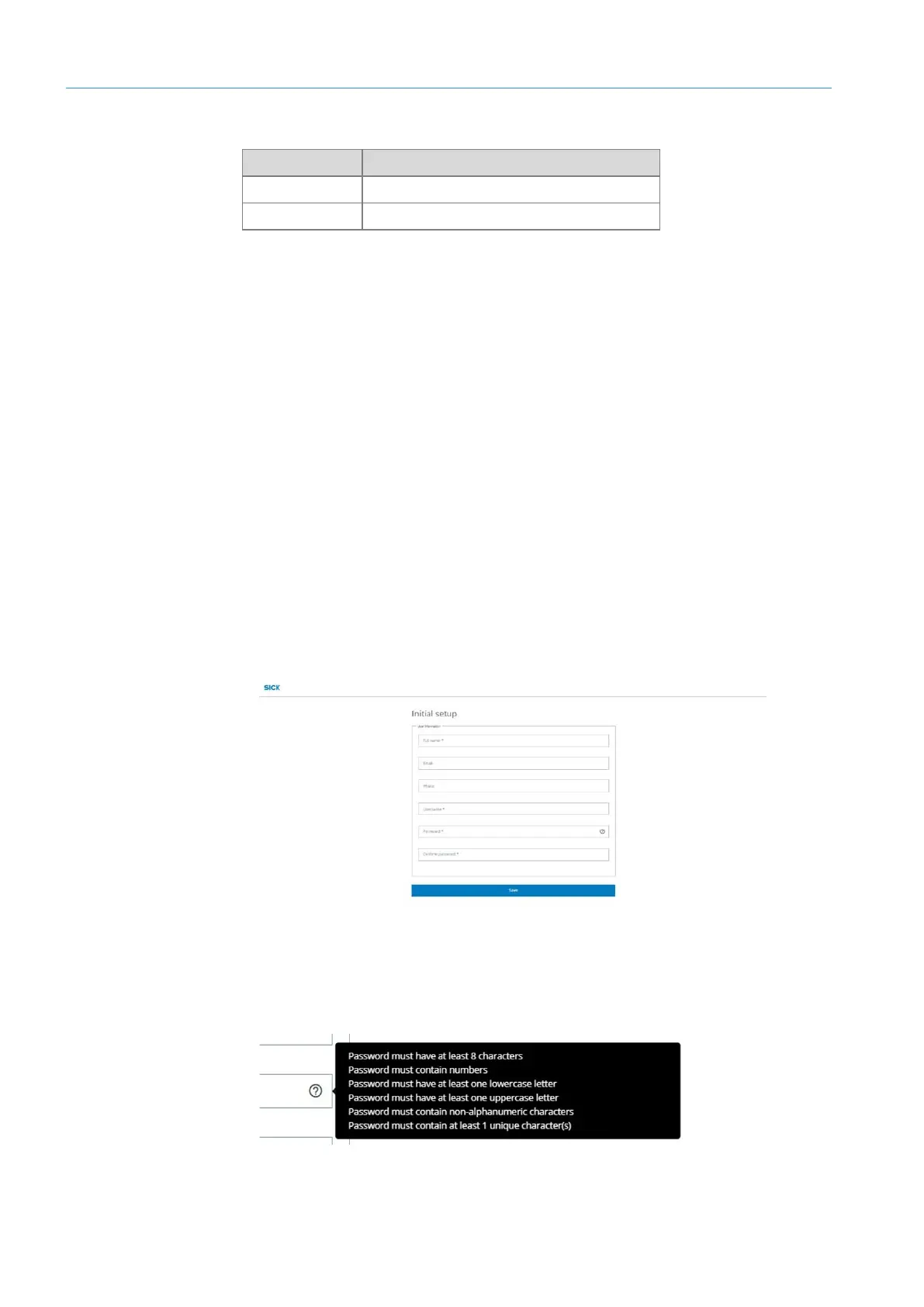
• A form for creating the initial user opens.
▸
Enter initial user with full name.
▸
In the Username field, enter the name used to log in.
▸
Enter password and confirm by entering it again.
Follow the instructions for entering the password:
▸
Create initial user with Save.
Connect
Calling up browser



 To Next Page