CONFIGURATION OF THE DEVICE SETTINGS 7
8027311 / V1-0/2022-04|SICK
Subject to change without notice
OPERATING INSTRUCTIONS|TDC-E (Telematic Data Collector)
7.2 System settings
• The following sections describe how to configure the device settings using the
Device Manager user interface.
• Alternatively, the settings can also be made via the integrated REST API interface.
The corresponding commands are listed at the end of each section.
• Section 7.6 Use REST API interface for Device Manager provides a brief introduction to
the Device Manager REST API library and the required authentication of access to the
device data.
7.2.1 System
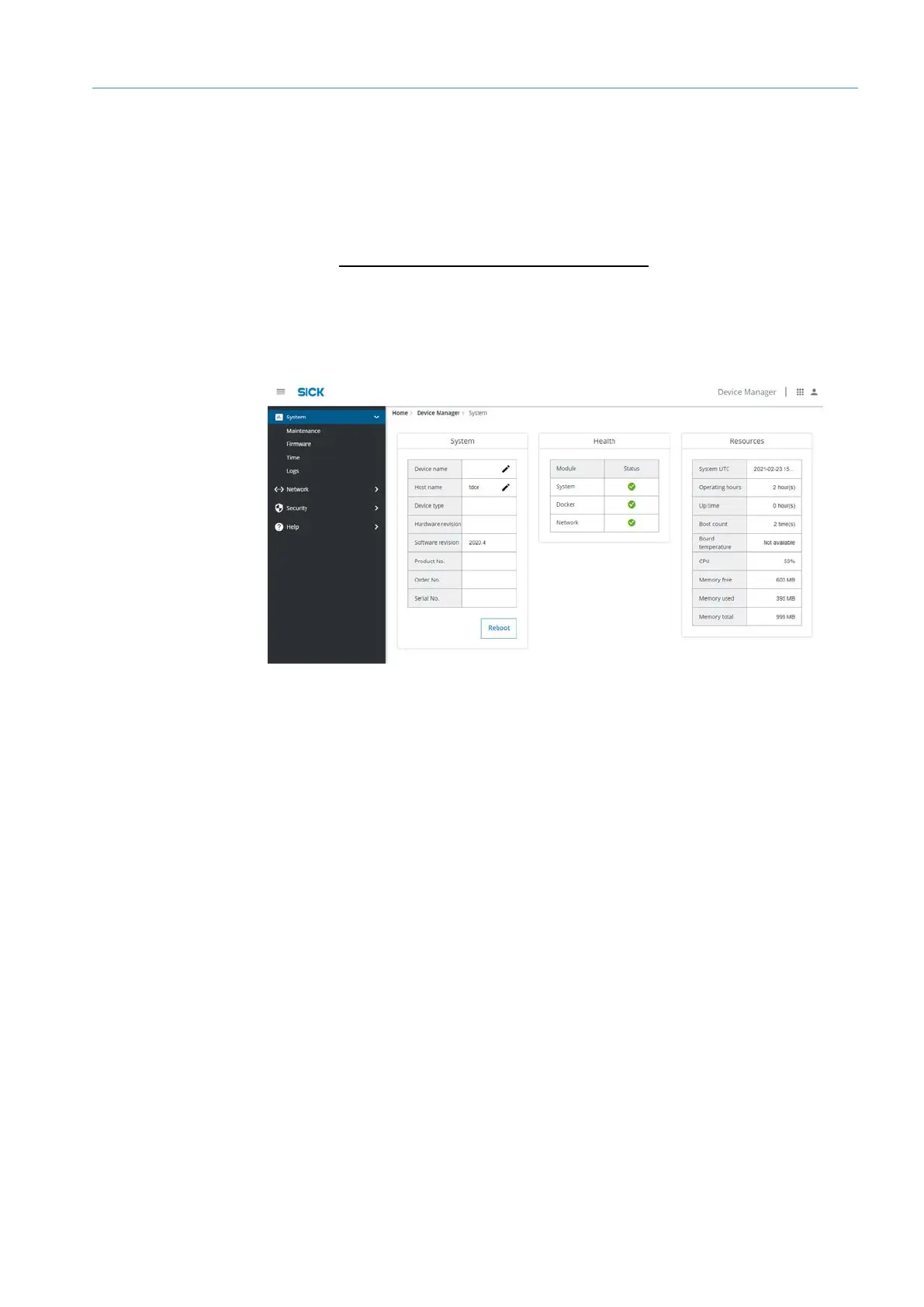
• Provides an overview of the central device settings.
• Device and host names of the TDC-E can be changed.
• The temperature sensor installed inside the TDC-E supplies temperature values
continuously so that any impending risk of the TDC-E overheating can be detected in
good time. The current device temperature is displayed in the Resources area under
Board temperature.
• The Resources area also provides information about the internally available memory.
The TDC-E can be rebooted remotely.
▸
To do this, click on Reboot under System.
The reboot takes about 180 seconds.
Overview
Restart
via remote



 To Next Page