7 CONFIGURATION OF THE DEVICE SETTINGS
8027311 / V1-0/2022-04|SICK
OPERATING INSTRUCTIONS|TDC-E (Telematic Data Collector)
Subject to change without notice
7.5.3 Editing user
▸
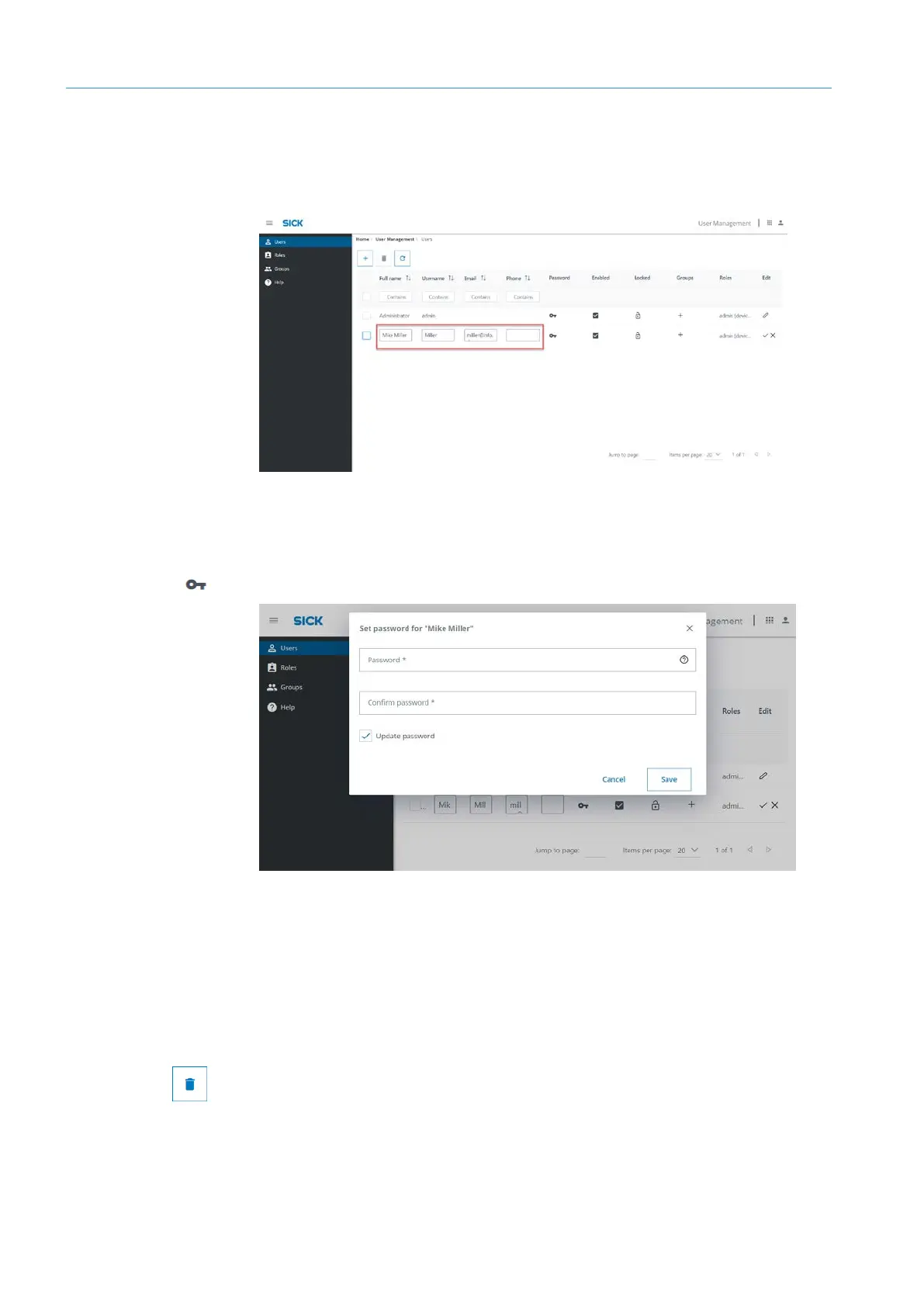
Click on the pencil icon in the user line. The user is released for editing.
▸
Edit name, user name and e-mail directly in the table.
▸
Cancel editing mode again afterwards. To do this, click on the check mark or the X in
the line.
▸
In the row, click on the key icon of the Password column. A window opens in which a
new password can be assigned.
▸
Click on Save.
▸
To change roles or groups in the user row, click the plus icon or the link in the Groups
or Roles columns.
▸
In the user line, click the check mark in the Enabled column. The user will be
deactivated. However, it is still present in the user management.
▸
Select user in the list. To do this, click in the box at the beginning of the line.
▸
Click on the delete icon in the user administration toolbar. The user will be removed
from the user management.
Name and
contact details
Changing password
Deactivating
user
Deleting user



 To Next Page