7 CONFIGURATION OF THE DEVICE SETTINGS
8027311 / V1-0/2022-04|SICK
OPERATING INSTRUCTIONS|TDC-E (Telematic Data Collector)
Subject to change without notice
7.5 User management in Device Manager
7.5.1 Creating users
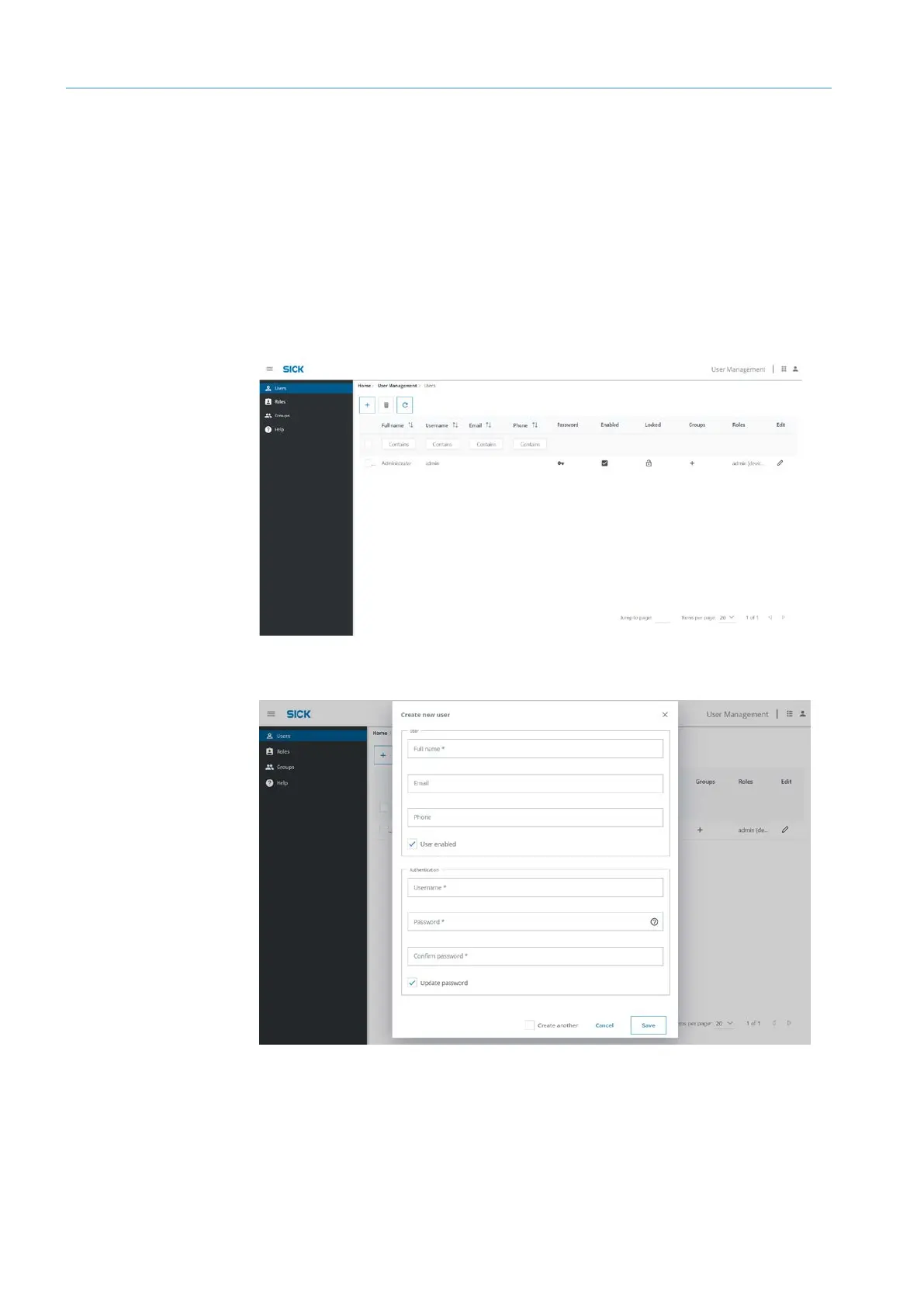
The user management features allow you create new users and edit existing users.
NOTE The users apply only to the Device Manager.
▸
Log in to the Device Manager as a user with administrator rights.
▸
Open user management via the central home page or the Device Manager menu bar.
The list of users is displayed. Users with a check mark in the Enabled column are
activated. The initially created user was automatically assigned administration rights.
▸
Click on the plus icon.
▸
Enter name and contact details. The User enabled checkbox automatically has a check
mark.
▸
Enter login name and password.
Getting started
Creating
users



 To Next Page