8 CONFIGURING THE CONNECTION SETTINGS
8027311 / V1-0/2022-04|SICK
OPERATING INSTRUCTIONS|TDC-E (Telematic Data Collector)
Subject to change without notice
▸
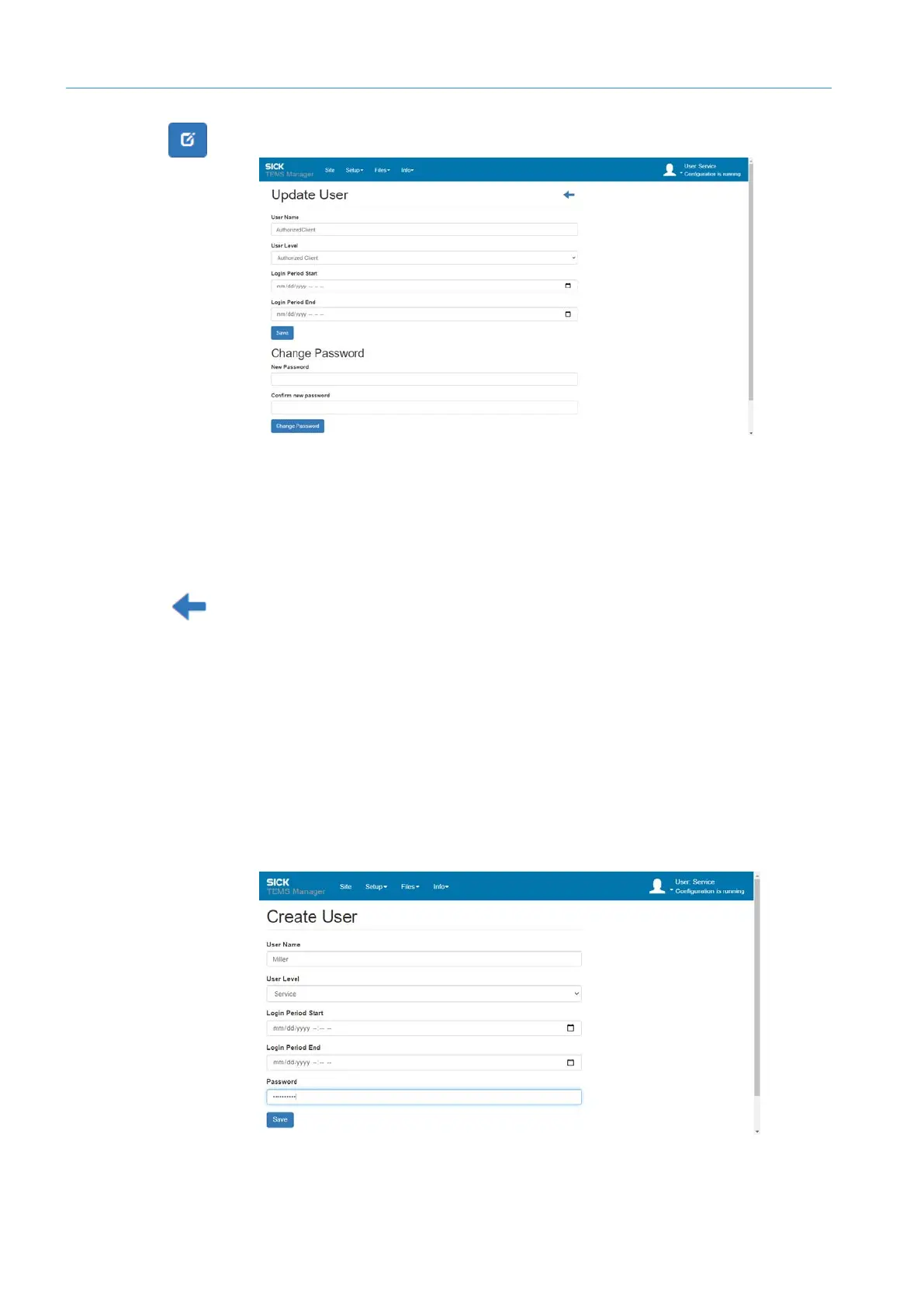
Click on the Edit icon in the user line.
Fig. 24: Editing user
▸
In the Change Password area, set the new password. The new password must not be
identical to the previous one.
▸
Enter the new password again. This ensures that you wish to use the spelling entered
in the previous field.
▸
Confirm with Change Password. Successful adaptation of the password is confirmed.
Return to the list of users using the arrow icon.
NOTE! A password can be assigned for the Operator user, which is delivered without a
password by default, with this function.
8.6.2 Creating users
▸
Open the user management and click on Create User.
▸
Enter user name.
NOTE! The user name is case-sensitive. Note upper-/lowercase letters.
▸
Assign the user one of the three authorizations.
▸
As an option, you can limit the log-in time of the user.
▸
Assign password.
▸
Finish with Save. The list of standard users is extended to include the newly created
user.



 To Next Page