8 CONFIGURING THE CONNECTION SETTINGS
8027311 / V1-0/2022-04|SICK
OPERATING INSTRUCTIONS|TDC-E (Telematic Data Collector)
Subject to change without notice
8.3 Interfaces for data transmission
8.3.1 Configuration of the WebSocket interface
If the data transfer takes place via the WebSocket interface, this must be configured in
the Interface Manager.
▸
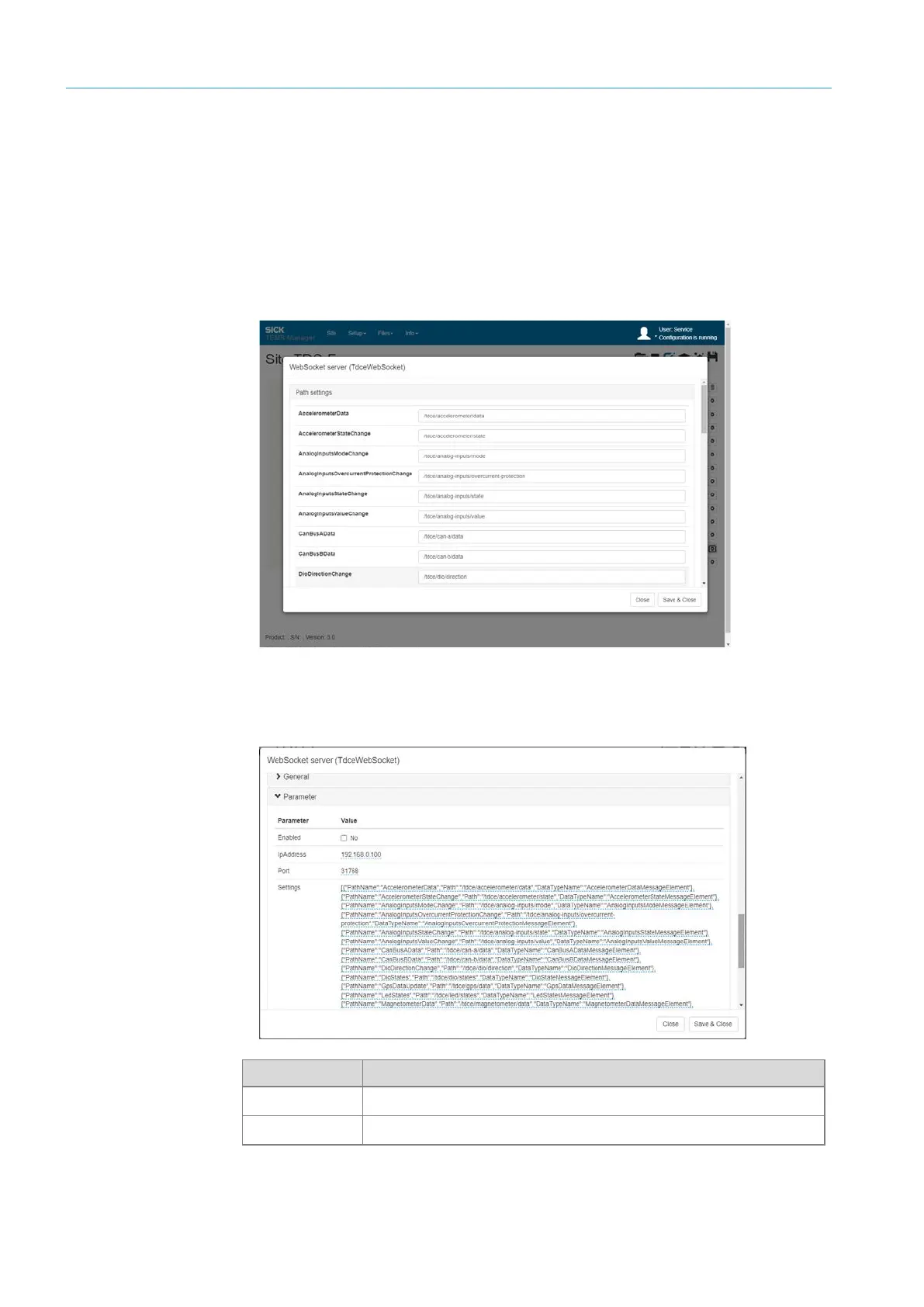
Open the WebSocket server WebSocket interface via the gear icon.
• In the Path settings area, all directories are configured in which sensor and device
data are stored.
NOTE The directories do not have to be changed. Confirm any changes made with Update.
▸
In the Parameters area, activate WebSocket interface via the Enabled checkbox.
▸
Store connection information to the WebSocket server.
Parameter Meaning
IpAddress
IP address of the WebSocket server.
Port
Port used to connect to the WebSocket server.
Figures and tables
Connection data



 To Next Page