5 ELECTRICAL INSTALLATION
8027311 / V1-0/2022-04|SICK
OPERATING INSTRUCTIONS|TDC-E (Telematic Data Collector)
Subject to change without notice
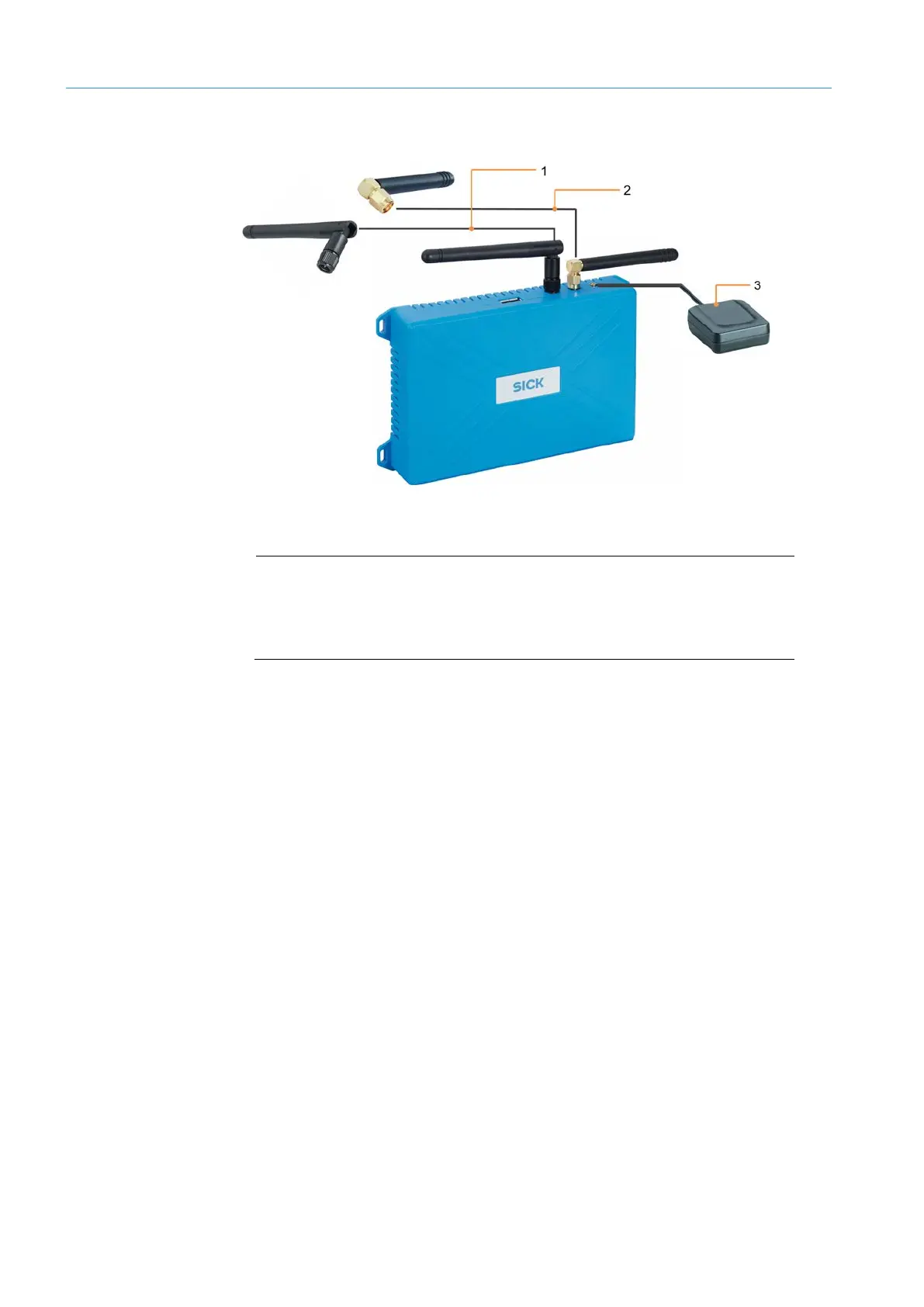
5.4 Connecting antennas
Fig. 21: Connecting antennas
Legend
1 WLAN antenna
2 LTE antenna
3 GPS antenna
• The LTE and WLAN antennas are not mounted at the factory.
• They must be screwed on before commissioning the devices.
▸
Hold the device firmly with one hand.
▸
Attach the antenna to the relevant SMA antenna connection on the TDC-E.
▸
Screw the antenna onto the device antenna connection by turning it clockwise.
▸
Lay the connecting cable properly in the vehicle depending on the installation location
of the antenna.
▸
Plug the Cinch male connector at the end of the connecting cable into the MCX female
connector on the TDC-E.
Screwing on
GSM / WLAN antenna
Connecting a
GPS antenna



 To Next Page