CONFIGURING THE CONNECTION SETTINGS 8
8027311 / V1-0/2022-04|SICK
Subject to change without notice
OPERATING INSTRUCTIONS|TDC-E (Telematic Data Collector)
8.2.6 LED management
▸
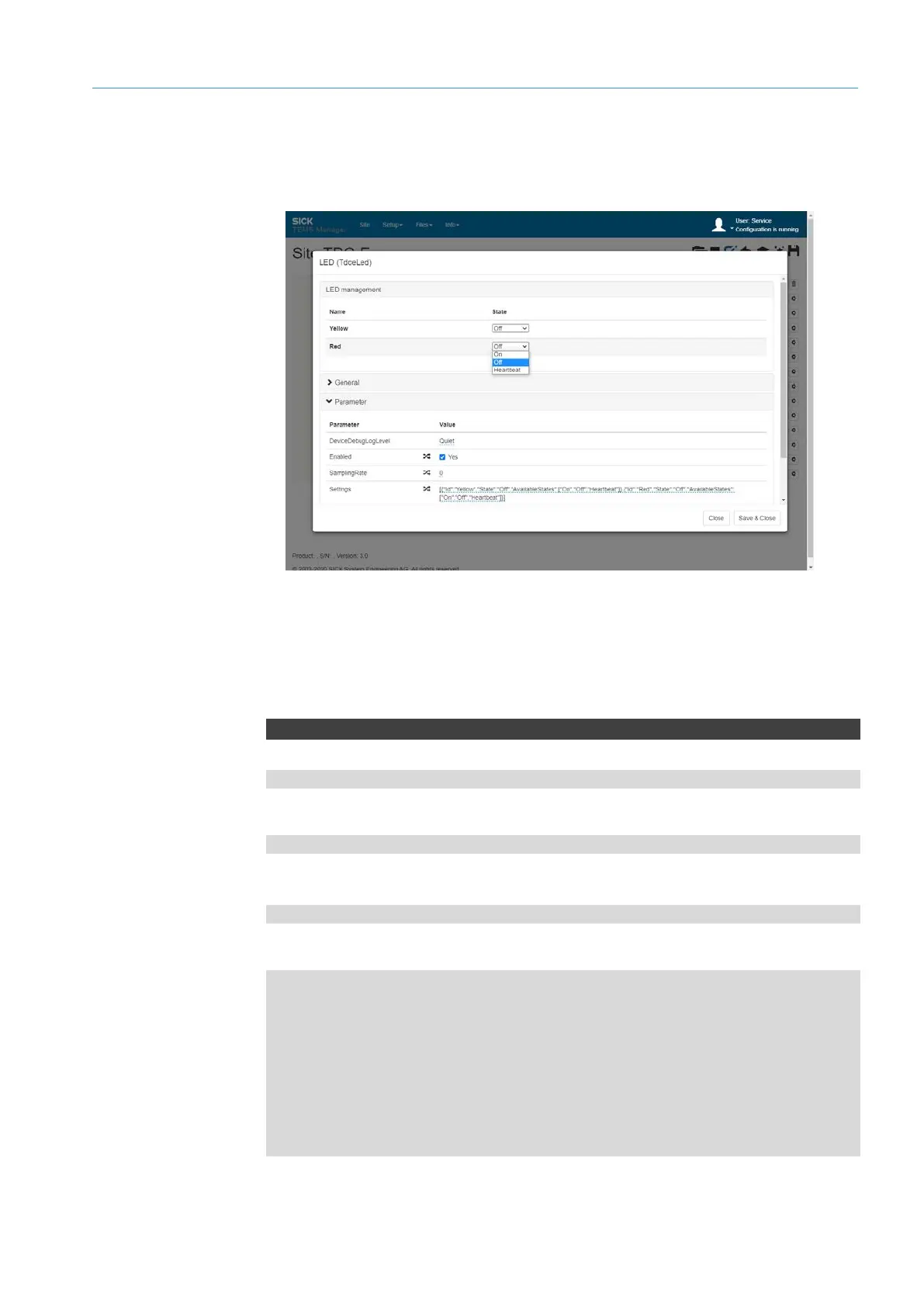
Open the LEDs component via the gear icon.
▸
Activate LED management via the Enabled checkbox.
▸
On, Off and Heartbeat (periodic flashing) modes are available for the yellow and red
LEDs.
NOTE The conditions for the selected lighting behavior are defined e.g. via Node-RED or a
customer-specific application.
LedStates
WebSocket server URL
ws://192.168.0.100:31768/ws/tdce/led/states
MQTT subscription directory
tdce/led/out
MQTT publish directory
tdce/led/in
Results
[
{
"Id":"Yellow",
"State":"On"
},
{
"Id":"Red",
"State":"On"
}
]
API
LED management



 To Next Page