8 CONFIGURING THE CONNECTION SETTINGS
8027311 / V1-0/2022-04|SICK
OPERATING INSTRUCTIONS|TDC-E (Telematic Data Collector)
Subject to change without notice
8 Configuring the connection settings
8.1 The Interface Manager
8.1.1 Starting Interface Manager
The Interface Manager has a web-based interface. It is used to configure the interfaces for
the sensor data as well as for data transmission via the MQTT or WebSocket interface.
▸
Start the web browser on the configuration PC. This browser must support HTML5 and
WebGL.
▸
Start configuration with http://192.168.0.100.
▸
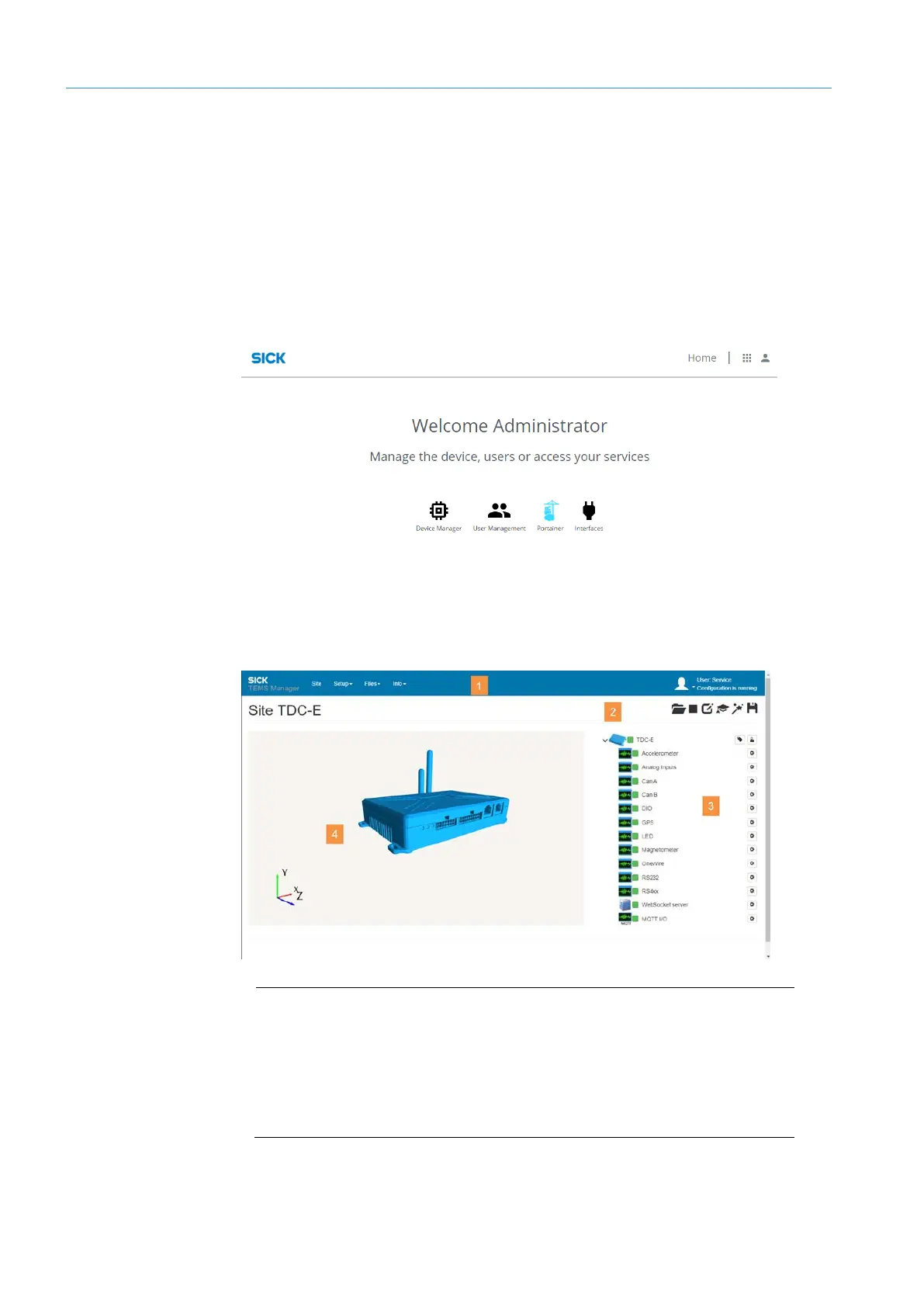
On the home page, click Interfaces.
NOTE Alternatively, start Interface Manager with http://192.168.0.100:56000
8.1.2 Interface Manager user interface
Legend
1 Menu bar with the central work areas
2 Toolbar with functions of the respective work area
3 Navigation area Contains all interface parameters in a tree structure. All
interface parameters with a green icon indicate readiness for operation.
4 Live display of the TDC-E.



 To Next Page