7 CONFIGURATION OF THE DEVICE SETTINGS
8027311 / V1-0/2022-04|SICK
OPERATING INSTRUCTIONS|TDC-E (Telematic Data Collector)
Subject to change without notice
PUT/networking/wlan/{wlan}/networks/{ssid}
{
"ssid": "string",
"username": "string",
"passphrase": "string",
"reconnect": true
}
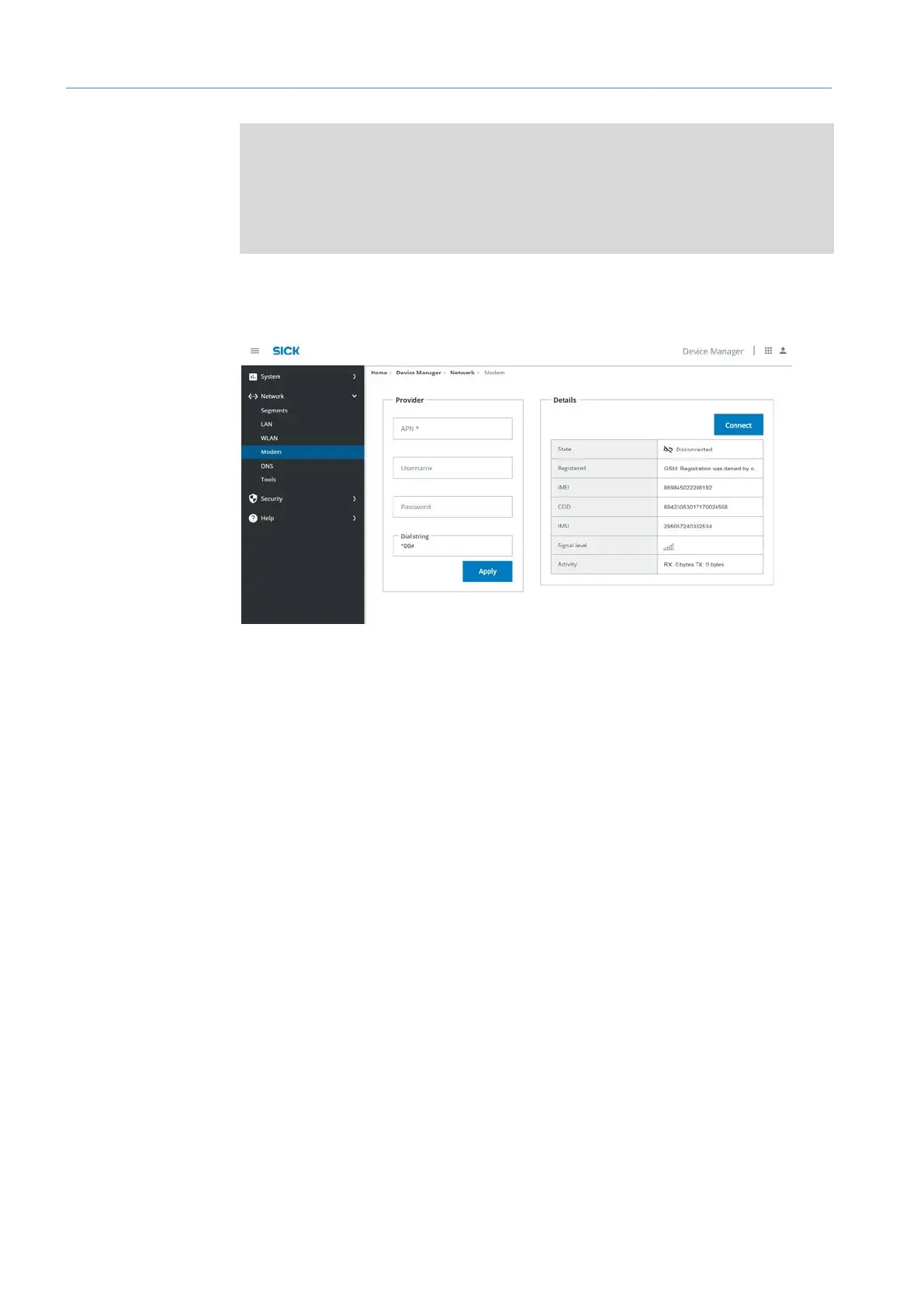
7.3.5 modem
▸
Configure the SIM card of the country-specific telecommunications partner.
▸
To do this, fill in the fields in the Modem section accordingly and specify access point
APN (Access Point Name) with user name and password.
▸
Confirm access data with Apply.
▸
In the Details section, click Connect.
Entering
GPRS data
Activating
connection



 To Next Page