DOCKER CONTAINER MANAGEMENT 9
8027311 / V1-0/2022-04|SICK
Subject to change without notice
OPERATING INSTRUCTIONS|TDC-E (Telematic Data Collector)
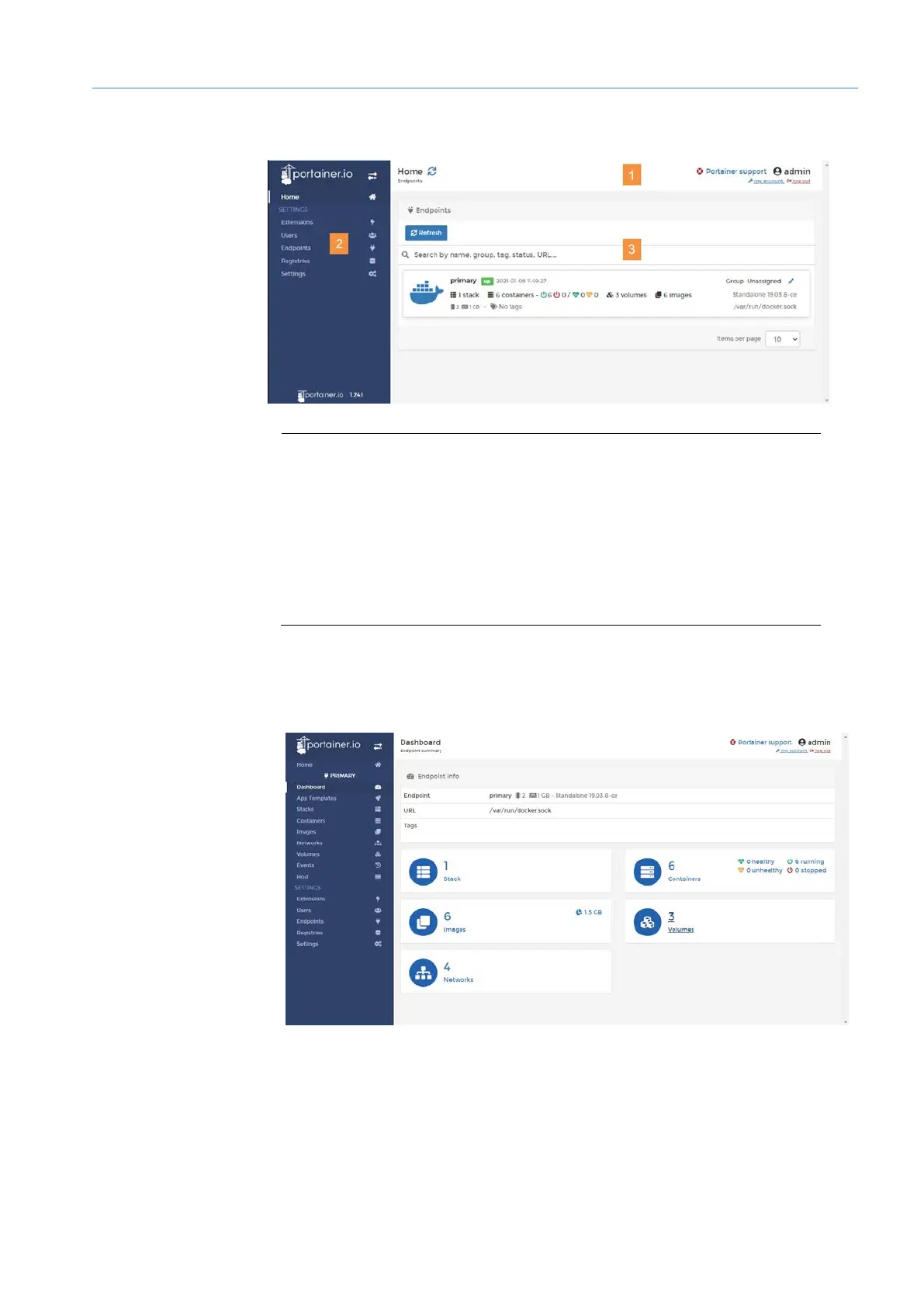
9.1.3 Portainer user interface
Legend
1 Menu bar with display of the current user.
The user can change the password with my account and log out of the
Portainer with log out.
2 Navigation area Contains all functions of the Portainer in a tree structure.
3 Display and input area depending on the selected function. After program
startup, this is the overview line of the Docker Engine installed on the
TDC-E.
▸
On the home page, click in the Docker line. The dashboard opens.
• Among other things, the number of installed containers and loaded images can be
seen here.
Dashboard



 To Next Page