CONFIGURING THE CONNECTION SETTINGS 8
8027311 / V1-0/2022-04|SICK
Subject to change without notice
OPERATING INSTRUCTIONS|TDC-E (Telematic Data Collector)
8.3.2 Configuration of the MQTT interface
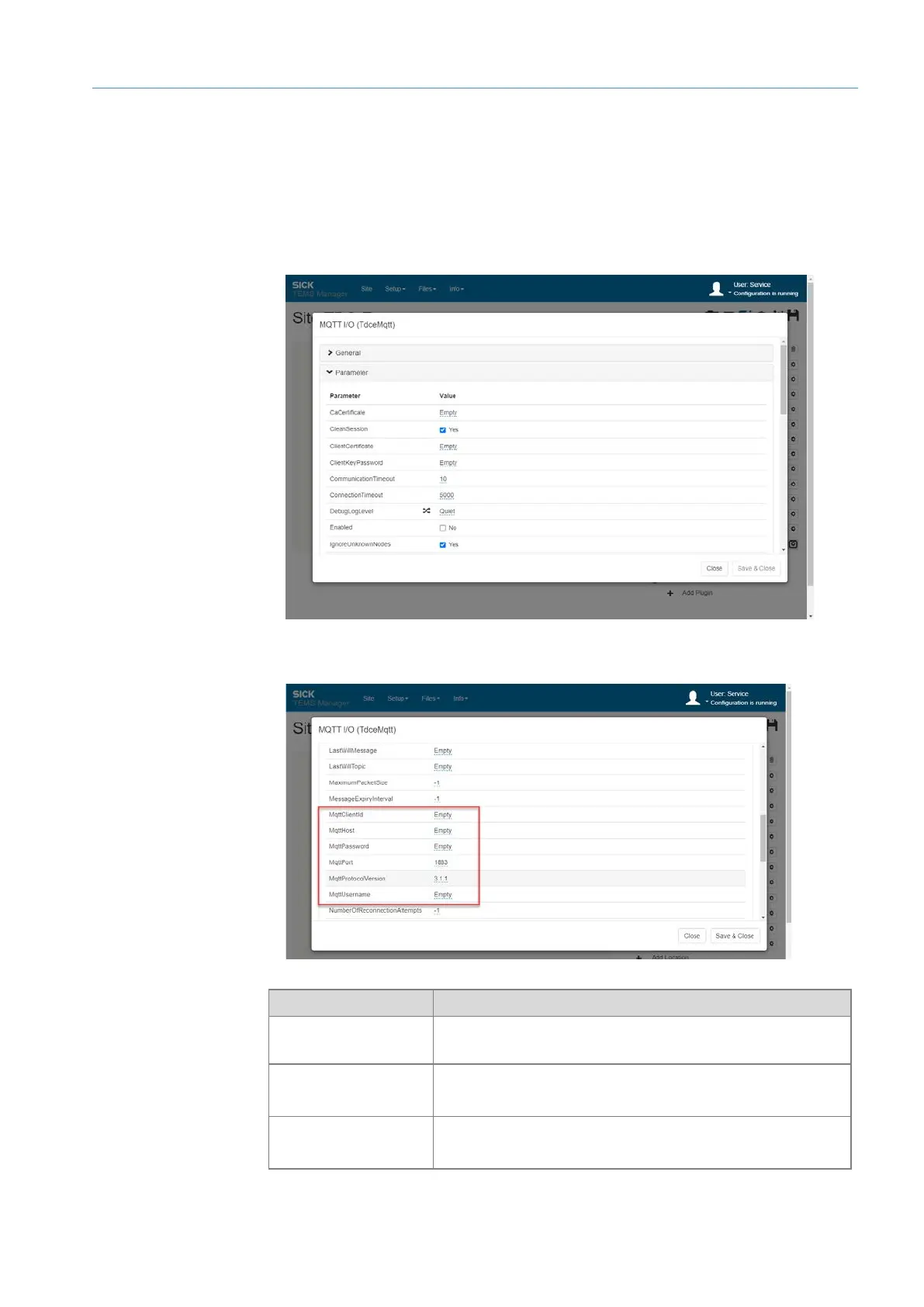
If the data transfer takes place via the MQTT interface, this must be configured in the
Interface Manager. The access data for the MQTT message broker must be stored here.
▸
Open the MQTT I/O MQTT interface via the gear icon.
▸
Activate the MQTT interface via the Enabled checkbox.
▸
Store MQTT access data.
Parameter Meaning
MqttClientId
A unique ID that identifies the client. If the parameter
remains empty, an ID is generated.
MqttHost
MqttPort
IP address and port of the MQTT message broker used.
MqttUsernamt
MqttPassword
User name and password for logging in to the MQTT message
broker.
Access data



 To Next Page