8 CONFIGURING THE CONNECTION SETTINGS
8027311 / V1-0/2022-04|SICK
OPERATING INSTRUCTIONS|TDC-E (Telematic Data Collector)
Subject to change without notice
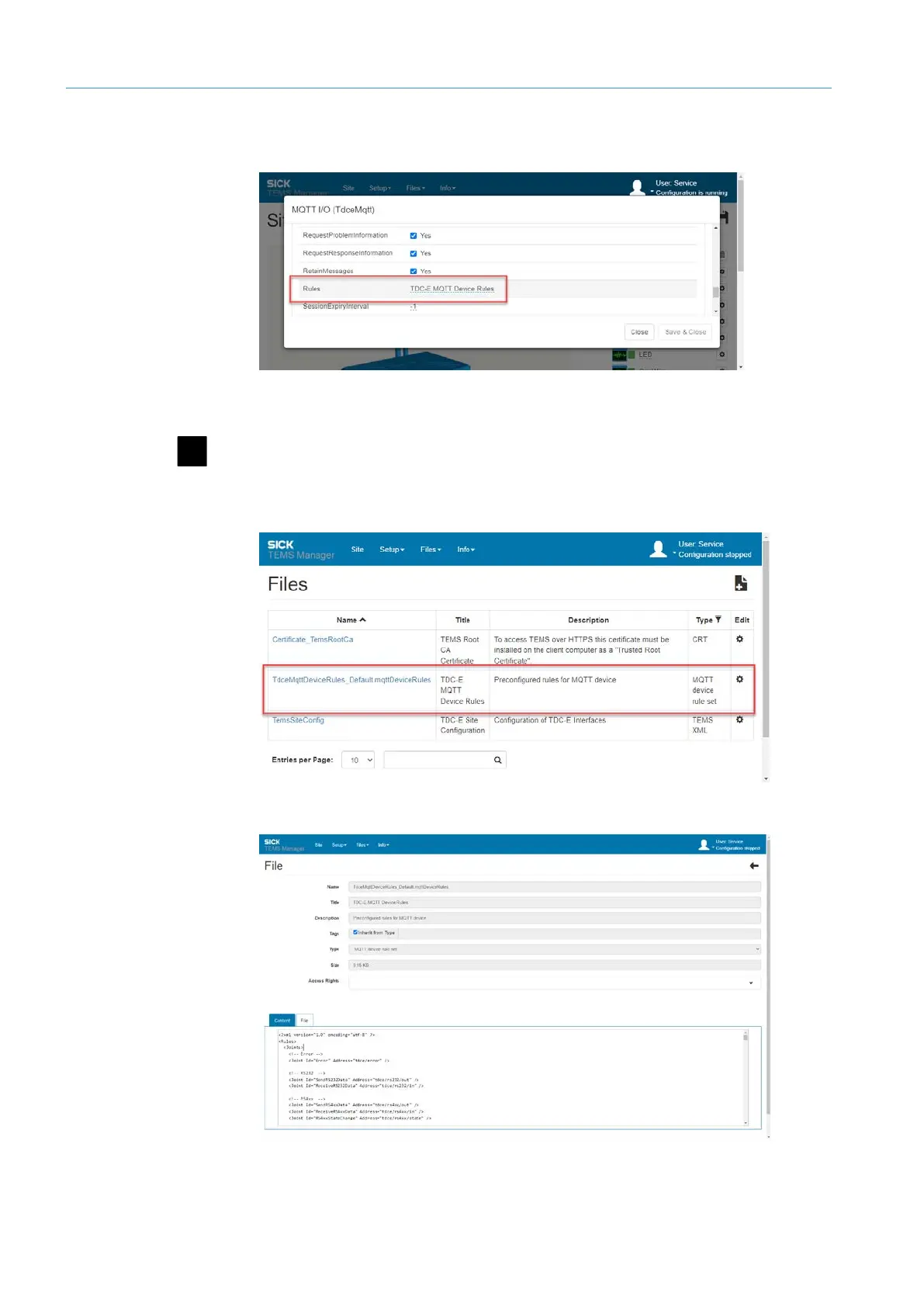
• The Rules parameter contains the name of the XML file with the MQTT topics structure.
The XML file is stored on the TDC-E.
• The topics structure can be customized by the customer directly in the Interface
Manager. Appropriate authorizations are required.
▸
Stop the running configuration in the Interface Manager. To do this, click the
Stop the current site configuration icon in the menu bar.
▸
Then click on Files Configuration. Among other things, the list contains the
Rules file with the topics structure.
▸
In the Rules file row, click the gear icon. The content of the XML file is displayed in
the Content tab and can be edited and saved with appropriate authorization.
NOTE Via the File tab, the Rules file can be downloaded and edited in the editor.
Editing file with
topic structure



 To Next Page