9 DOCKER CONTAINER MANAGEMENT
8027311 / V1-0/2022-04|SICK
OPERATING INSTRUCTIONS|TDC-E (Telematic Data Collector)
Subject to change without notice
9.2 Implementing application
The gateway can be quickly extended to include applications (such as the Node-Red
programming tool) through container technology.
The application can be conveniently created using a Docker composer file in YAML format.
This file can contain one or more containers and define their relationships among them.
▸
Connect the TDC-E to the Internet via WLAN or modem (see the sections under
7.3 Network settings).
▸
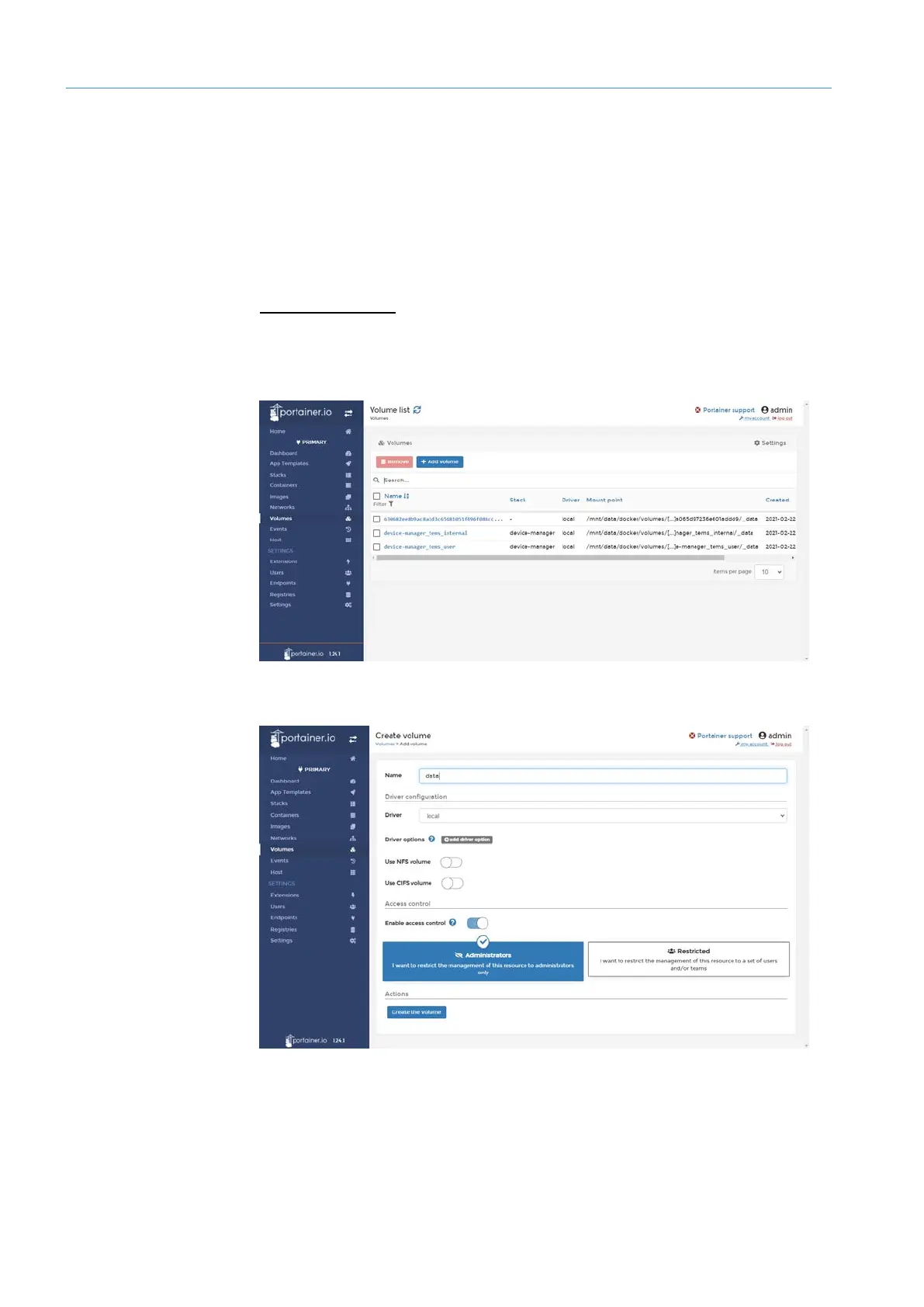
In the navigation pane, click Volumes. The list of Docker volumes already in use in
TDC-E is displayed.
▸
Click Add volume.
▸
Assign names, in the example data.
▸
Click on Create the volume.
Prerequisite
Creating Docker
volume



 To Next Page