DOCKER CONTAINER MANAGEMENT 9
8027311 / V1-0/2022-04|SICK
Subject to change without notice
OPERATING INSTRUCTIONS|TDC-E (Telematic Data Collector)
▸
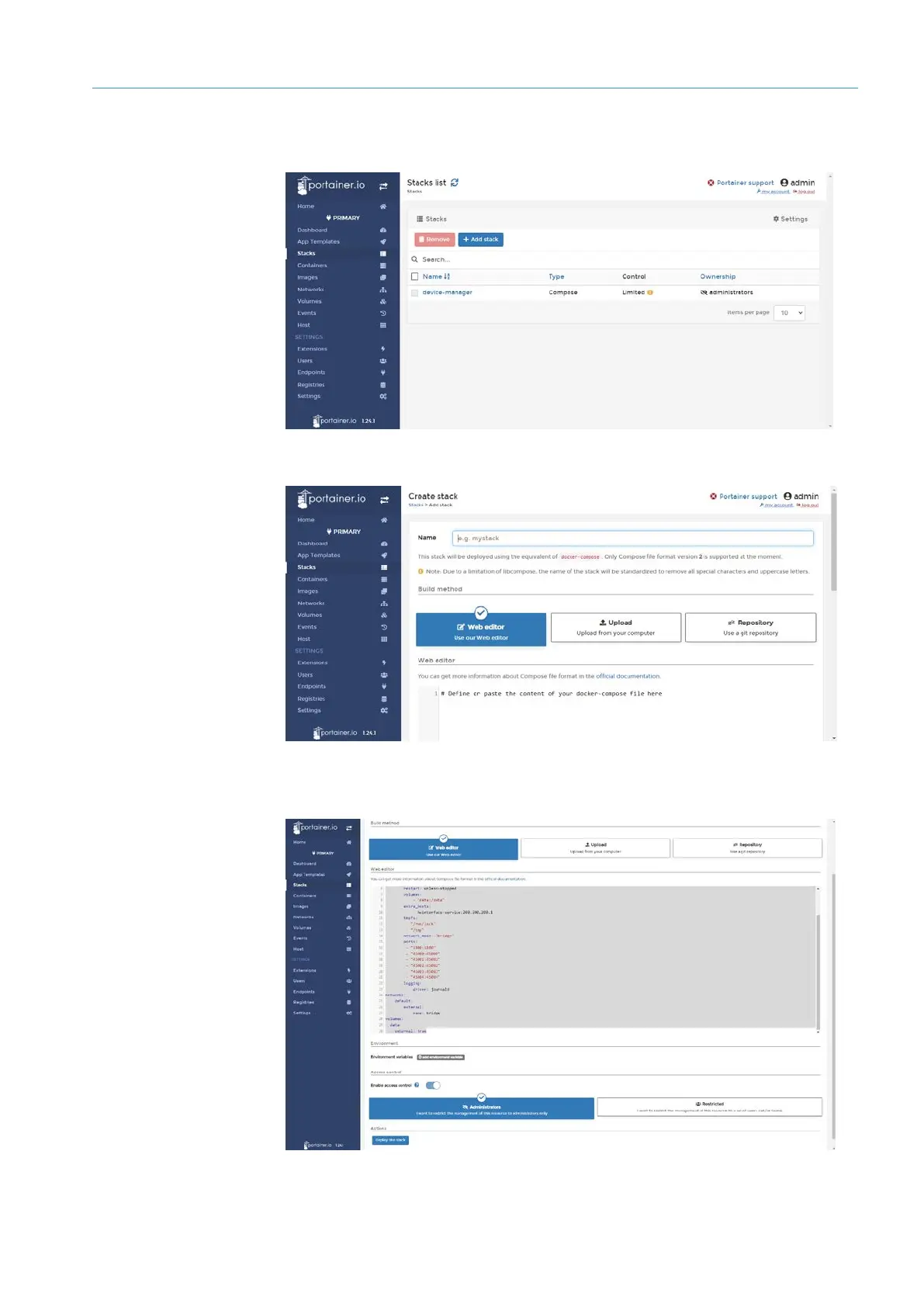
Click Stacks in the navigation pane. The list of Docker stacks already in use in TDC-E
is displayed.
▸
Click Add stack.
▸
Assign names, in the example node-red-stack.
▸
Drag and drop Docker composer file into the web editor. The file content is loaded into
the editor.
▸
Then click on Deploy the stack.
Creating
Docker stack
Uploading and
deploying
Docker composer file



 To Next Page