CONFIGURATION OF THE DEVICE SETTINGS 7
8027311 / V1-0/2022-04|SICK
Subject to change without notice
OPERATING INSTRUCTIONS|TDC-E (Telematic Data Collector)
7.6 Use REST API interface for Device Manager
7.6.1 Calling up Swagger
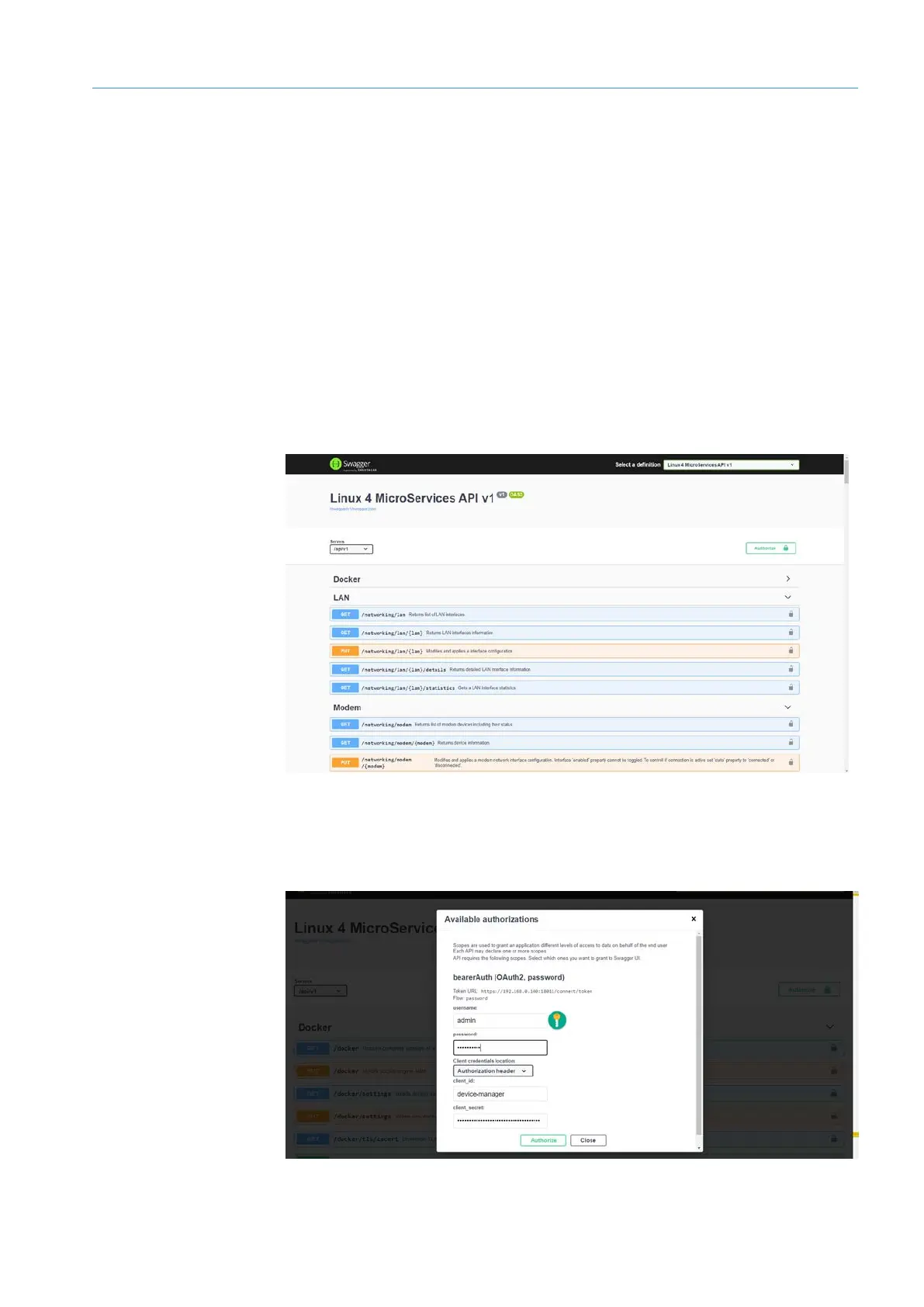
• The Swagger pre-installed in the TDC-E is an application service that provides a
REST API to interact with the TDC-E Device Manager.
• The requests can be copied to the clipboard and used for configuring TDC-E devices
via command line.
NOTE If several TDC-E devices are configured identically, this way may be faster than
connecting each TDC-E individually and performing the configuration via the Device
Manager user interface.
▸
Click on Help in the navigation area.
▸
Click on Device Management API Documentation .
▸
Alternatively, open the REST API library with http://192.168.0.100:18010/swagger
7.6.2 Authenticating access to Device Manager API interface
Access to the device data in Swagger requires a corresponding login as administrator.
▸
In Swagger, click Authorize.
Calling up
API library



 To Next Page