7 CONFIGURATION OF THE DEVICE SETTINGS
8027311 / V1-0/2022-04|SICK
OPERATING INSTRUCTIONS|TDC-E (Telematic Data Collector)
Subject to change without notice
▸
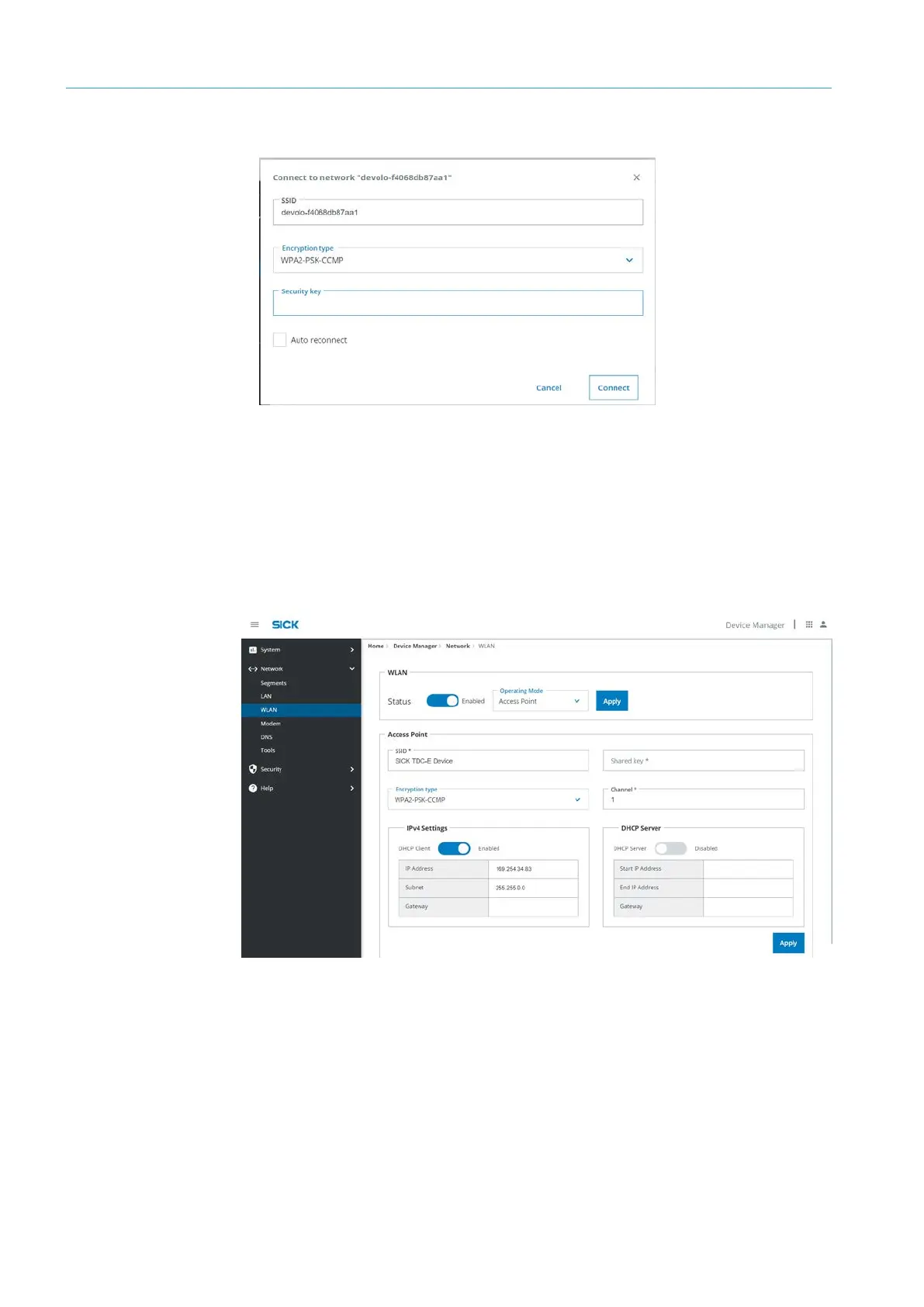
In the connection window, specify the security key.
▸
Press Connect. The connection is established.
NOTE If the connection is interrupted during operation, the TDC-E automatically attempts
to reconnect via the Auto reconnect option. When the device is restarted, the WLAN will
be connected automatically using the last SSID if there is no Ethernet connection
available.
▸
In the Access Point area, configure the WLAN access point via SSID, network key and
the channel number.
NOTE Configure access point via Network
Segments.
▸
Confirm WLAN access point with Apply.
Access Point



 To Next Page