EasyManua.ls Logo

Sonic KSE-310 - Signal Process Setting

Sonic KSE-310
200 pages
Print Icon
To Next Page IconTo Next Page
To Previous Page IconTo Previous Page
Loading...
III-160
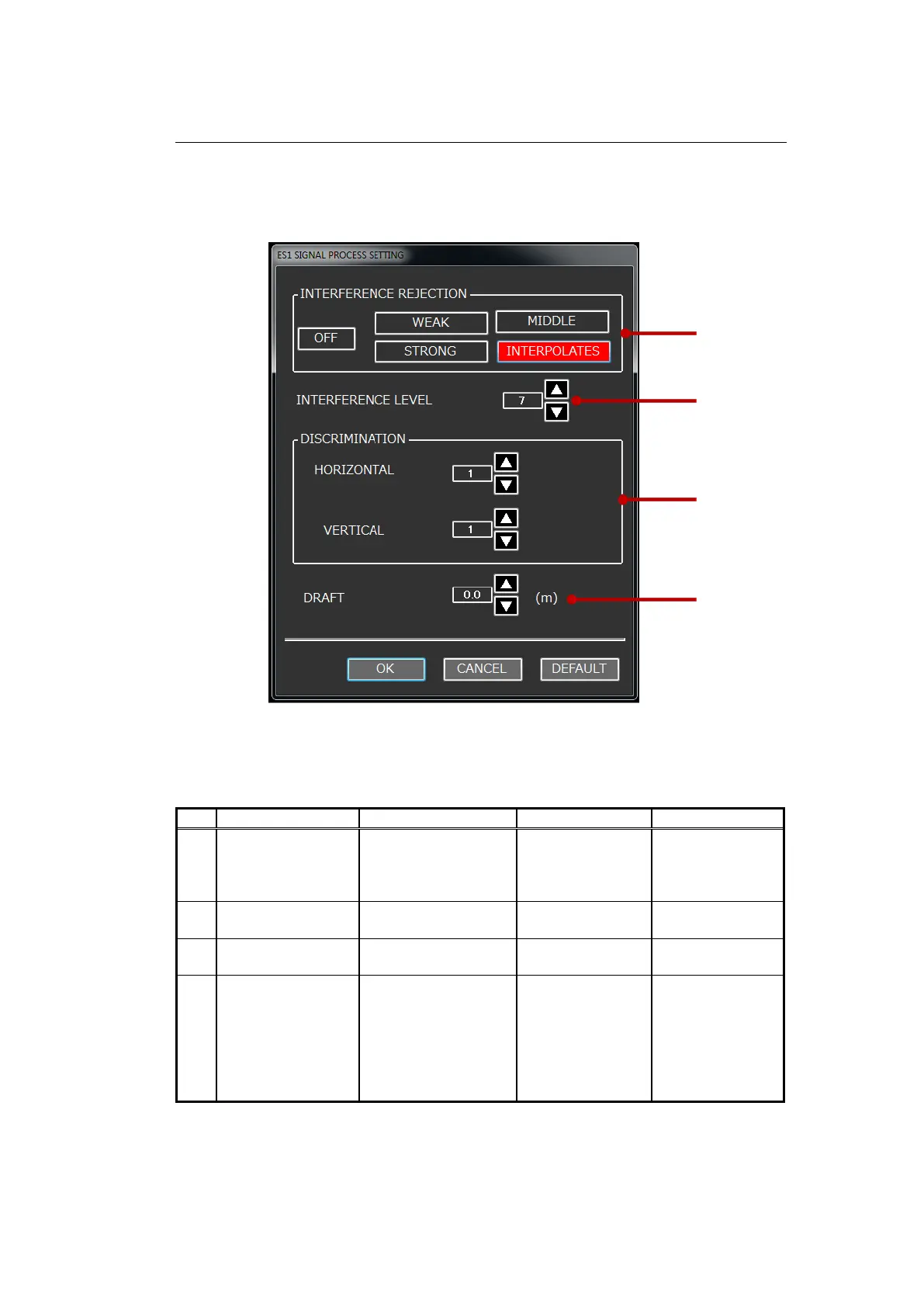
3-2-5 SIGNAL PROCESS SETTING
SIGNAL PROCESS SETTING is used when interference is observed on the
screen, or when accurate water depth information is required.
Fig. 3-48 SIGNAL PROCESS setting dialog screen
Table 3-17 Descriptions of SIGNAL PROCESS setting items
No.
Setting Item
Setting Range
Step Range
Default
1
INTERFERENCE
REJECTION
OFF, WEAK,
MIDDLE, STRONG
and
INTERPOLATES
-
INTERPOLATES
2
INTERFERENCE
LEVEL
1-10
1
5
3
DISCRIMINATION
HORIZONTAL: 1-20
VERTICAL: 1-20
HORIZONTAL: 1
VERTICAL: 1
HORIZONTAL: 1
VERTICAL: 1
4
DRAFT
0-10.0 (for Meter
scale)
0-5.5 (for Fathom
scale)
0-32.8 (for Feet
scale)
0-6.6 (for Hiro scale)
0.1
0.0
(1)
(2)
(3)
(4)

Table of Contents

Related product manuals