EasyManua.ls Logo

Sonic KSE-310 - Calibration Setting Screen

Sonic KSE-310
200 pages
Print Icon
To Next Page IconTo Next Page
To Previous Page IconTo Previous Page
Loading...
II-70
2-16-1 Calibration setting screen
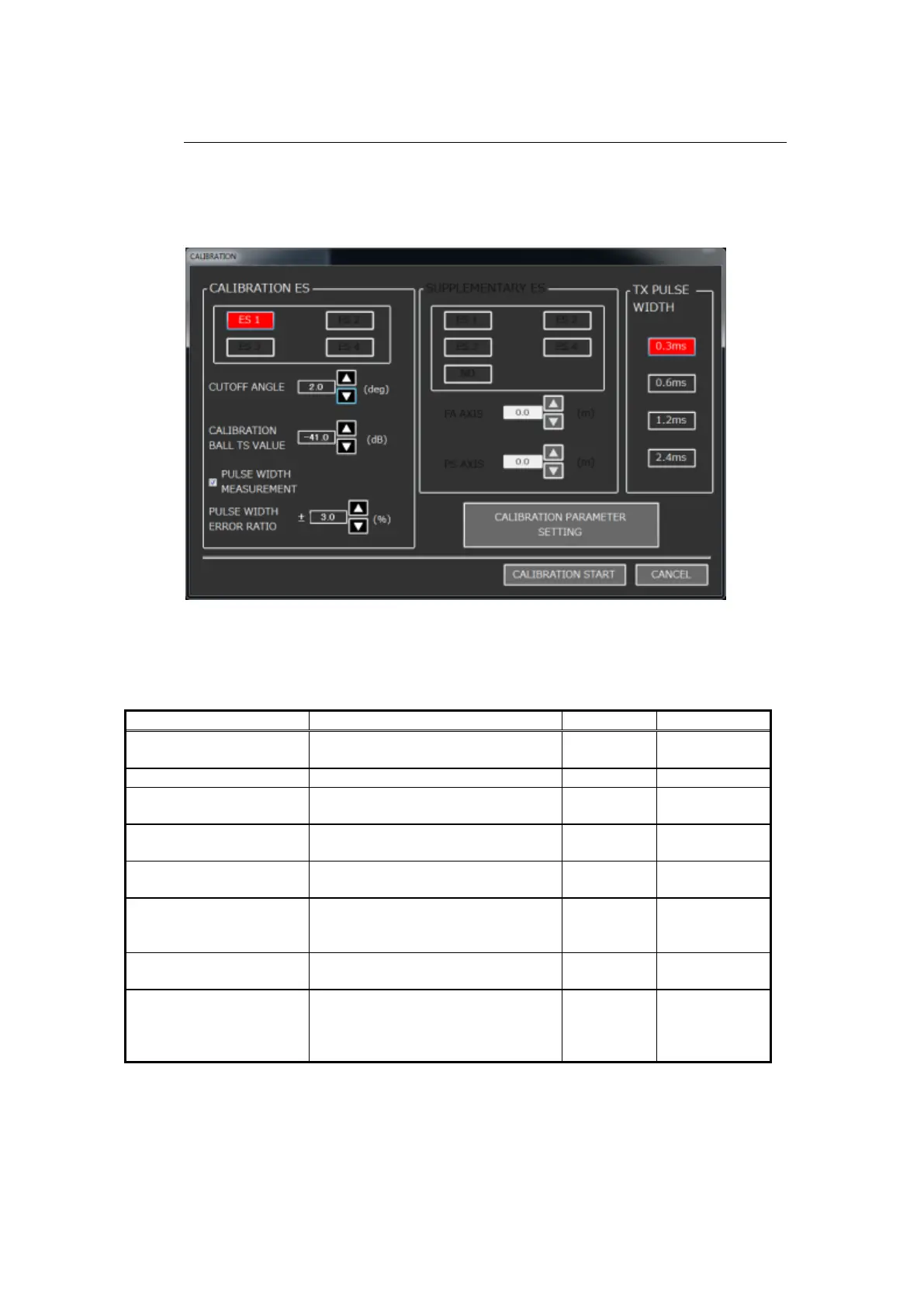
The details of the CALIBRATION window are described in Tables 2-3 and 2-4
below.
Fig. 2-77 CALIBRATION setting screen
Table 2-3 Calibration setting items
Setting Item
Change Range
Step Width
Default
CALIBRATION ES
The ES that is already assigned in
the ES assignment screen.
-
-
CUTOFF ANGLE
0.5 to 5.0
0.1
2.0
CALIBRATION BALL TS
VALUE
-20.0 to -60.0
0.1
-41.0
PULSE WIDTH
MEASUREMENT
ON, OFF
-
ON
PULSE WIDTH ERROR
RATIO
2.0 to 20.0
0.1
±3.0
SUPPLEMENTARY ES
(not in use)
The ES that is already assigned in
the ES assignment screen. Only
the split beam ES is active.
-
None
FA AXIS/PS AXIS (not in
use)
-5.0 to 5.0
0.1
0.0
TX PULSE WIDTH
0.3, 0.6, 1.2, 2.4
-
The current
pulse width of
the ES to be
calibrated.

Table of Contents

Related product manuals