Changing the menu settings
POWER
Icon/item Mode Meaning switch
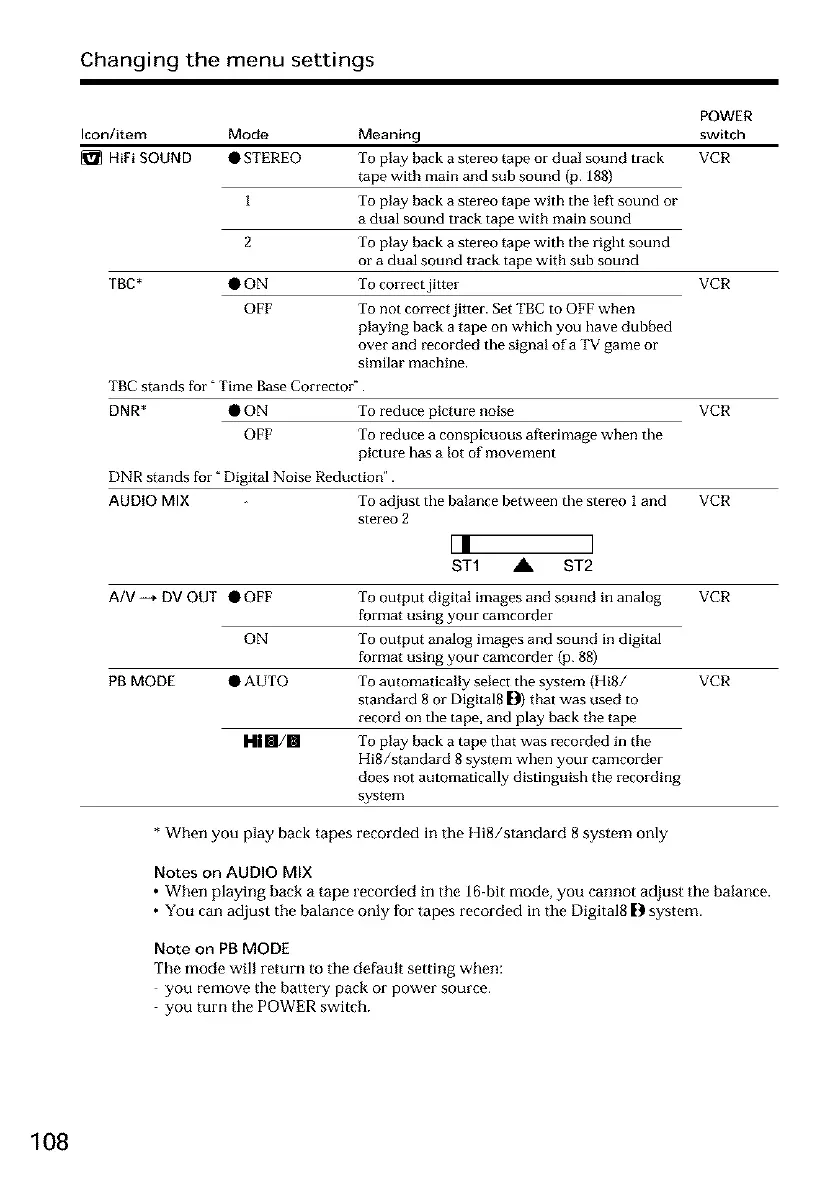
HiFi SOUND • STEREO To play back a stereo tape or dual sound track VCR
tape with main and sub sound (p. 188)
1 To play back a stereo tape with tile left sound or
a dual sound track tape with main sound
2 To play back a stereo tape with tile right sound
or a dual sound track tape with sub sound
ThE * • ON To correct jitter VCR
OFF To not correct jitter. Set TBC to OFF when
playing back a tape on which you have dubbed
over and recorded the signal ofa TV game or
similar machine.
TBC stands for" Time Base Correcter".
DNR* • ON To reduce picture noise VCR
OFF To reduce a conspicuous afterimage when the
picture has a lot of movement
DNR stands for" Digital Noise Reduction".
AUDIO MIX To adjust the balance between the stereo I and VCR
stereo 2
L! ]
ST1 A ST2
A/V-_ DV OUT •OFF To output digita! images and sound in analog VCR
format using your camcorder
ON To output analog images and sound in digital
format using your camcorder (p. 88)
PB MODE • AUTO To automatically select the system (Hi8/ VCR
standard 8 or DigRal8 []1) that was used to
record on the tape, and play back the tape
To play back a tape that was recorded in the
HiS/standard 8 system when your camcorder
does not automatically distinguish the recording
system
Hi§/§
* When you play back tapes recorded in the HiS/standard 8 system only
Notes on AUDIO MIX
• When playing back a tape recorded in the ]6-bit mode, you cannot adjust the balance.
• You can adjust tbe balance only for tapes recorded in the Digital8 D system.
Note on PB MODE
The mode will return to the default setting when:
you remove the battery pack or power source.
you turn the POWER switch.
108













 To Next Page