Changing the menu settings
POWER
Icon/item Mode Meaning switch
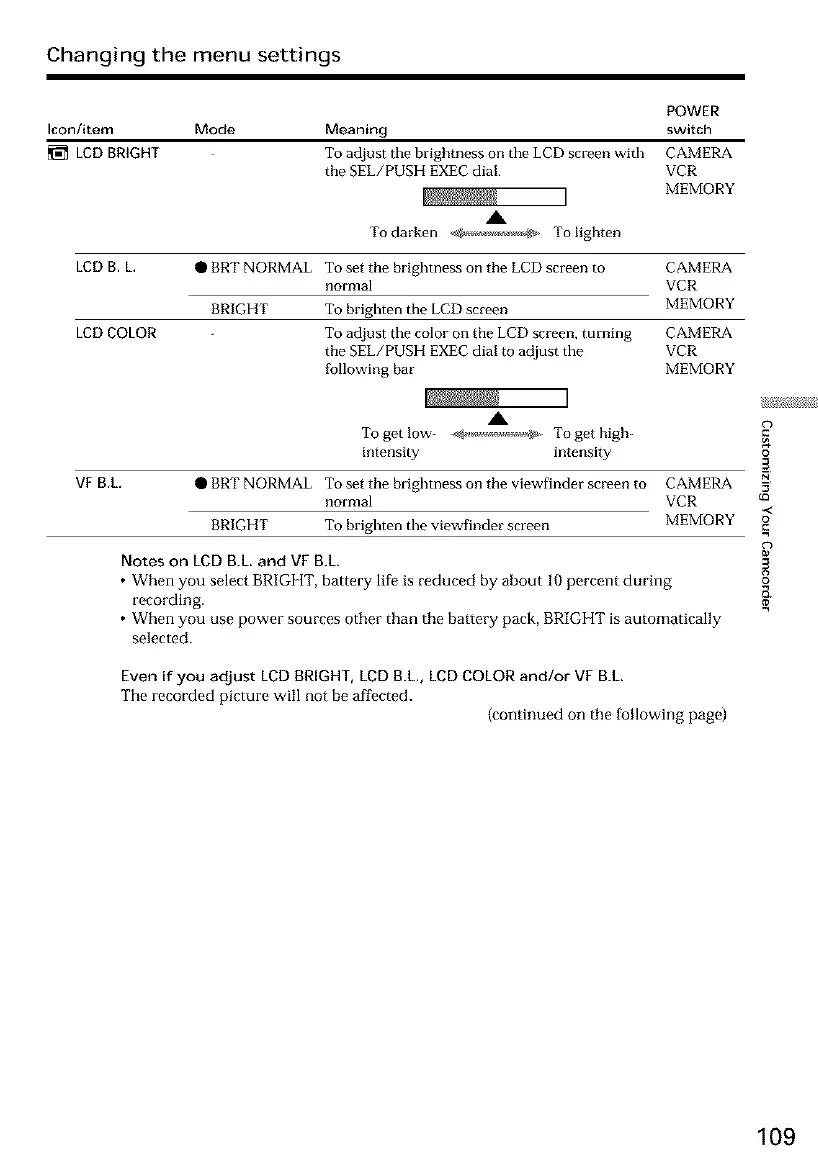
LED BRIGHT To adjust the brightness on the LCD screen with CAMERA
the SEL/PUSH EXEC dial. VCR
MEMORY
,IL
To darken _ To lighten
LED B.L. O BRT NORMAL To set the brighmess on the LCD screen to CAMERA
normal VCR
BRIGHT To brighten the LCD screen MEMORY
LED COLOR To adjust the color on the LCD screen, turning CAMERA
the SEL/PUSH EXEC dial to adjust the VCR
following bar MEMORY
VE B.L
.A
Togetlow- ,_......,_ Togethigh-
intensity intensity
• BRT NORMAL To set the brighmess on the viewfinder screen to CAMERA
normal VCR
BRIGHT To brighten the viewBnder screen MEMORY
Notes on LCDB.L and VF B.L
• When you select BRIGHT, battery life is reduced by about 10 percent during
recording.
• When you use power sources other than the battery pack, BRIGHT is automatically
selected.
Even if you adjust LCD BRIGHT, LCD B.L, LCD COLOR and/or VF B.L
The recorded picture will not be affected.
{continued on the [ollowing page)
o
{o
-<
=o
o
109













 To Next Page