Changing the menu settings
POWER
Icon/item Mode Meaning switch
_I_ STILL SET
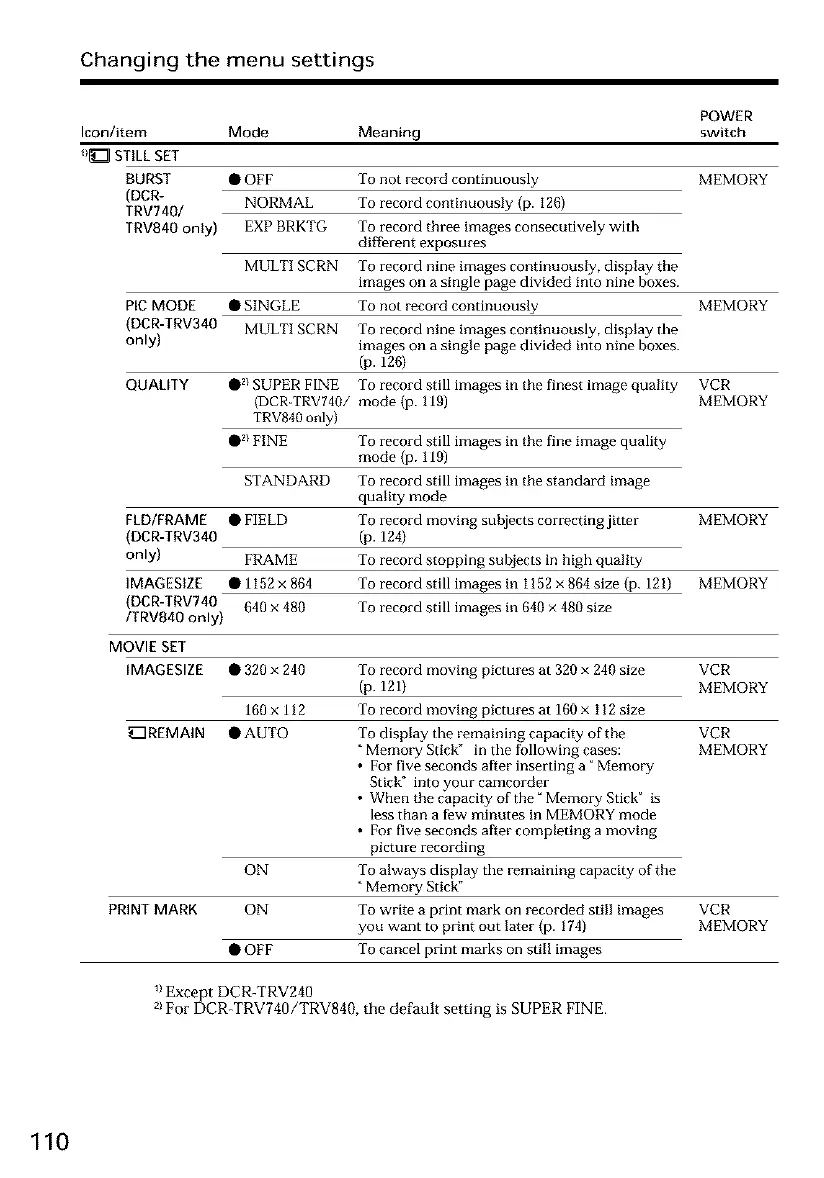
BURST • OlaF To not record continuously MEMORY
(DCR- NORMAL To record continuously (p. 126)
TRV740/
TRV840 only) EXP BRKTG To record three images consecutively with
different exposures
To record nine images continuously, display the
images on a single page divided into nine boxes.
PIC MODE • SINGLE To not record continuously MEMORY
(DCR-TRV340 MULTI SCRN To record nine images continuously, display the
only) images on a single page divided into nine boxes.
(p. 126)
To record still images in the finest image quality VCR
mode (p. 119) MEMORY
MULTI SCRN
QUALITY •2/SUPER FINE
(DCR-TRV740/
TRV840 only)
• 2/FINE
STANDARD
FLD/FRAME • FIELD
(DCR-TRV340
only) FRAME
IMAGESIZE •1152x864
(DCR-TRV740 640 x 480
/TRV840 only)
To record still images in the fine image quality
mode (p. 119)
To record still images in the standard image
quality mode
To record moving subjects correcting jitter
(p. 124)
To record stopping subjects in high quality
To record still images in 1152 x 864 size (p. 121)
To record still images in 640 × 480 size
MOVIE SET
IMAGESIZE • 320 x 240
160x 112
_REMAIN •AUTO
PRINT MARK
ON
ON
•OFF
MEMORY
MEMORY
To record moving pictures at 320 x 240 size VCR
(p. 121) MEMORY
To record moving pictures at 160 x I 12 size
To display the remaining capacity of the VCR
"Memo_ T Stick" in the following cases: MEMORY
• For five seconds after inserting a" Memory
Stick" into your camcorder
• When the capacity of tile" Memory Stick" is
less than a few minutes in MEMORY mode
• For five seconds after completing a moving
picture recording
To always display the remaining capacity of the
Memory Stick"
To write a print mark on recorded still images VCR
you want to print out later (p. 174) MEMORY
To cancel print marks on still images
_1Except DCR-TRV240
21For DCR-TRV740/TRV840, the default setting is SUPER FINE.
110













 To Next Page