Changing the menu settings
POWER
Icon/item Mode Meaning switch
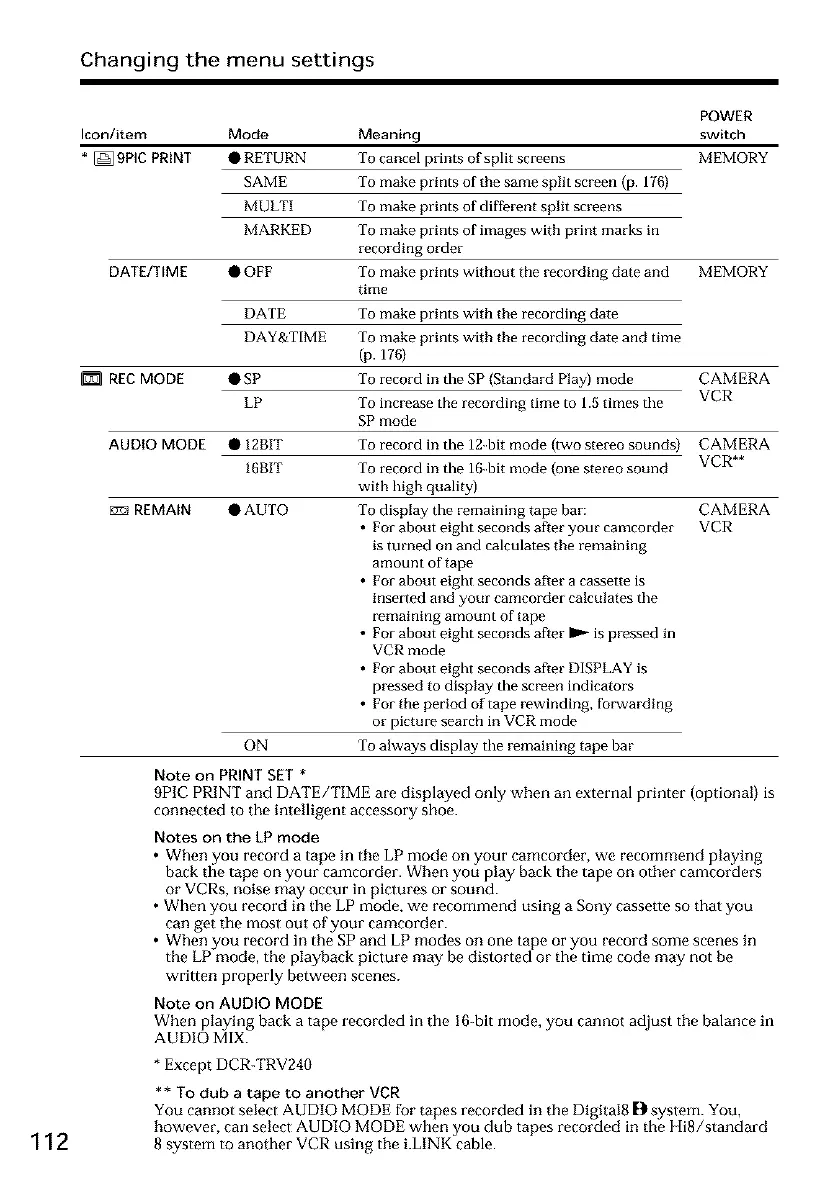
* [] 9PIE PRINT • RETURN To cancel prints of split screens MEMORY
SAME To make prints of the same split screen (p. 176)
MULTI To make prints of different split screens
MARKED To make prints of images with print marks in
recording order
DATE/TIME • OFF To make prints without the recording date and MEMORY
time
112
DATE
DAY&TIME
REC MODE •SP
LP
AUDIO MODE • 12BIT
16BIT
REMAIN •AUTO
To make prints with the recording date
To make prints with the recording date and time
(p. 176)
To record in the SP (Standard Play) mode
To increase the recording time to 1.5 times the
SP mode
CAMERA
VCR
ON
To record in the 12-bit mode (two stereo sounds)
To record in the 16-bit mode (one stereo sound
with high quality)
To display the remaining tape bar:
• For about eight seconds after your camcorder
is turned on and calculates the remaining
amount of tape
• For about eight seconds after a cassette is
inserted and your camcorder calculates the
remaining amount of tape
• For about eight seconds after 1_ is pressed in
VCR mode
• For about eight seconds aRer DISPLAY is
pressed to display the screen indicators
• For the period of tape rewinding, fox.yarding
or picture search in VCR mode
To always display the remaining tape bar
CAMERA
VCR**
CAMERA
VCR
Note on PRINT SET *
9PIC PRINT and DATE/TIME are displayed only when an external printer (optional) is
connected to the intelligent accessory shoe.
Notes on the LP mode
• When you record a tape in the LP mode on your camcorder, we recommend playing
back the tape on your camcorder. When you play back the tape on other camcorders
or VCRs, noise may occur in pictures or sound.
• When you record in the gP mode, we recommend using a Sony cassette so that you
can get the most out of your camcorder.
• When you record in the SP and LP modes on one tape or you record some scenes in
the LP mode, the playback picture may be distorted or the time code may not be
written properly between scenes.
Note on AUDIO MODE
When playing back a tape recorded in tile 16-bit mode, you cannot adjust the balance in
AUDIO MIX.
* Except DCR-TRV240
** To dub a tape to another VCR
You cannot select AUDIO MODE for tapes recorded in the Digital8 [} system. You,
however, can select AUDIO MODE when you dub tapes recorded in the Hi8/standard
8 system to another VCR using the i.LINK cable.













 To Next Page