Recording still images on " Memory Stick" s
- Memory Photo recording
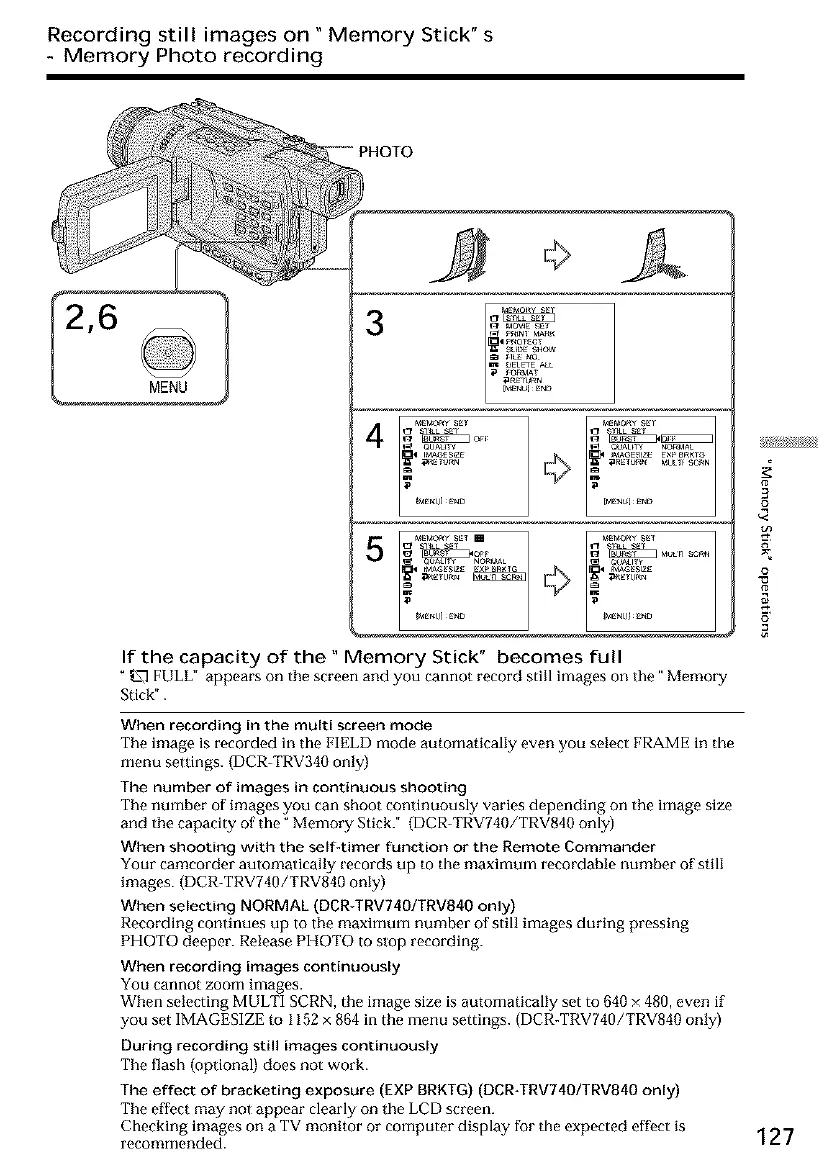
3
4
If the capacity of the" Memory Stick" becomes full
" _ FULL" appears on the screen and you cannot record still images on the" Memory
Stick".
When recording in the multi screen mode
The image is recorded in the FIELD mode automatically even you select FRAME in the
menu settings. (DCR-TRV340 only)
The number of images in continuous shooting
The number of images you can shoot continuously varies depending on the image size
and the capacity of the" Memory Stick." (DCR TRV740/TRV840 only)
When shooting with the self-timer function or the Remote Commander
Your camcorder automatically records up to the maximum recordable number of still
images. (DCR-TRV740/TRV840 only)
When selecting NORMAL (DCR*TRV740/TRV840 only)
Recording continues up to the maximum number of still images during pressing
PHOTO deeper. Release PHOTO to stop recording.
When recording images continuously
You cannot zoom images.
When selecting MULTI SCRN, the image size is automatically set to 640 × 480, even if
you set IMAGESIZE to 1152 x 864 in the menu settings. (DCR-TRV740/TRV840 only)
During recording still images continuously
The flash (optional) does not work.
The effect of bracketing exposure (EXP BRKTG) (DCR_TRV740/TRV840 only)
The effect may not appear clearly on the LCD screen.
Checking images on a TV monitor or computer display for the expected effoct is
recommended.
#
3
£
o
127













 To Next Page