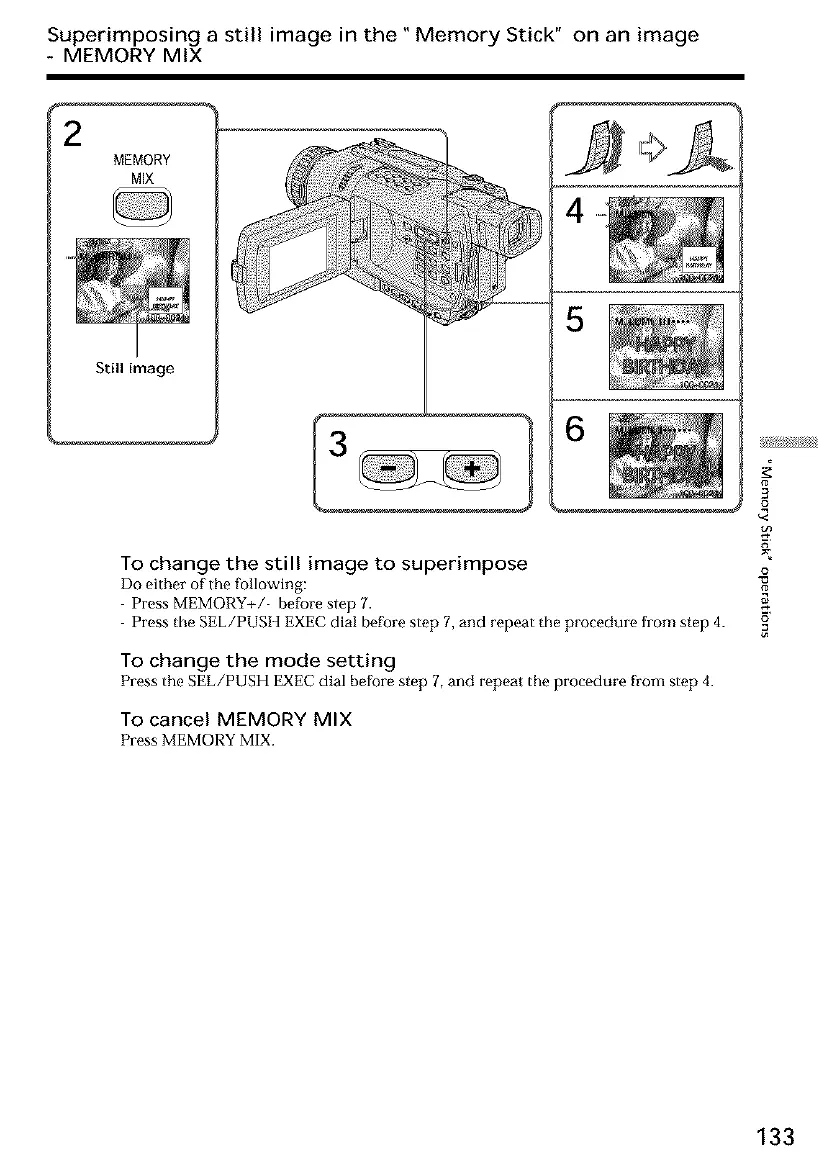
Superimposing a still image in the" Memory Stick" on an image
- MEMORY MIX
MEMORY
MIX
Still image
3
4
I 6
To change the still image to superimpose
Do either of the following:
Press MEMORY+/' before step 7.
Press the SEL/PUSH EXEC dial before step 7, and repeat the procedure from step 4.
To change the mode setting
PresstheSEL/PUSI {EXECdlal before step 7,and repeatthe procedure from step 4.
TO cancel MEMORY MIX
Press MEMORY MIX.
3
£
i
o
133













 To Next Page