Viewing still images - Memory Photo playback
To play back recorded images on a TV screen
• Before operation connect your camcorder to the TV with the A/V connecting cable
supplied with your camcorder.
• When operating memory photo playback on a TV or the LCD screen, image quality
may appear to have deteriorated. This is not a malfunction. The image data is as good
as ever.
• Turn the audio volume of the TV down before operation, or noise {howling) may he
output from the TV speakers.
When no still image is recorded on the "Memory Stick"
The message" _1 NO FILE" appears.
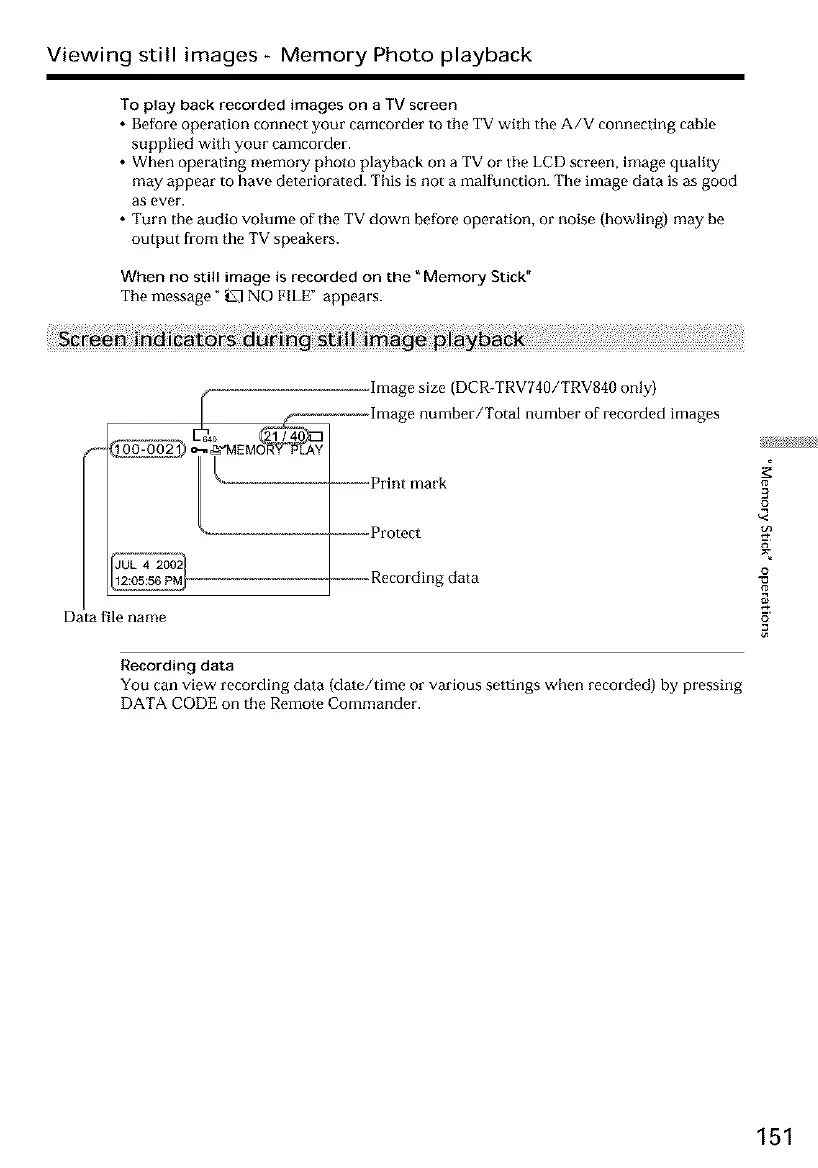
hnage size (DCR-TRV740/TRV840 only)
hnage number/Total number of recorded hnages
-_-_-_-Print mark
__, _ooooo,Protect
--, ecordingdata
Data file name
Recording data
You can view recording data (date/time or various settings when recorded) by pressing
DATA CODE on the Remote Commander.
#
3
£
¢<
o
151













 To Next Page