Viewing still images - Memory Photo playback
You can play back six recorded images at a time. This function is especially useful when
searching for a particular image.
(1) Set the POWER switch to MEMORY or VCR. Make sure that tile LOCK switch
is set to the left (unlock) position.
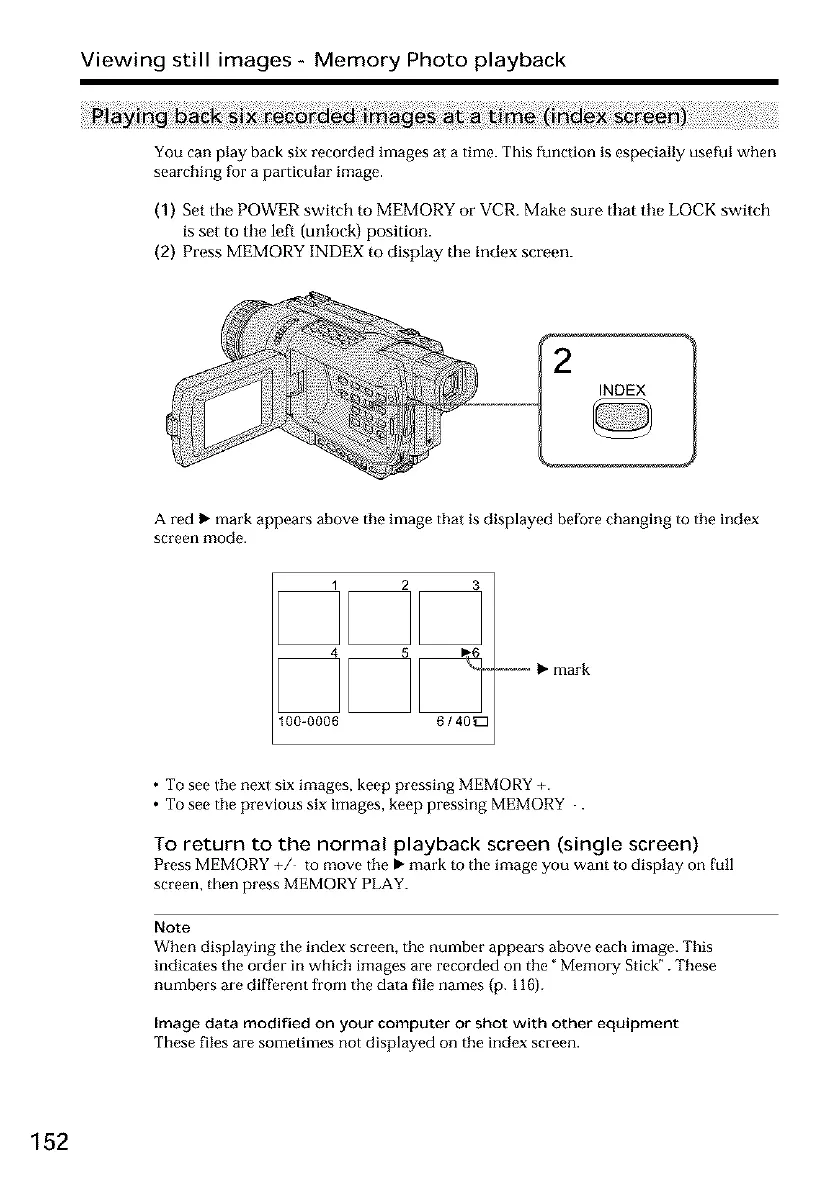
(2) Press MEMORY INDEX to display tile index screen.
A red I_ mark appears above the image that is displayed before changing to the index
screen mode.
1 2 3
100-0006 6/ 40_
-----_ _" mark
• To see the next six images, keep pressing MEMORY +.
• To see the previous six images, keep pressing MEMORY .
To return to the normal playback screen (single screen)
Press MEMORY +/ to move the, mark to the image you want to display on full
screen, then press MEMORY PLAY.
Note
When displaying the index screen, the number appears above each image. This
indicates the order in which images are recorded on the" Memory Stick _. These
numbers are different from the data file names (p. 116).
Image data modified on your computer or shot with other equipment
These files are sometimes not displayed on the index screen.
152













 To Next Page