Viewing images recorded on" Memory Stick" s on your computer
" Memory Stick"
• "Memo_3, Stick" operations on your camcorder cannot be assured if a" Memory Stick"
formatted on your computer is used on your camcorder, or if the" Memory Stick" in
your camcorder was formatted from your computer when the USB cable was
connected.
• Do not compress the data on the "Memory Stick." Compressed files cannot be played
back on your cameorder.
Software
• Depending on your application sofiware, the file size may increase when you open a
still image file.
• When you load an image modified using retouching software from your computer to
your camcorder or when you directly modify the image on your camcorder, the image
format will differ so a file error indicator may appear and you may be unable to open
the file.
Communications with your computer
Communications between your camcorder and your computer may not recover after
recovering from Suspend, Resume, or Sleep.
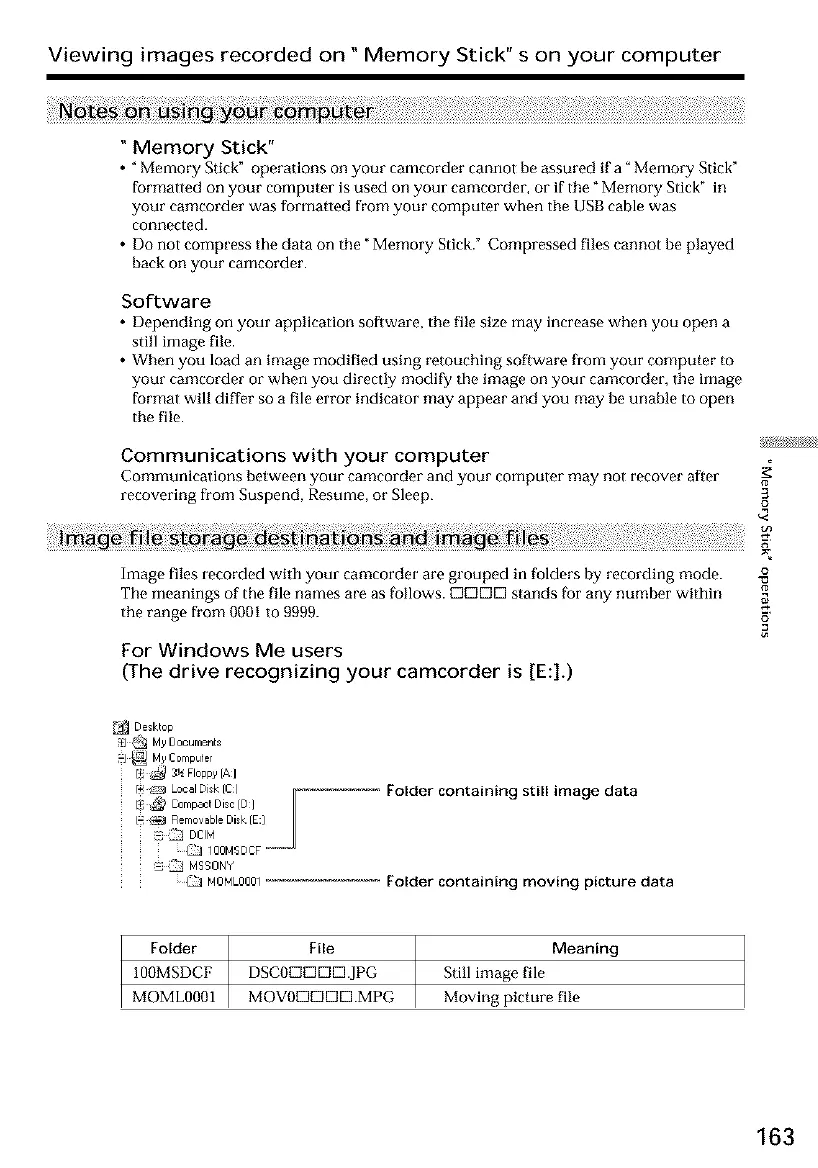
Image files recorded with your camcorder are grouped in folders by recording mode.
The meanings of the file names are as follows. E3DC]D stands [br any number within
the range from 0001 to 9999. S"
For Windows Me users
(The drive recognizing your camcorder is [E:].)
/ _ MYCompute[
/+: i_ 3_ FI0ppy [A]
/_i¢23 Local Di*k ICl
Folder containing still image data
; :_j MSSONY
/_] NONL0001
Folder containing moving picture data
Folder File Meaning
100MSDCF DSCODDDD.JPG Still image file
MOML0001 MOVODDDD.MPG Moving picture file
163













 To Next Page