139
5.9 Playback
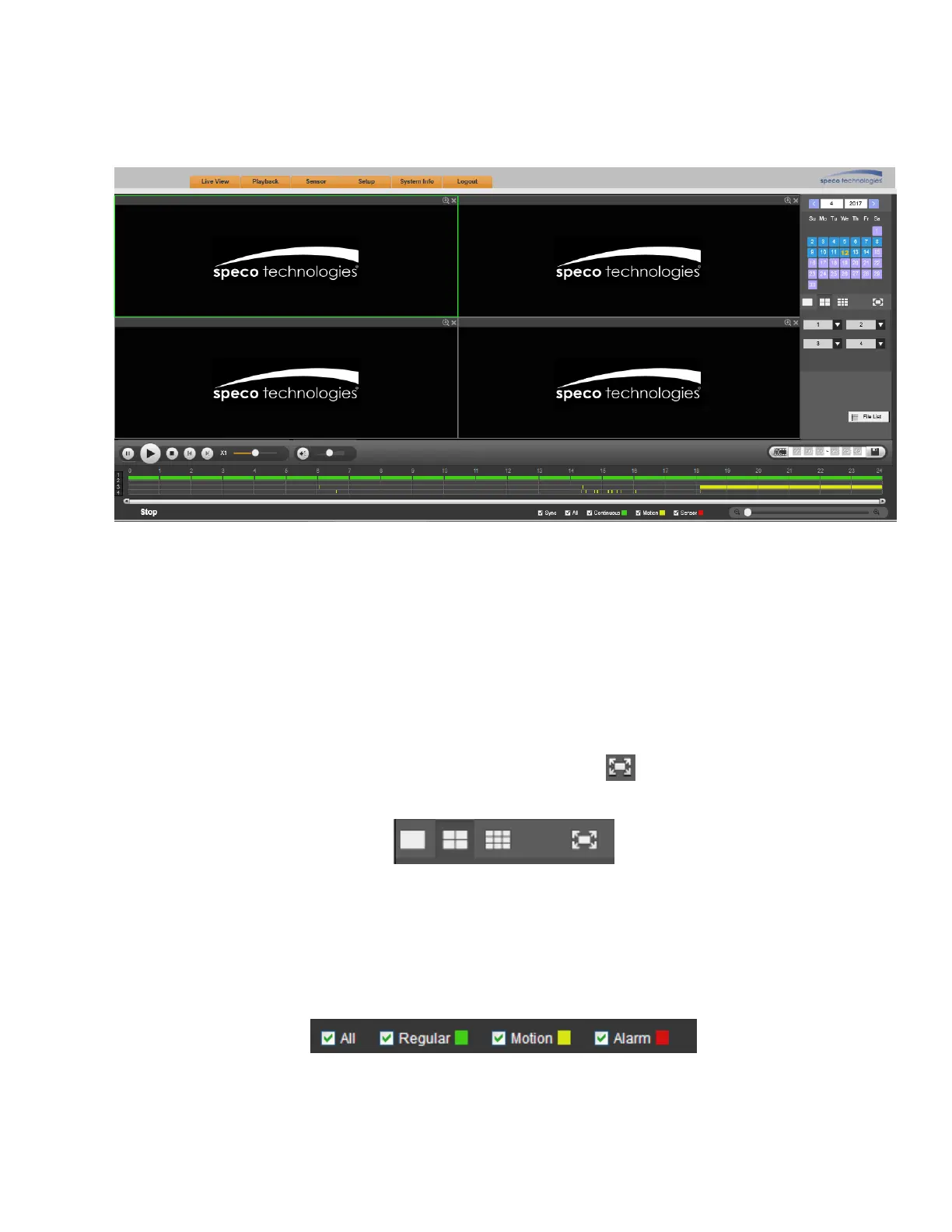
The playback interface is shown in Figure 5-64. Click on the Playback tab at the top of the page.
Figure 5-64
5.9.1 Search Record
Select Date
Click on a date on the right pane to select the date. Date highlighted in yellow font is the selected date. Blue
highlighted dates indicate that recorded data exist for those dates.
Viewing Windows
Select the window split mode. Choices are 1x1, 2x2, or 3x3. Click to display in full screen. Press the
ESC button on the keyboard to exit. See Figure 5-65.
Figure 5-65
Select Channel
For 1x1 and 2x2 modes, select the channels to view from the dropdown menus.
Select Recording Type
Select the recording type to view at the bottom of the page. See Figure 5-66.
Figure 5-66



 To Next Page