57
4.7.2.1 File list
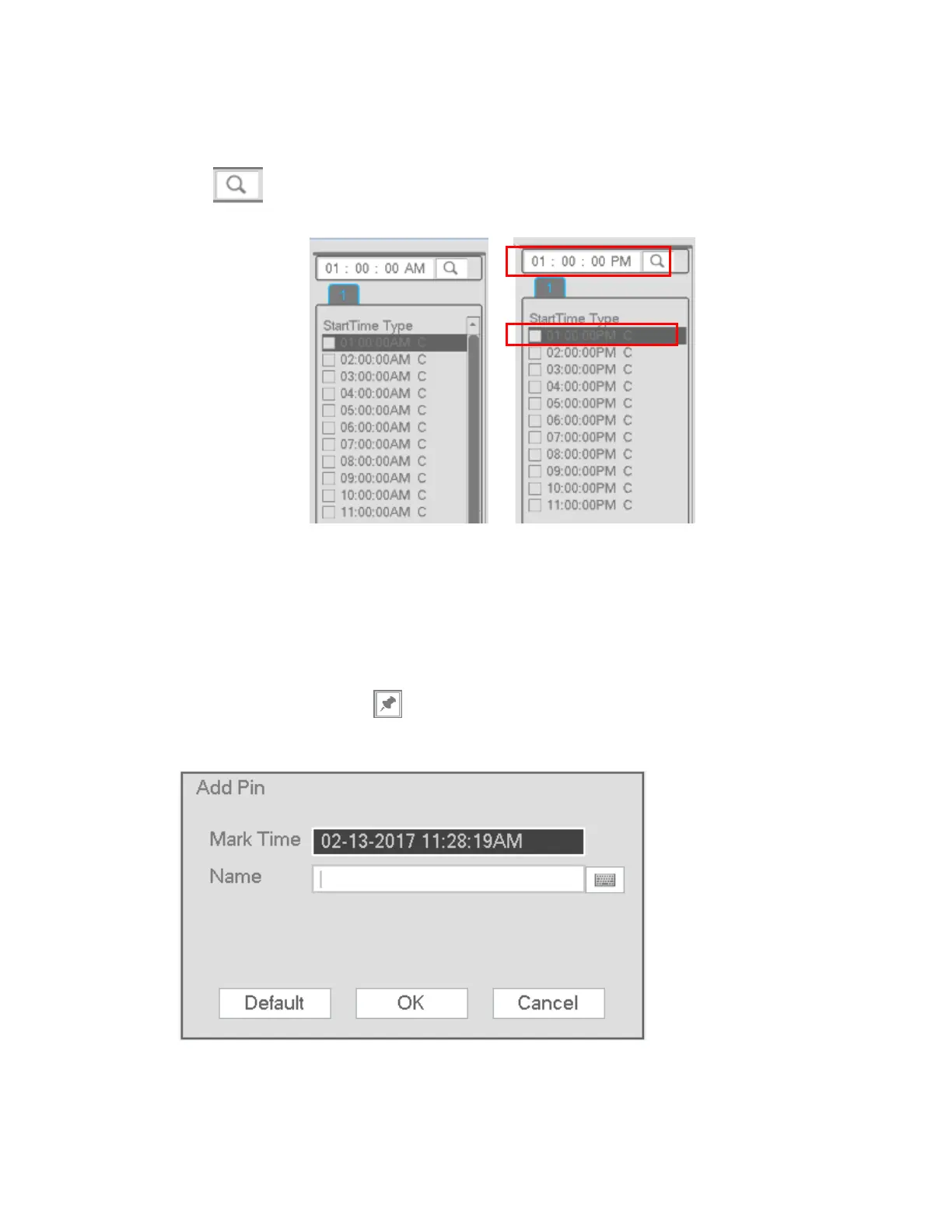
To see the list of recorded files go to the file list interface. Enter a time at the top right corner to search the
records by time. See image on the left side of Figure 4-46. For example, enter 1:00.00 and then click the
search button to view all recorded files after 1:00.00. See image on the right side of Figure 4-46.
Double click a file to start playback.
Figure 4-46
4.7.2.2 Bookmark Pins
During playback, a bookmark pin can be added to mark an important clip. The pin list can be retrieved from
the playback screen
Add Pin
During playback, click the button to go to the following interface. See Figure 4-47. Add a name for
the event and press OK.
Figure 4-47



 To Next Page