34
4.5.8 PTZ Control
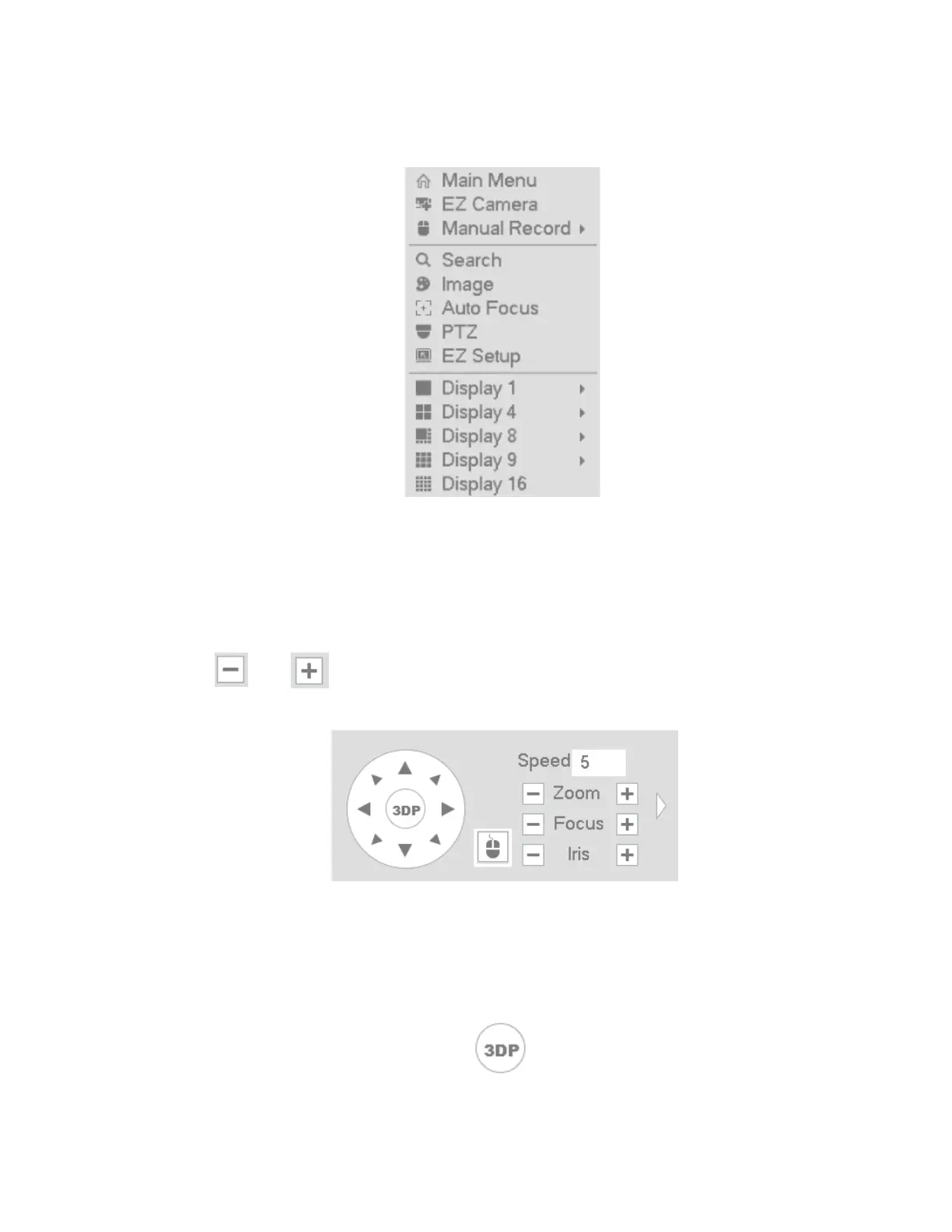
To bring up the PTZ control interface, right-click when hovering over the desired channel and choose
PTZ as shown in Figure 4-18. The display will switch to single-channel mode.
Figure 4-18
The PTZ setup is shown as in See Figure 4-19.
Here you can control PTZ direction, speed, zoom, focus, iris, presets, tours, and other PTZ options.
Speed controls PTZ movement speed. The value ranges from 1 to 8 with 8 being the fastest.
You can click and for zoom, focus and iris.
The PTZ rotation supports 8 directions.
Figure 4-19
For supported camera models, the NVR can control the camera with 3D intelligent positioning (3DP). See
Figure 4-20. Click this key, to enter single screen mode. Click and drag the mouse on the screen to identify a
region of interest. The PTZ will automatically pan, tilt, and zoom to the area that was identified.
Figure 4-20



 To Next Page