94
4.13.2 Log
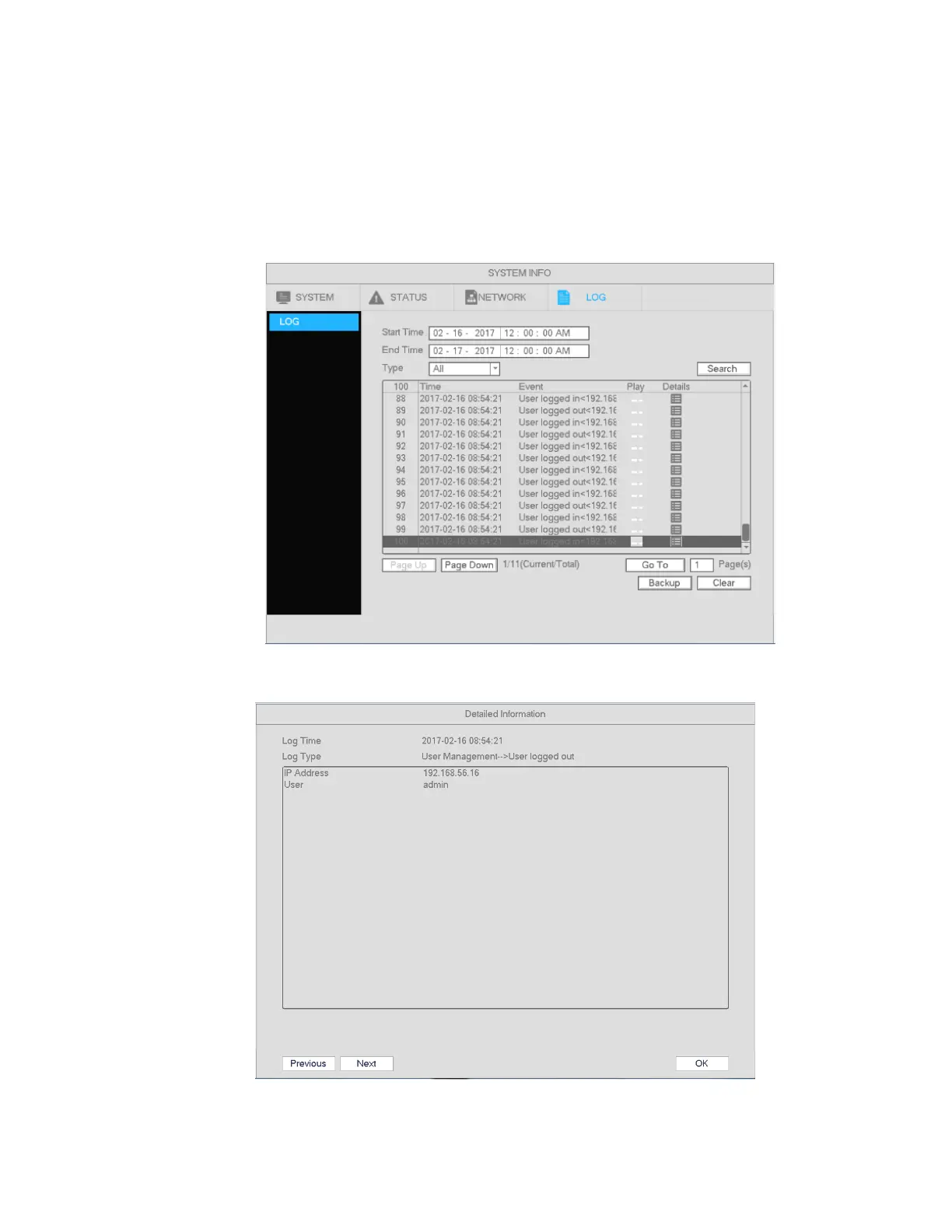
Go to Main Menu->System Info->Log, shown in Figure 4-94.
Start time/End time: Please select the start and end time and then click search. The log files will be
displayed in a list. The system can display 100 logs on one page. Up to 1024 log files can be saved.
Use page up/down buttons on the interface to view more.
Tips
Double click on a log item to view detailed information. See Figure 4-95.
Figure 4-94
Figure 4-95



 To Next Page