88
4.12 General System Setup
4.12.1 Device Setup
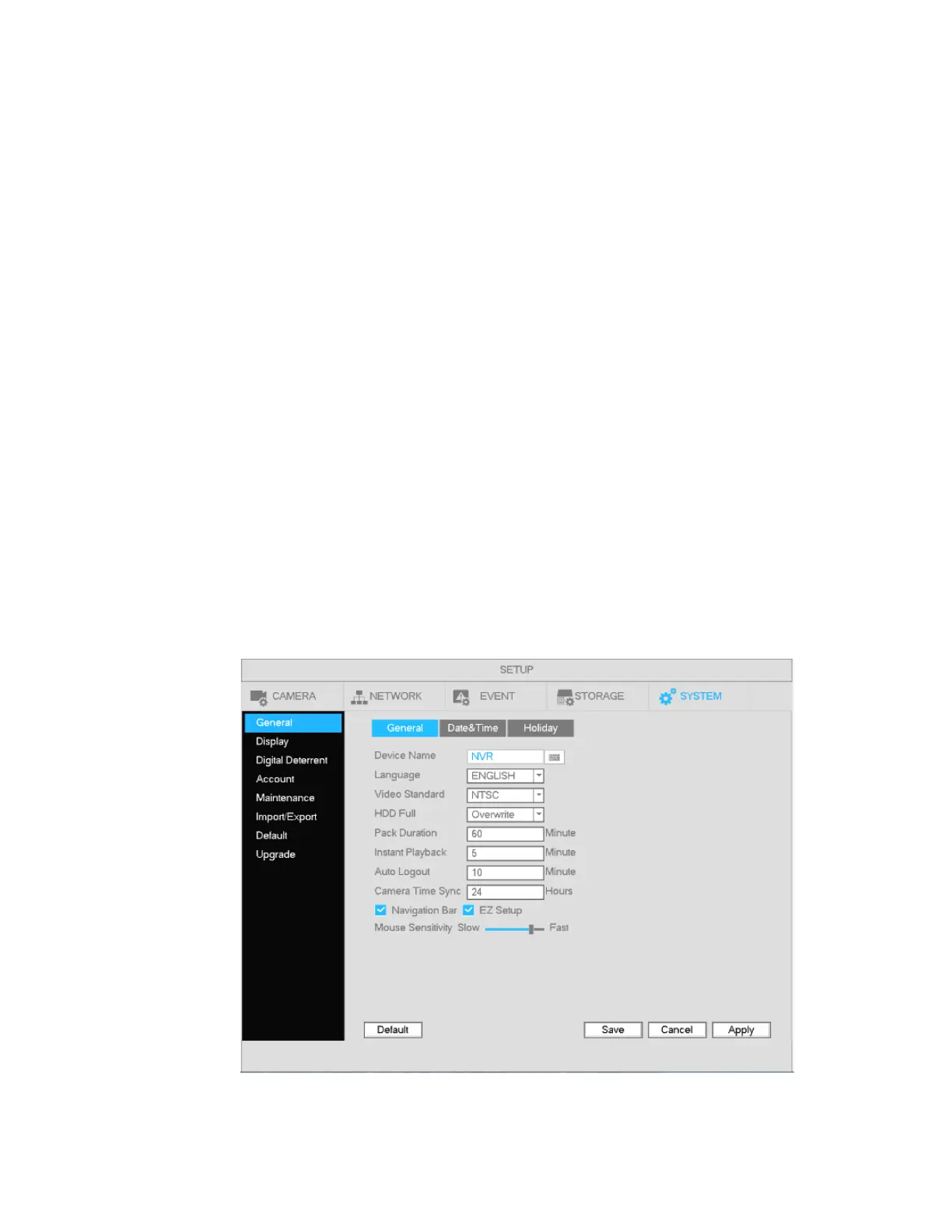
Go to Main menu->Setup->System->General for the general setup interface.
Pack duration: Recording duration for a single file. The value ranges from 0 to 120 minutes. Default
value is 60 minutes.
Device Name: Specify a name for the unit. This name can be used to differentiate between multiple
units.
Language: Choose between English, Spanish, and French.
Video standard: NTSC
HDD Full: Choose between two options - stop recording or overwrite.
Instant Playback: Within live view, a single channel can be chosen for playback. The value ranges from
5 to 60 minutes.
Auto logout: If a logged in user remains inactive for the duration of the specified time, the user will be
logged out. Value ranges from 0 to 60 minutes.
Navigation bar: Check to display the navigation bar on the interface.
Camera Time Sync: The system will synchronize the time between the NVR and the IP cameras at the
intervals specified.
EZ Setup: If enabled, the system will go to the startup wizard directly when the system is rebooted.
Otherwise, it will go to the login interface.
Mouse sensitivity: Sets the double-click speed of the mouse.
Figure 4-86



 To Next Page