48
4.6.4 Alarm Recording/Snapshot
4.6.4.1 Alarm Recording
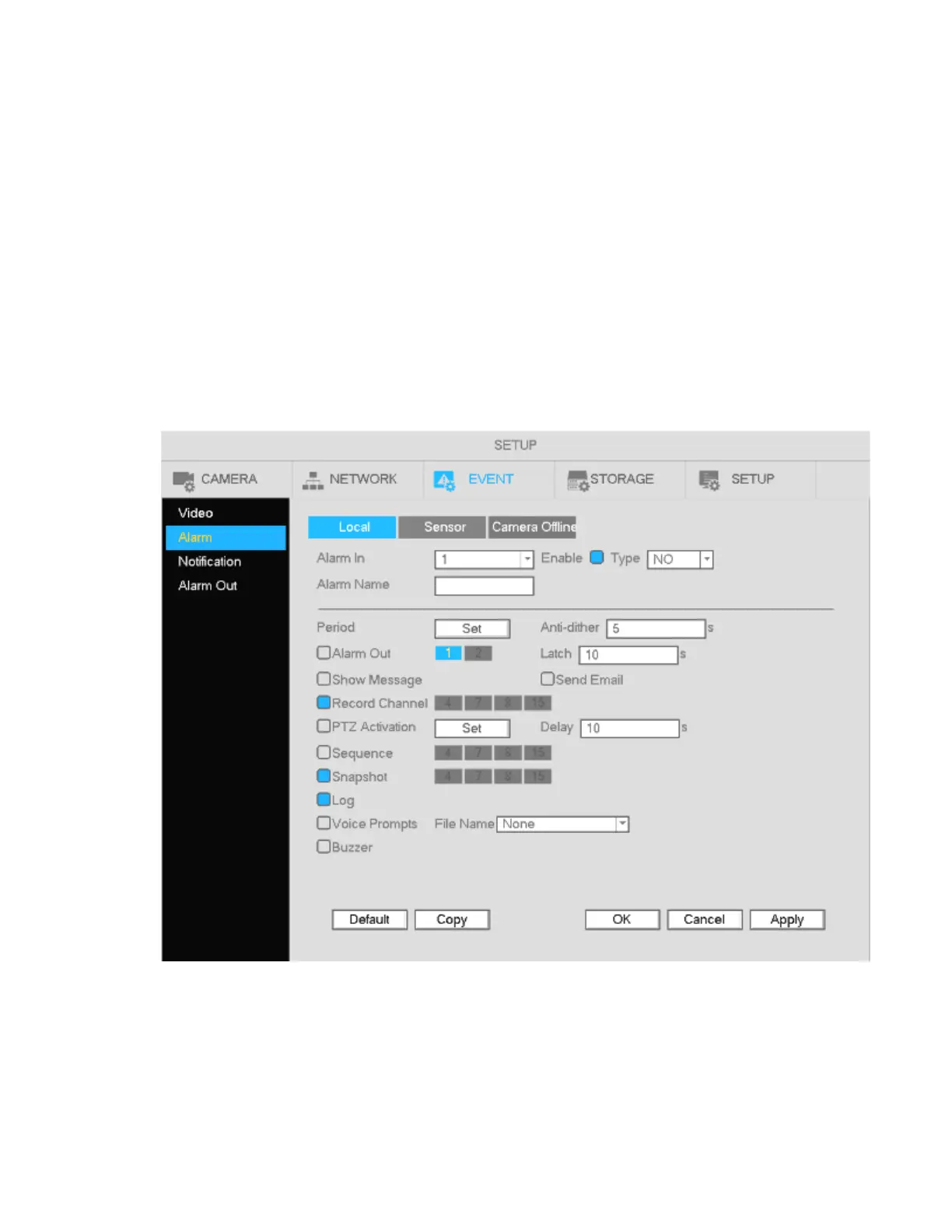
Go to Setup->Event-> Alarm for the alarm setup interface. See Figure 4-39.
Select the desired channel.
Alarm type: Three types are supported.
A sensor input can be connected to an IP camera to generate the event.
An input device connected to a sensor input port on the unit can generate the event.
If an IP camera loses connection with the NVR, the NVR can generate the event. The alarm can last
until the connection resumes.
Check the enable box to enable the function.
Type: normally open or normally closed.
a) Click Apply to complete alarm setup.
Figure 4-39
b) To setup a schedule for alarm recording, follow the same instructions as motion recording schedule,
but choose Sensor instead of Motion.



 To Next Page