44
4.6.2.2 Schedule Snapshot
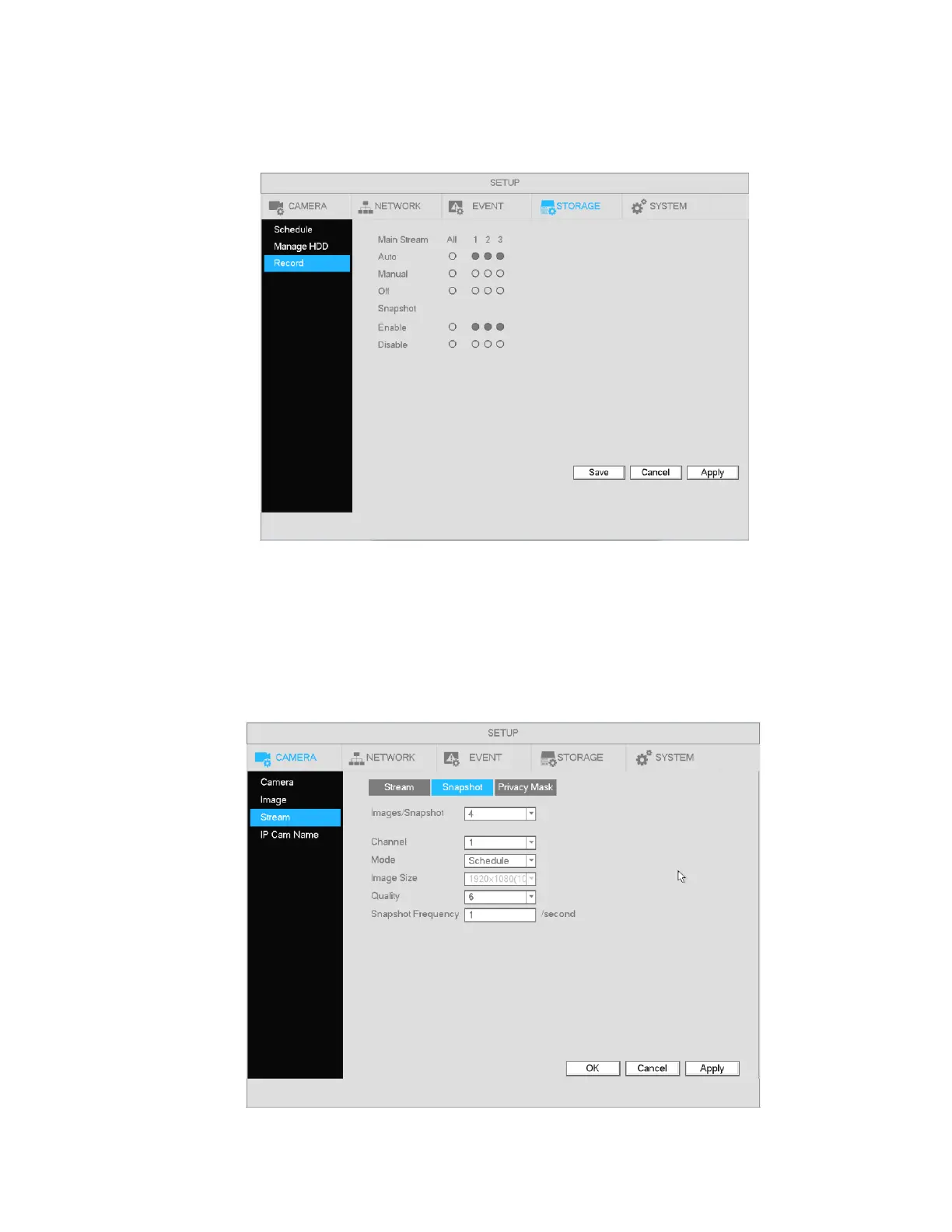
Go to Main Menu->Setup->Storage->Record as shown in Figure 4-32.
Select the desired channels for snapshot and press Apply to save the setting.
Figure 4-32
After snapshot recording is enabled, go to Main Menu->Setup->Camera->Stream->Snapshot, as shown in
Figure 4-33.
Select the snapshot channel from the dropdown list and then select snapshot mode as Schedule. Then set
picture size, quality and snapshot frequency.
Figure 4-33



 To Next Page