15
2.3 Two-Way Audio
2.3.1 Device to PC
Device Connection
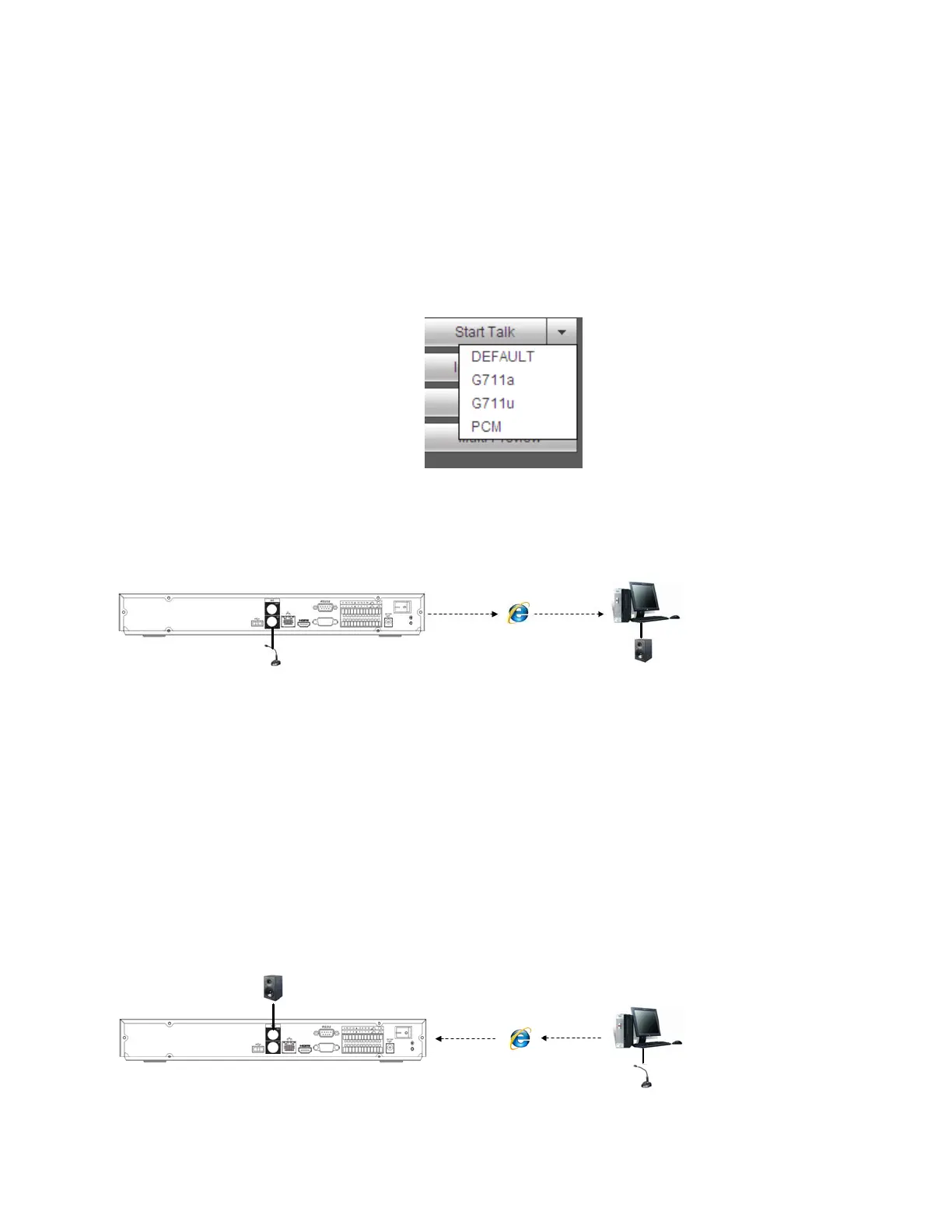
Connect a microphone to the input port located on the rear panel of the NVR. Then connect a speaker to the
audio output port on the PC.
Log into the web viewer to enable two-way audio:
After logging in, look in the left menu panel at the bottom. See Figure 2-4.
Figure 2-4
Audio
See Figure 2-5.
Figure 2-5
2.3.2 PC to Device
Device Connection
Connect a microphone to the audio input port on the PC and then connect a speaker to the output port on the
rear panel of the NVR.
Log into the web viewer to enable two-way audio.
Please refer to the diagram above (Figure 2-4) to enable this option.
Audio
See Figure 2-6.
Figure 2-6



 To Next Page